How do I run a party on the day: check-in, allergies and the run sheet?
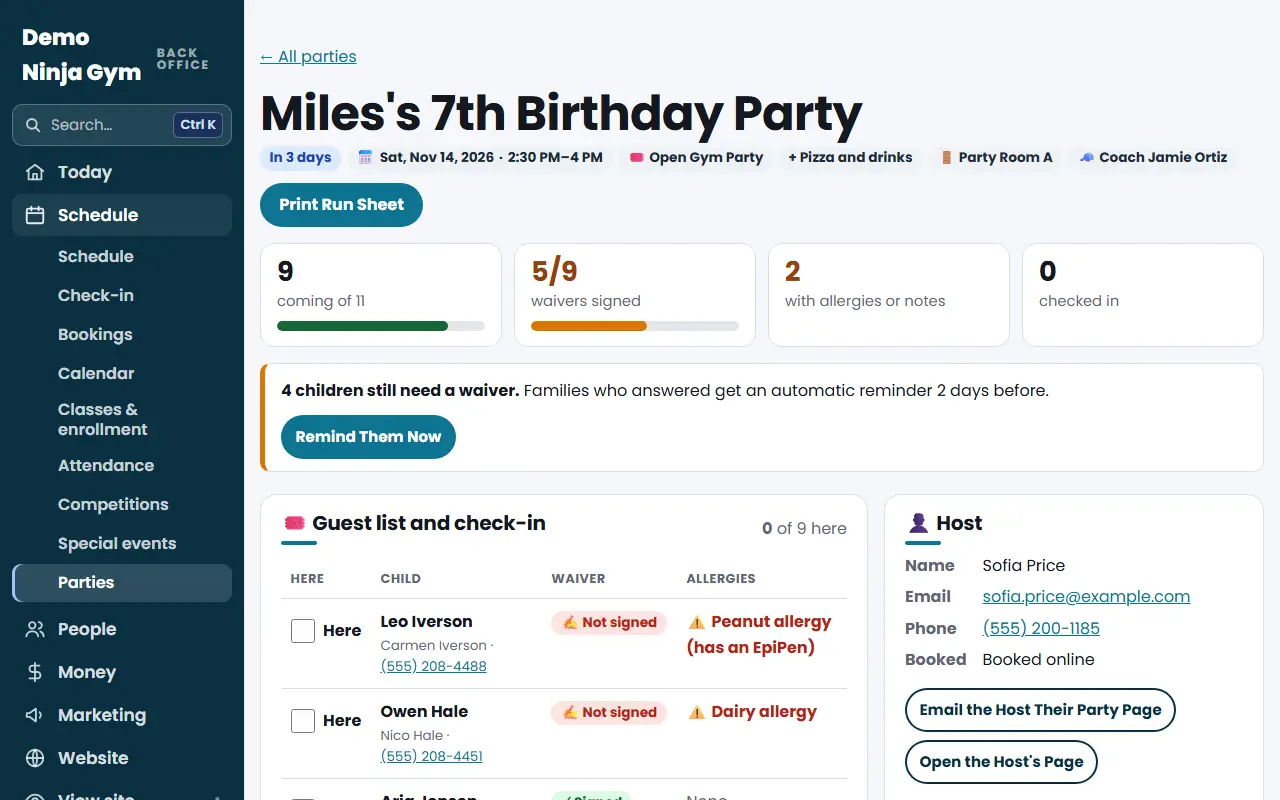
Open the party from Parties or the Front desk. Tick Here as each child arrives, see allergies first, add walk-ins, and print the run sheet for the coach.
On party day everything is on one screen: who's coming, who has a waiver, who has allergies, and the timeline.
Steps
Check children in
- Open Parties and press the party, or press Party check-in on the Front desk.
- Children with allergies or notes are at the top of the list, in red. (If your Party Settings don't ask about allergies, there's no allergies column.)
- Tick Here as each child arrives. It saves straight away, and the count at the top goes up.
- A child who isn't on the list? Open Add a child at the door, enter their name and a parent's name and phone, and press Add to the Guest List.
The invitation's look
- Families choose their invitation's theme and color on their party page. To do it for them (a family who booked by phone, say), open the party, and under Invitation open Look, pick a theme and a color, and press Save the Look. The invitation, RSVP page, paper invitations and party emails change to match. Two themes are made for obstacle parties: Race the Clock (a gray page in a thick frame with the child's name on a yellow ribbon and your gym's name at the foot, at its best in your own colors) and Selected to Compete (a white page in a black frame with two obstacle athletes and a stars-and-stripes Ninja Party shield).
Food and tips
- Food and extras shows what the family chose and the Food to prepare; owners and managers change it with Change food and extras: How do I offer food and extras?.
- After the party, Tips > + Add a tip takes a tip on the family's card on file, or opens the register for the card reader or cash. It goes to the party's coaches: How do tips work?.
Print the run sheet
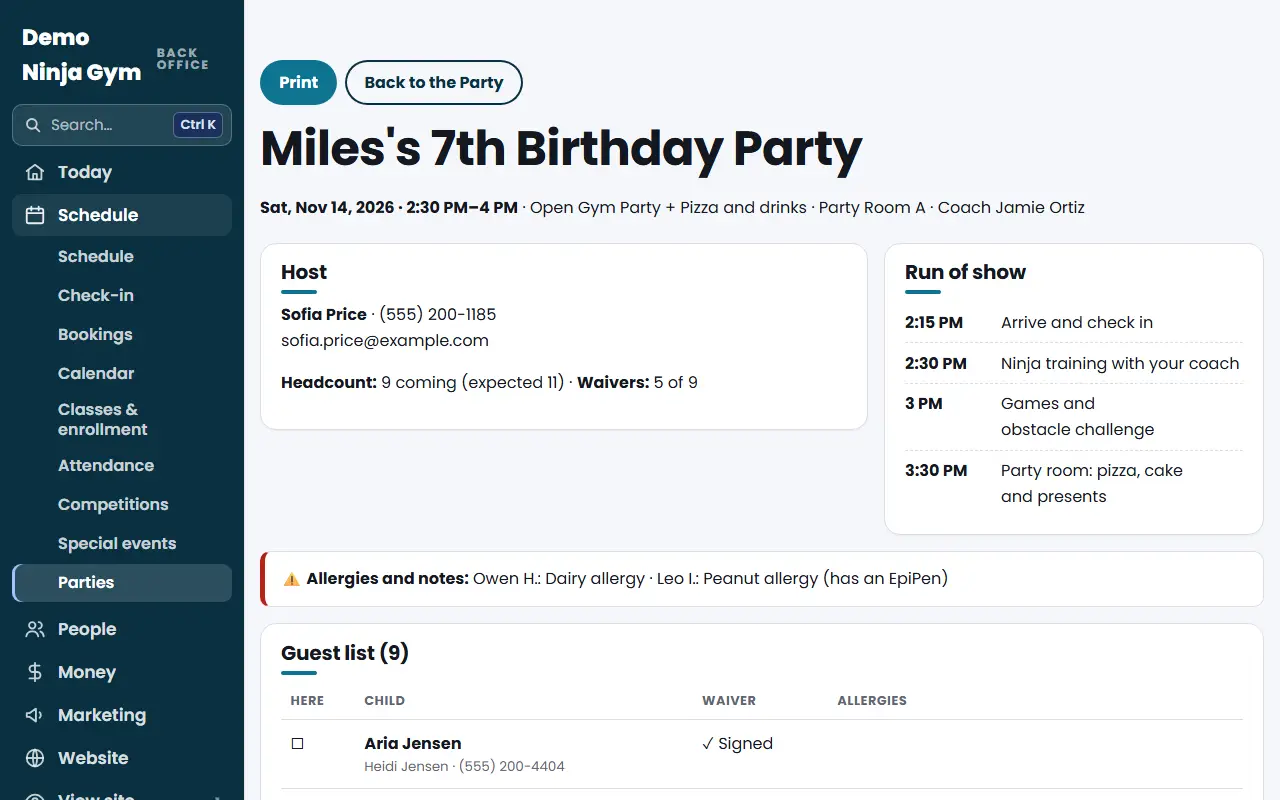
- Press Print Run Sheet.
- The sheet has the host's phone, the family's notes, the run of show, the food to prepare, the allergies and the guest list with a box to tick for each child. Print it for the party coach.
Before the party
- Families who said yes but haven't signed get a waiver reminder by email 2 days before, and a reminder the day before. Owners and managers can press Remind Them Now to send one sooner (once a day at most).
- The host gets an email when their final headcount is due.
- Each morning with a party, your contact inbox gets the day's parties with headcounts, waivers and allergies.
Questions
Why does ChatGPT or Claude give me numbers but no names for a party?
An outside AI app you connect gets how many children are coming, waivers signed and how many have allergies or notes, never names, allergies or notes themselves. Ask NinjaHQ AI in your back office for the names, or open the party's page.
What if a child arrives without a waiver?
Their row says Not signed. Add them with Add a child at the door, then the parent signs on their phone from the party's waiver QR sign, or on the front desk tablet.
Can front desk staff use it?
Yes. In front desk mode, today's parties show as Party check-in tiles. Staff can check children in and add walk-ins. Editing, reminders and payments stay with owners and managers.
Can the family's invitation be pink instead of our colors?
Yes. The family picks a theme and a color under Make it yours on their party page. You can do it for them on the party's page: under Invitation, open Look, choose, and press Save the Look.
Where does the run of show come from?
From your steps in Parties > Booking Settings, timed from each party's start and end. Guests arrive the number of minutes early you set there.
Related articles
- How do I see every party, who's coming and their waivers?
- How do I add a party booked by phone or from a request?
- How do I assign a party coach and track coach review bonuses?
- How do I create a competition and open registration?
- How do I set which leagues we host, or send families to Ninja Master to register?