Change your website without a web developer
Open any page, click the words and type. Add a section, move it, hide it, and watch the page change at phone, tablet and computer size as you go. Nothing goes live until you press Publish, and every earlier version is one tap away.
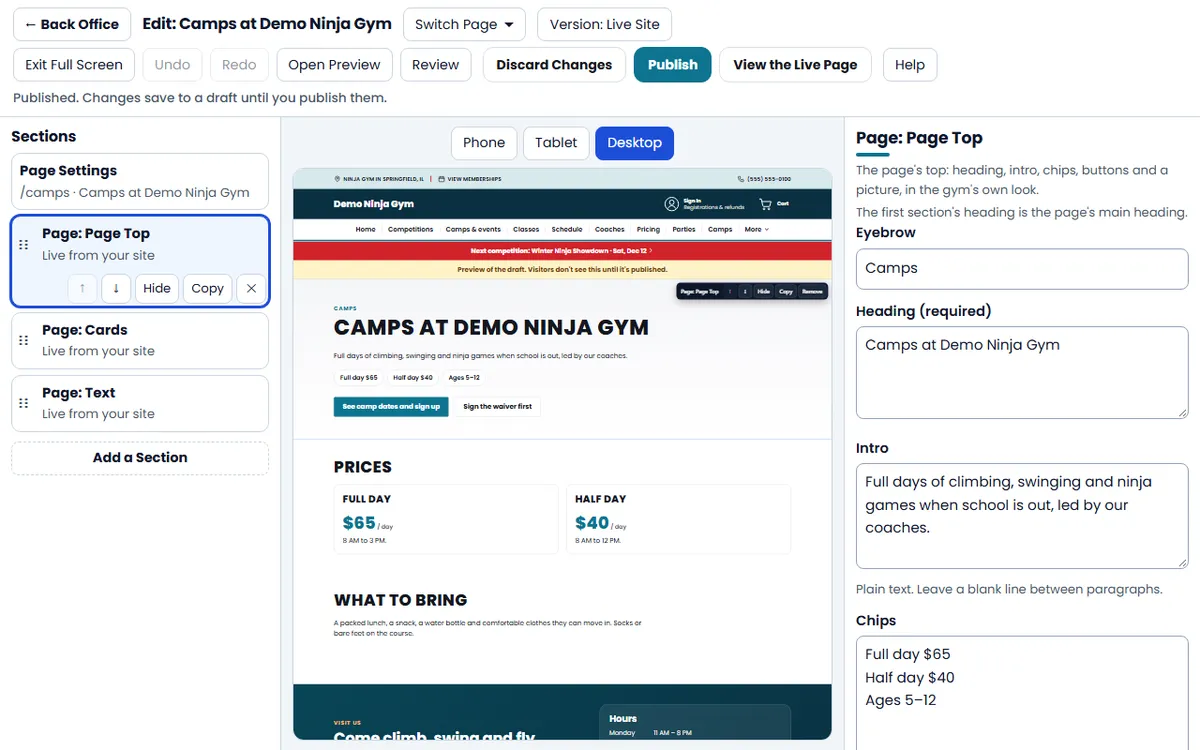
A change, live in under a minute
Change a page, add a section, publish
- 1. Open a pageEvery page of your site is listed under Website > Pages.
- 2. Click the words and typeThe preview beside it changes as you go.
- 3. Add a sectionPick a section and its layout. It comes with sample words to change, in your own design.
- 4. See it on a phoneSwitch the preview to phone, tablet or computer size.
- 5. ReviewIt checks pictures, headings, links, colors and the layout before anything goes live.
- 6. PublishVisitors see it within about a minute, and every earlier version is kept.
Changing the Camps page. Sample data.
A video from a demo gym with sample data.
Build a page from ready-made sections
A section library
Hero, text, picture and text, cards, numbers, quotes, questions, steps, pricing, a gallery, logos, a video and a call to action, each with a few layouts to pick from.
Live from your gym
Sections like your classes, the next competition and this week's closures fill themselves in from your schedule, so the website is never out of date.
Type right on the page
Change the words where you see them, or in the panel beside the preview. Move, hide, copy or remove any section.
Your photos
Replace a picture, choose the part that must always show, and describe it for visitors who use a screen reader.
Your look
Fonts, sizes, corners, buttons, cards and spacing, chosen once for the whole site and kept on every page.
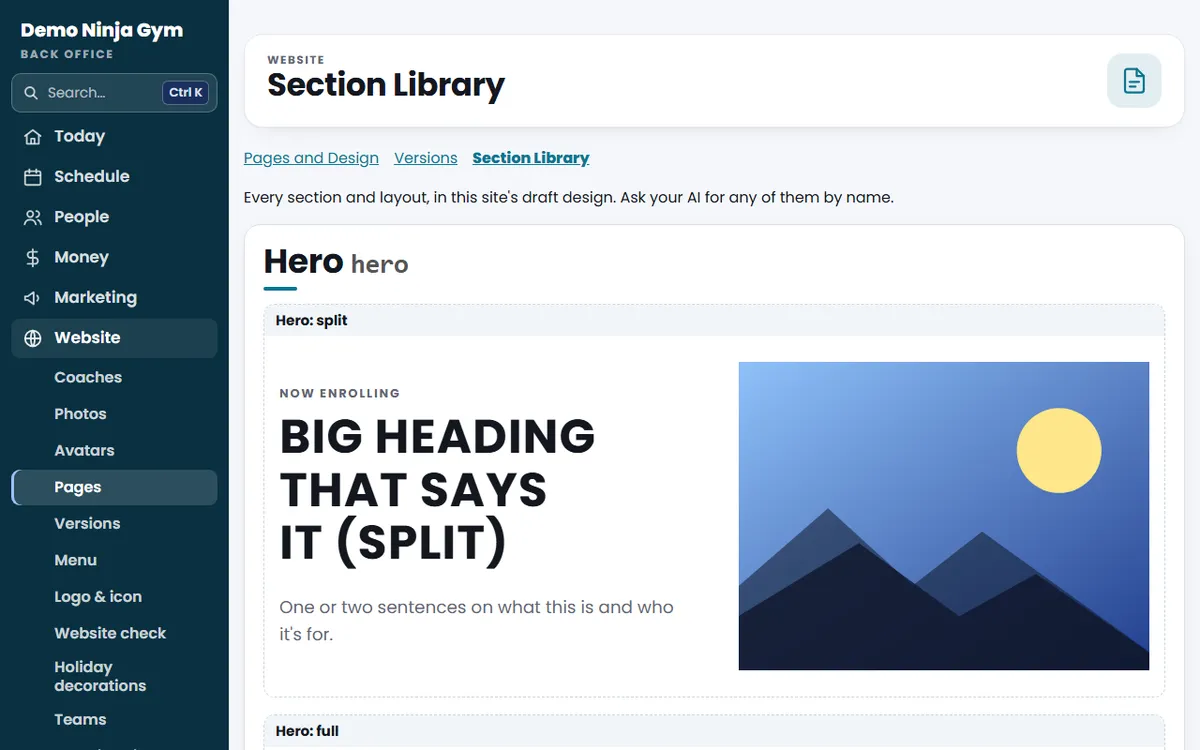
Website > Pages > Section Library: every section in your own design. Sample data.
Start from a page that already works
Give the page a title and pick how it starts. A landing page comes with a hero, cards, a quote, questions and a call to action, ready for your words.
- Three starting pointsA blank page, a landing page, or an about page with your story, numbers and timeline.
- Articles for parentsGuides in your coaches' words, with an author, a date and questions, listed on your Articles page.
- Search and the menuSet the page's address, its title and description for Google, and whether it shows in your menu.
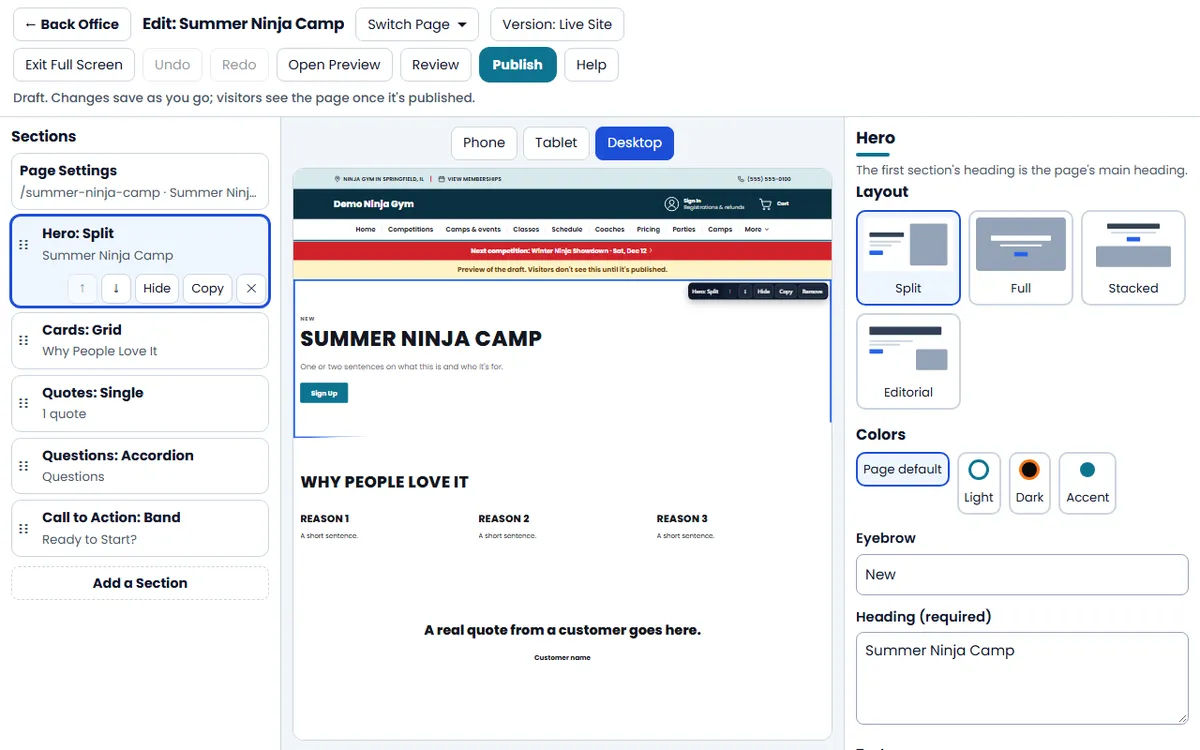
A new landing page, a minute old. Sample data.
Try anything. Visitors see it when you say so.
- Every change is a draftIt saves as you go. Preview the draft, then Publish, or Discard Changes and nothing happened.
- Checked before it goes liveReview looks at pictures, headings, links and buttons, colors and the layout at phone and computer size, the way Ninja HQ checks its own pages. Publish runs it first.
- Every version keptPut back an earlier version of any page, or take a page down without losing it.
- A copy of the whole siteTry bigger changes on a site version with its own preview link, then publish it all at once.
- You choose who publishesOwners, managers and a web developer you give access to see Publish and Put Back.
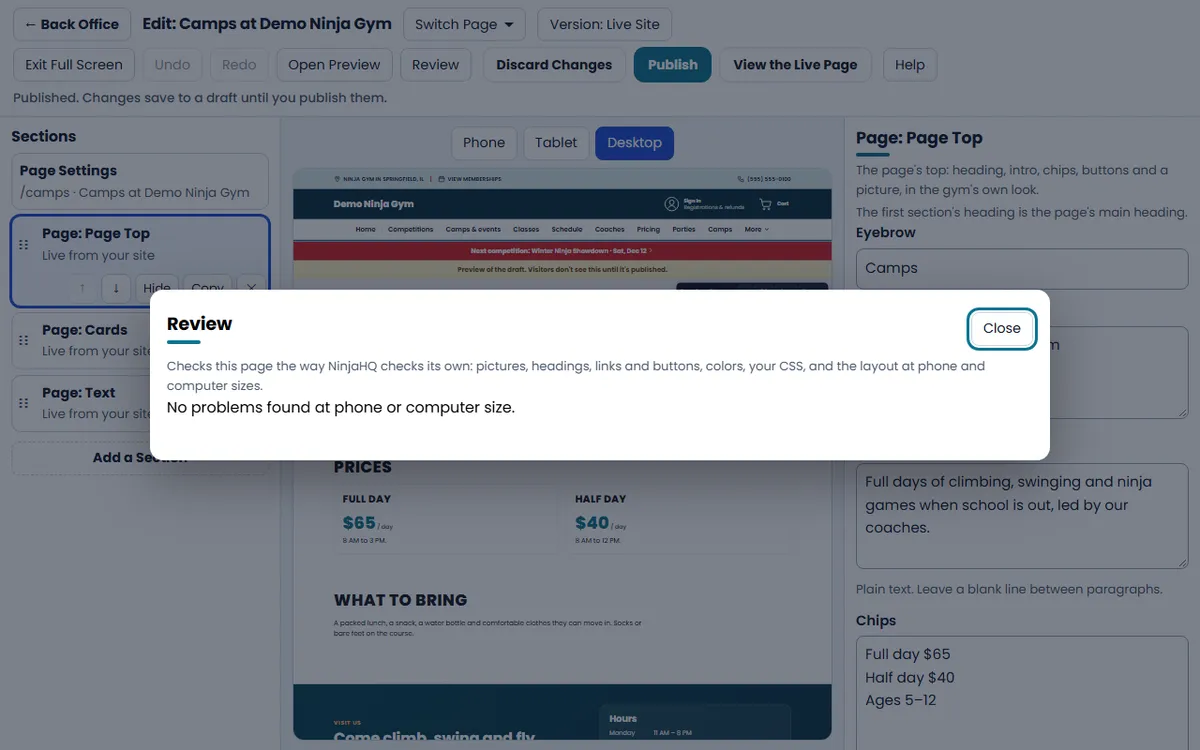
Review before publishing. Sample data.
"Make a page for our summer camp"
Connect ChatGPT or Claude under AI assistant and ask for a page, a new section or a change in plain words. It works on a draft, using your own sections and design, and asks before anything is published.
Your own account
It uses the ChatGPT or Claude account you already have, at no extra cost from Ninja HQ.
Drafts first
Everything it changes waits as a draft you can preview, keep or throw away.
Undo anything
Ask it to put a page back, or do it yourself from Versions.
The Page Builder, answered
Do I need to know any code?
No. You type in the page and pick sections and layouts. A web developer can add their own CSS if you give them access, but you never have to.
Who builds my website in the first place?
Ninja HQ does, from your current website, as part of your free preview. The Page Builder is for every change after that, whenever you want to make one.
How fast do visitors see a change?
Within about a minute of pressing Publish.
Will my pages work on phones?
Yes. Every section is made for phones first, the editor shows the page at phone, tablet and computer size, and Review checks the phone layout before you publish.
Can I add a video?
Yes. A YouTube video shows your own picture until a visitor presses play, so nothing loads from YouTube before then.
Keep exploring
Give your gym the HQ it deserves
Give us your current website and we build your new one, free to explore. No payment before you approve launch. Prefer a walkthrough? Request a 30-minute demo with a Ninja HQ expert.