Your competition, live on your own website
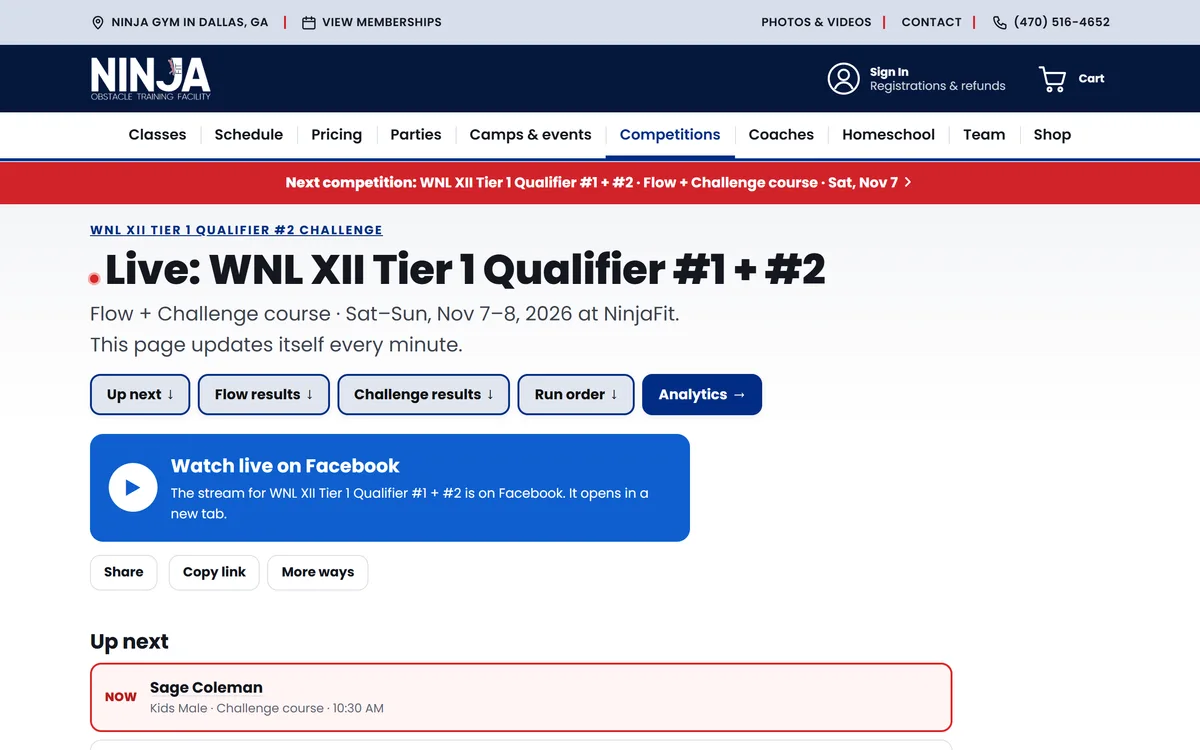
The run order and the live stream on every competition page. Score your own competitions with Ninja HQ's competition timer on a phone and add who is up next, every result as it happens and obstacle-by-obstacle analytics for every athlete. Families follow along on their phones, athletes share their results on Instagram, and nobody asks you "when does my kid run?"
From registration to the last buzzer
A parent registers on the gym's own website, then the gym runs the day: check-in, scoring on a phone and live results.
Register an athlete in two minutes
- 1. Find the competitionOn the gym's competitions page, with the date, the price and the spots left.
- 2. The athleteTheir name, home gym, league ID, division and age group.
- 3. A ninja name and an avatarShown on Who's Coming, if the family says yes.
- 4. The parent's detailsWhere the confirmation, the run order and the day-of reminders go.
- 5. The gym's waiverNo waiver on file? The form says so and links to it; sign it on the phone, then continue.
- 6. Pay on the gym's own StripeRegistered at once, with pictures made for Instagram to share.
- 7. In My accountThe competition, the receipt, and cancel for a full refund until the day starts.
Registration, start to finish. Sample gym.
Run the day from the back office and a phone
- 1. Every registrationPaid, by age group, with each family's details and exports for the league.
- 2. Check-inFind the athlete and check them in with one tap.
- 3. Your own competition? Set the course onceThe format, the obstacles in order and a time limit.
- 4. Judge on a phoneWho's up now and on deck, Start, then one big button per obstacle.
- 5. Live resultsUp next and every result as it happens, on the gym's own website.
Competition day. Sample gym.
Videos from a demo gym with sample families. League competitions are scored on the league's own system; NinjaHQ scores the gym's own.
The run order, sent in one tap
Upload the league's run order file. Ninja HQ matches every row to a registration, then emails each athlete their own wave day and time.
- Matched for youRows are matched by athlete ID, then by name. You see who is registered but missing, and who is on the list without a registration.
- Preview, edit, then sendRead the email athletes will get, change its words, and press Send. A confirmation says how many athletes in how many competitions will hear from you.
- Their own wave timeEach email and reminder carries that athlete's day, wave start and check-in time, with a "Share it" link for Instagram.
- On your website at onceThe posted run order replaces "Who's coming" on the competition page, with a Find an Athlete box. Late registrants are flagged and run first.
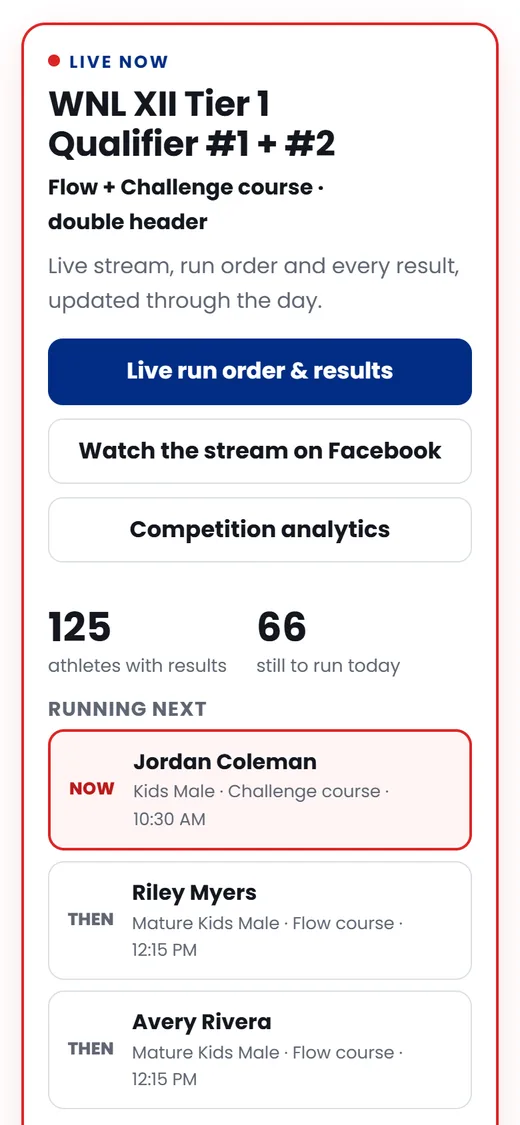
The live card on NinjaFit's home page during the competition. Names are sample names.
Live results families actually watch
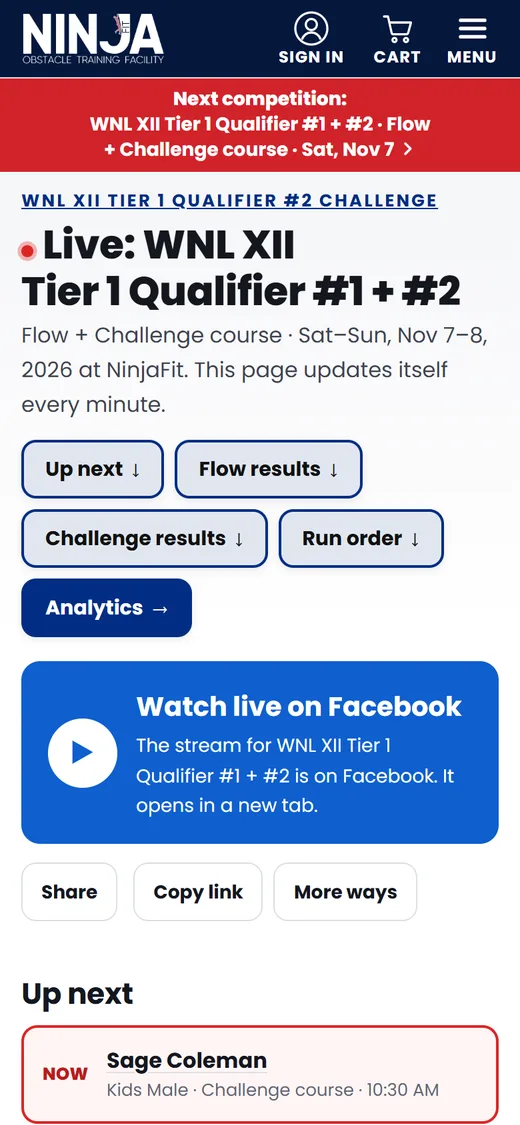
For the competitions you score with Ninja HQ's competition timer: one live page that updates itself every minute, and a live card on your home page with the leaders.
- Up nextWho is running now and who follows, across both courses on a double-header day.
- A run order that shrinksOnly athletes still to run; finished groups link straight to their results.
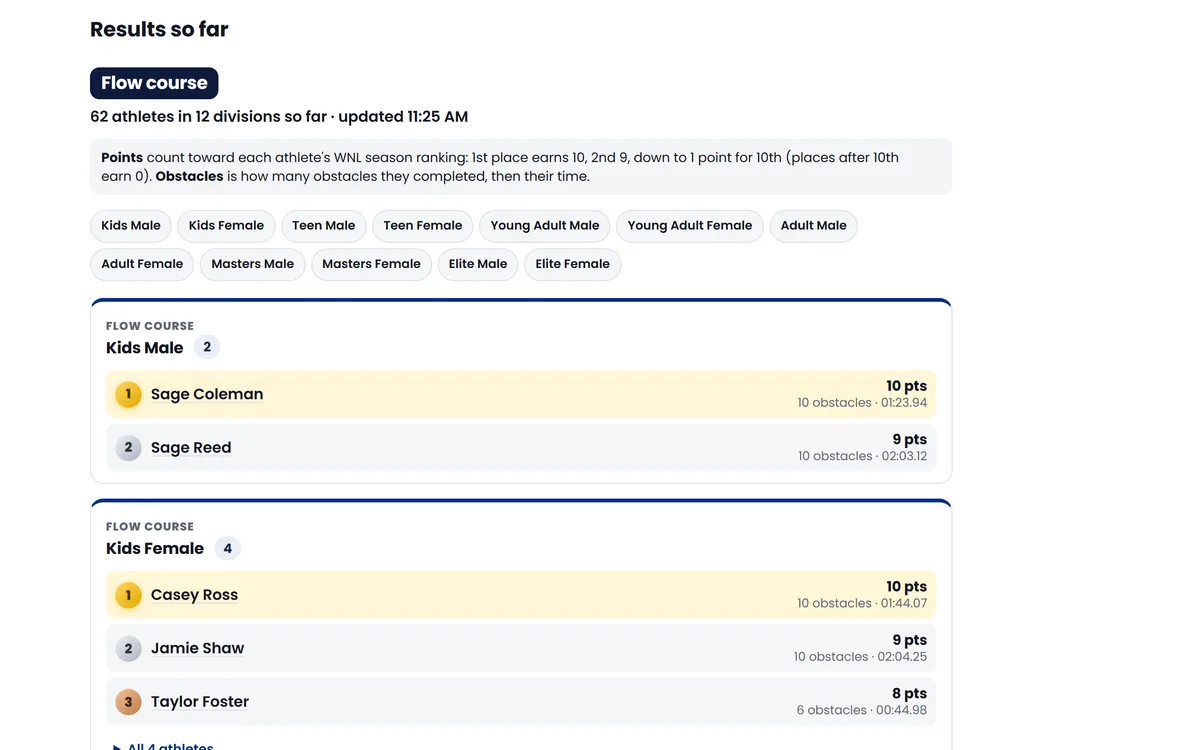
- Results by divisionPlace, obstacles completed and time, with a short key so every parent understands them.
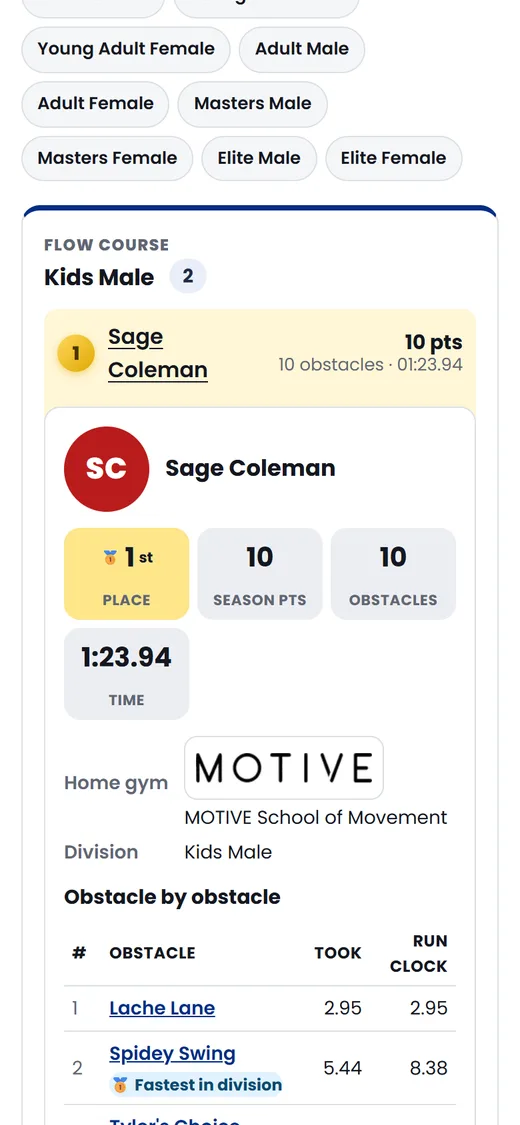
- Tap any athleteTheir card: place, time, home gym with its logo, and every obstacle with its split. "Fastest in division" badges included.
- The live streamA YouTube stream plays on the page once tapped; a Facebook stream gets a clear "Watch live" button.
Competition analytics, obstacle by obstacle
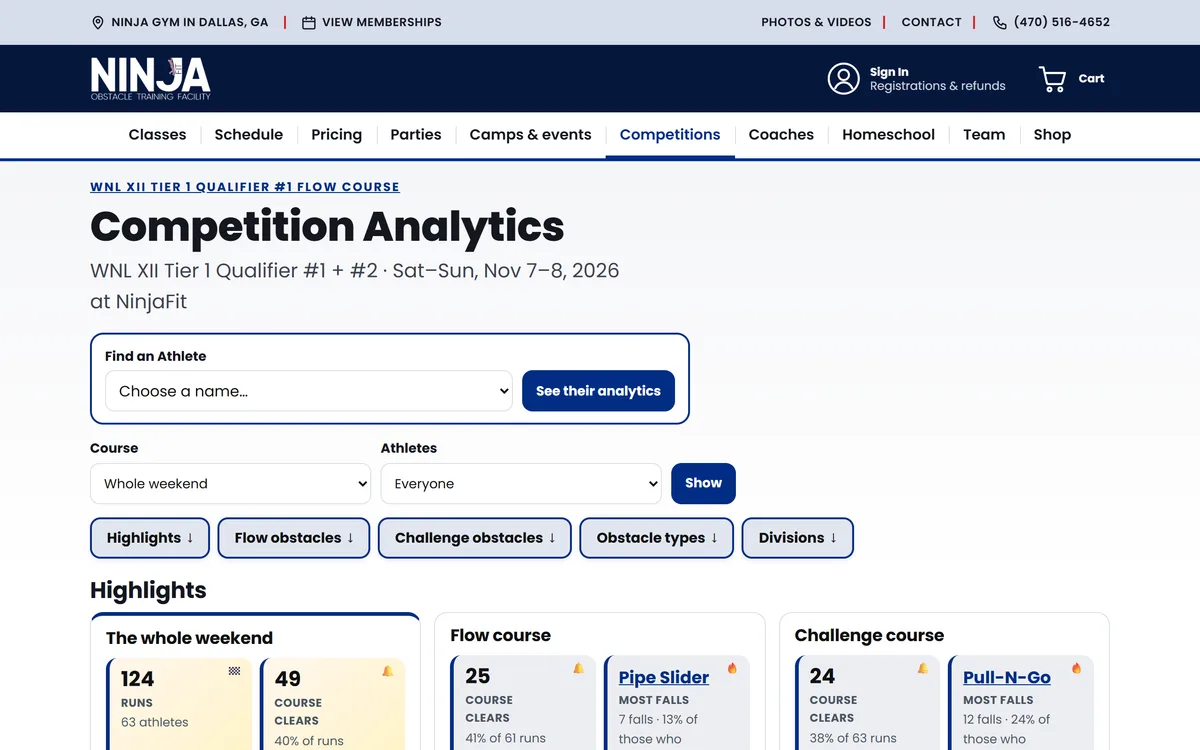
Score your gym's own competitions with Ninja HQ's competition timer on a phone, and every run's splits become a page coaches, athletes and parents keep coming back to. No other ninja gym website shows this. League competitions timed in NinjaWorks or Ninja Master don't get analytics for now.
- HighlightsCourse clears, the obstacle with the most falls, the most retries, the fastest and median clear, for the weekend and each course.
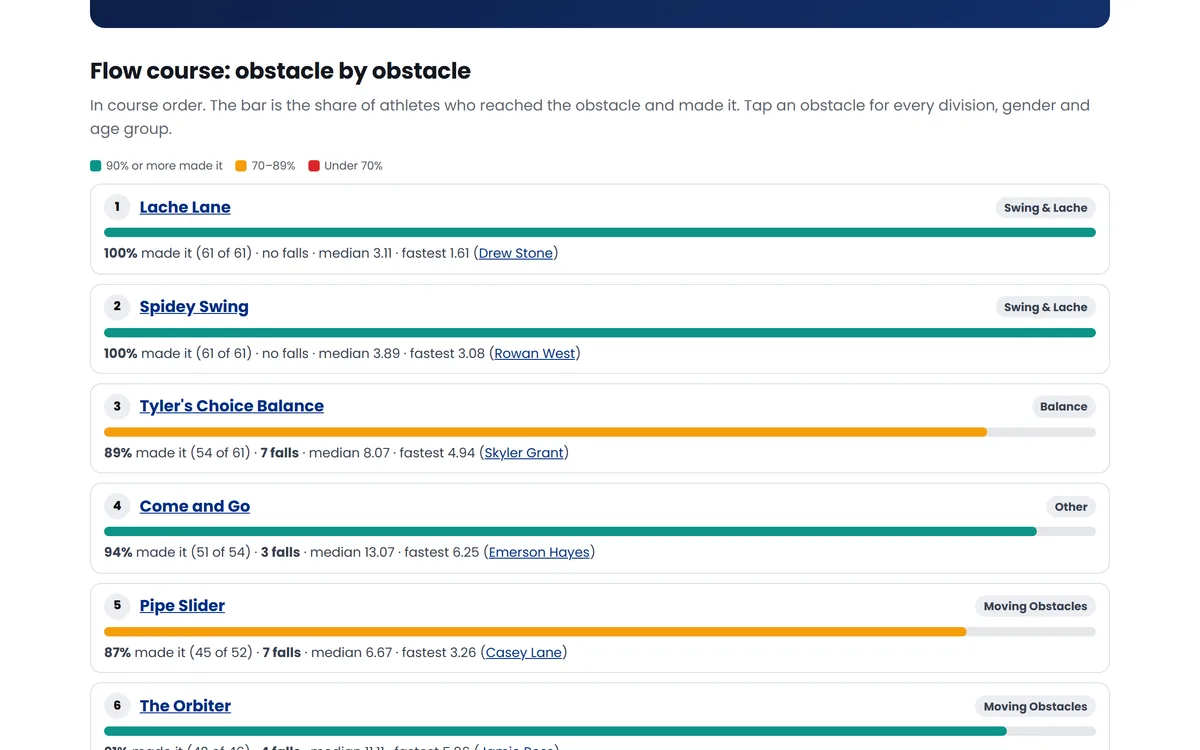
- Every obstacleHow many made it, falls, retries, the median and the fastest athlete, colored by difficulty. Filter by gender, age group or division.
- By obstacle typeBalance, swing and lache, upper body and grip, moving obstacles: a quick guide to what to train next.
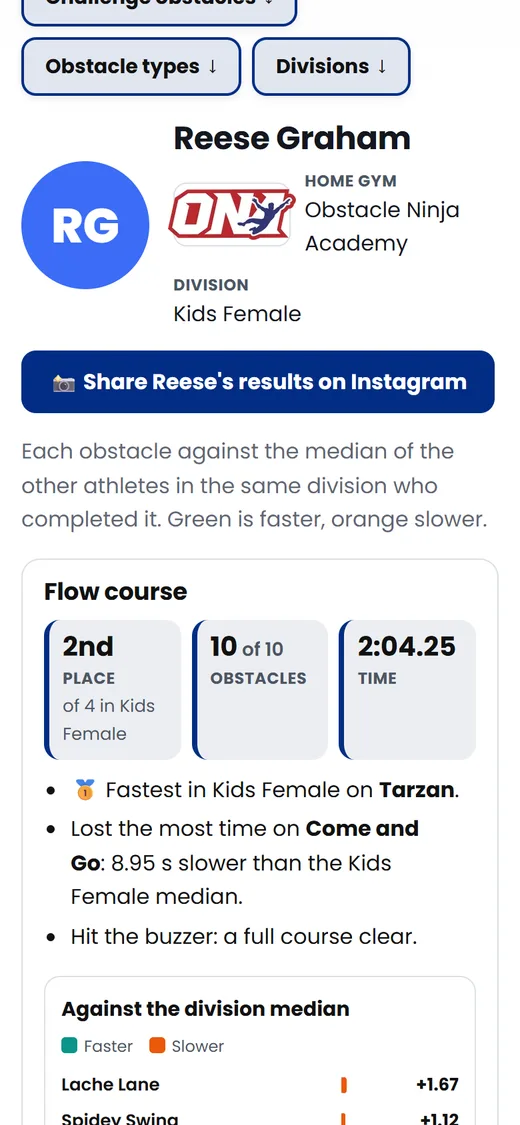
- Every athleteTheir run against the division median, the obstacle that cost the most time, their best obstacle, and badges for the fastest of all or in their division.
Every athlete gets a picture worth posting
Ninja athletes live on Instagram. Ninja HQ hands them story and post pictures made for it, each one pointing back to your gym.
- "I'm competing" pictures with the athlete's run number and start time, a line per course on double-header weekends.
- Who's coming: every gym sending athletes, with their logos and how many are coming.
- The run order as a carousel: a cover and one picture per division and wave.
- Results for every timed athlete: place, obstacles, time, their best moment and a square for every obstacle, made or fell. One tap from their card, their analytics or the thank-you email.
- Links that preview well: a shared live or analytics link shows that athlete's or that competition's own picture.
Illustration with a sample athlete.
Photos, videos and comments, copied in for you
Connect your Facebook Page and Instagram once, through Meta's own sign-in. Every few minutes Ninja HQ copies your new posts, stories, photos, videos and comments to your website: a news page, a page per post and a photo gallery in your own design. They are stored on your site, so they load fast and no Instagram code watches your visitors. It only reads; it never posts for you.
- Posts and stories
- Videos with a poster frame
- Comments with every post
- No outside trackers
Running on NinjaFit today. Every gym can connect its own Instagram once Meta finishes reviewing the Ninja HQ app.
Less to do, nothing to chase
Competition day works because everything before it is already connected.
Score it on a phone
Ninja HQ's competition timer runs on any phone, with big buttons for start, each obstacle cleared, a fall and a retry. Every run updates the live page, the results and the analytics.
A competition week guide
An email a few days before you host: what is paid, shirts to hand out, check-in, and where the run order stands, with links to every step.
Thank-you emails with analytics
When you turn it on, each athlete in a competition you score with Ninja HQ gets their place, best obstacle and every split a few hours after their last run. Preview it first.
Double-header weekends
Two competitions, two courses, one live page and one title, with wave times in the right order on both.
Privacy first
No outside trackers on the live page. An athlete's Instagram shows only if they chose to share it.
Competition day, answered
Which timing systems does it work with?
Live results and analytics come from Ninja HQ's own competition timer, which you run on a phone for your gym's own competitions. Live data from NinjaWorks and Ninja Master is paused until we have an agreement with them: for competitions timed there, your website shows the live stream and the run order you post.
Do I have to do anything on competition day?
Only the scoring: tap each run on the competition timer. The live page, the home page card, the results and the analytics update by themselves, and the page goes live with the first wave.
How fast do results show up?
The live page checks for new results every minute. On a competition you score with Ninja HQ, the analytics update after every run.
Does it handle double-header weekends?
Yes. Both competitions share one live page, Up next merges both courses, and athletes running both get a line per course in their emails and pictures.
What do athletes see that is personal?
Their name, division, home gym and results. Their ninja name, picture and Instagram show only if they chose to share them. Ninja HQ never shows athletes' contact details.
Keep exploring
Give your gym the HQ it deserves
Give us your current website and we build your new one, free to explore. No payment before you approve launch. Prefer a walkthrough? Request a 30-minute demo with a Ninja HQ expert.