A flyer for every camp, ready to print
Pick what it's for and the flyer makes itself: your logo, colors, phone, address, dates and prices, with a QR code to sign up. Change the words, try another design, then print it, download the PDF or post it.
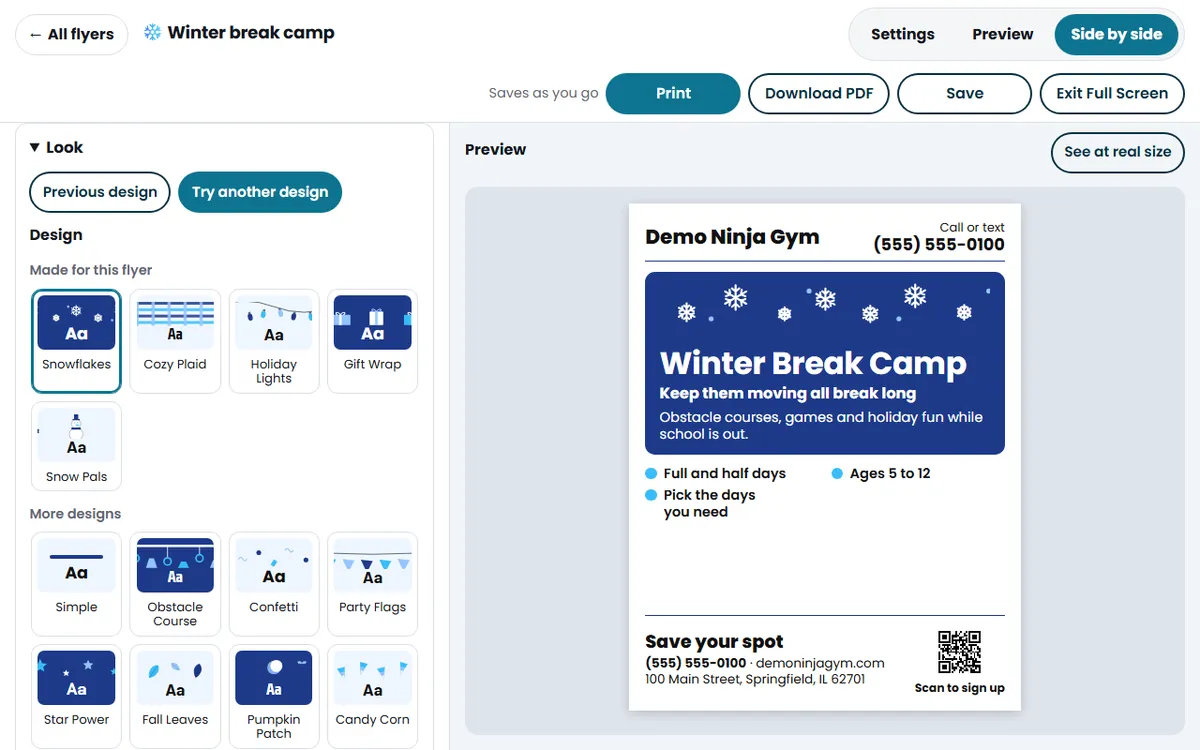
A flyer, start to finish
From Coming up to print, post and email
- 1. Tap what's coming upThe flyer makes itself, with your logo, phone, address, dates and a QR code to sign up.
- 2. Change the wordsThe preview updates as you type.
- 3. Try another designMore than 20 designs, or one tap for the next.
- 4. Pick the paperA full page or two to a sheet, then print it or download the PDF.
- 5. Post itA picture sized for an Instagram post, a story or Facebook.
- 6. Or email itMake an email turns it into an email draft with a link to the PDF.
A winter camp flyer. Sample data.
A video from a demo gym with sample data.
It knows what's coming up
Flyers suggests what to promote next, from your own camps and events, local school breaks and the season. Every flyer is made from your website, so the prices and packages are always right.
- Coming up"Thanksgiving break camp in 1 week", "Winter break camp in 5 weeks": one tap and it's made.
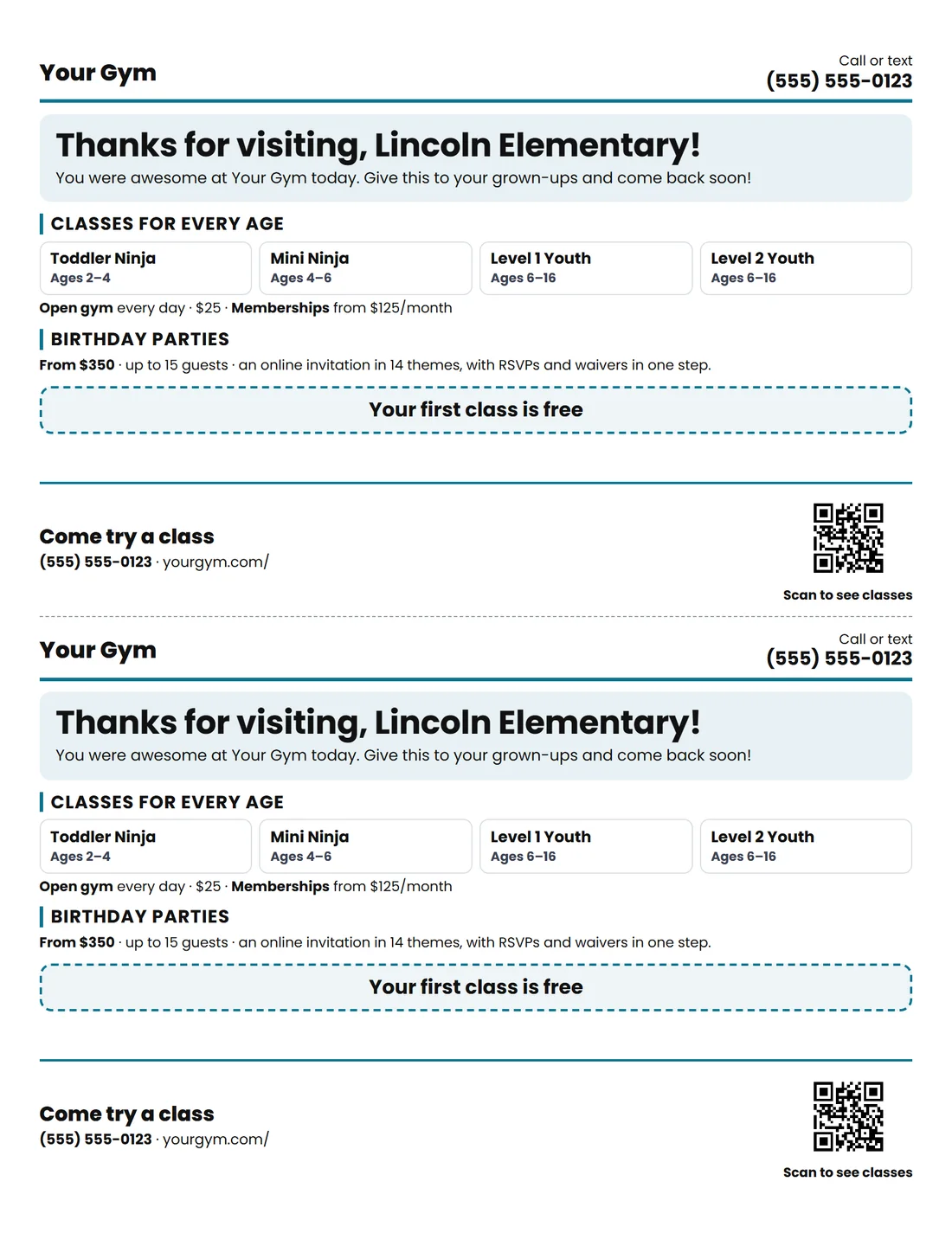
- Print nowEverything we offer, a field trip thank-you to send home, birthday parties and camps, ready for the front desk.
- More flyersNew Year enrollment, Valentine's Parents' Night Out, spring break, summer camp, back to school, Halloween and more.
- Where you workA Make a flyer button on Parties, on special events and on every camp.
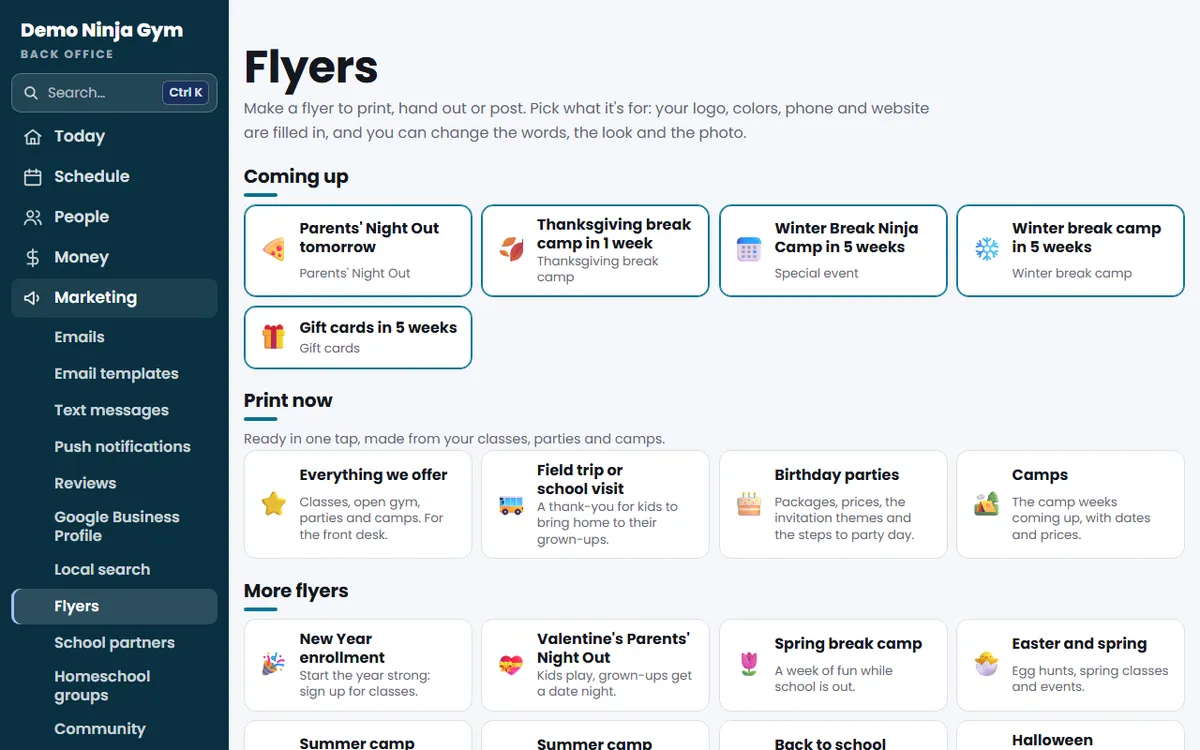
Marketing > Flyers. Sample data.
Your words, your look, your details filled in
- More than 20 designsSnowflakes, Pumpkin Patch, Obstacle Course, Party Flags and more, in four layouts, with your own colors or a seasonal palette.
- Made for a camp, a party or a classPick it and its name, dates and price fill in by themselves.
- A QR code to the right pageClasses, parties, camps or any page on your site, plus an optional offer or discount code.
- Your photoUpload one from your phone or pick one from your website, and choose the part that must show.
- StickersA star, balloons, a trophy, a NEW!, FREE! or SAVE! badge.
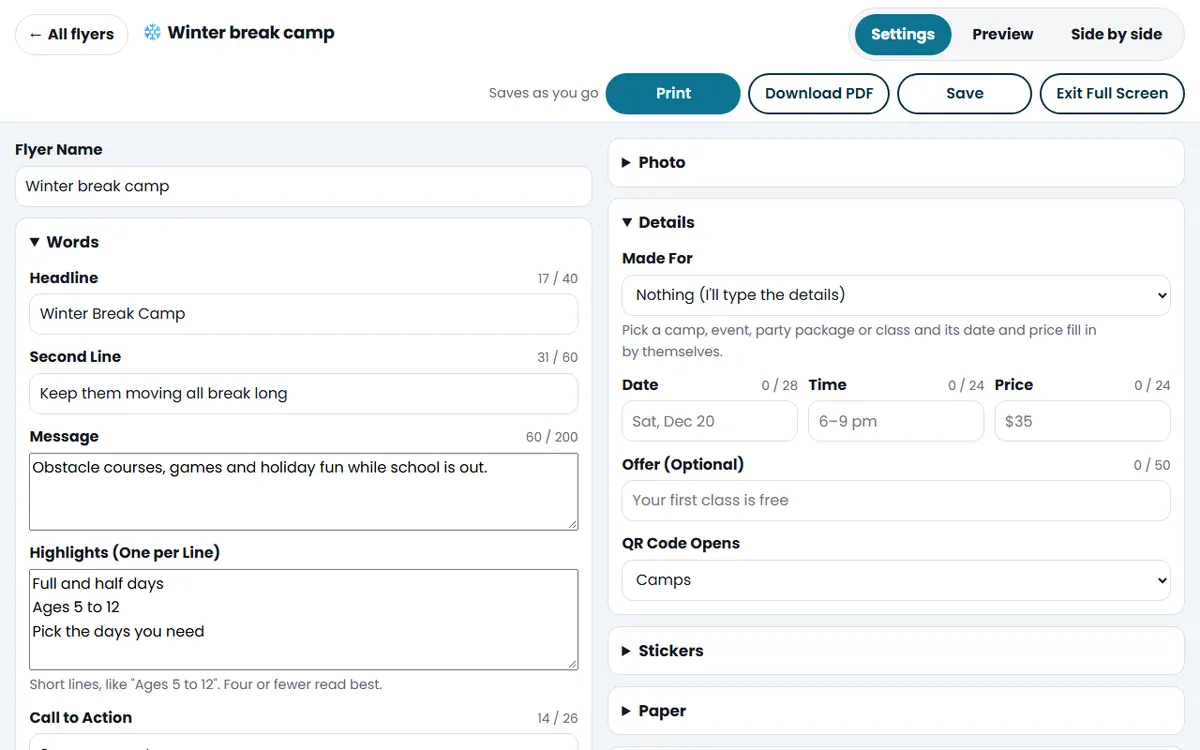
The words and details. It saves as you go. Sample data.
One flyer, everywhere families look
Print it
Full or half page (two per sheet, with a cut line), Letter or A4, in color or ink saver. Or download a PDF for the print shop.
Post it
The same flyer as a picture sized for an Instagram post, an Instagram story or Facebook.
Email it
Turn it into an email draft in Marketing > Emails, with a link to the PDF. Nothing is sent until you send it.
See what it brought
Visits from the QR code and a tagged link are counted by your own website, with no cookies and no outside tracker; a discount code shows who used it.
Or just ask
"Make a flyer for winter camp." Your AI assistant can make and change flyers too.
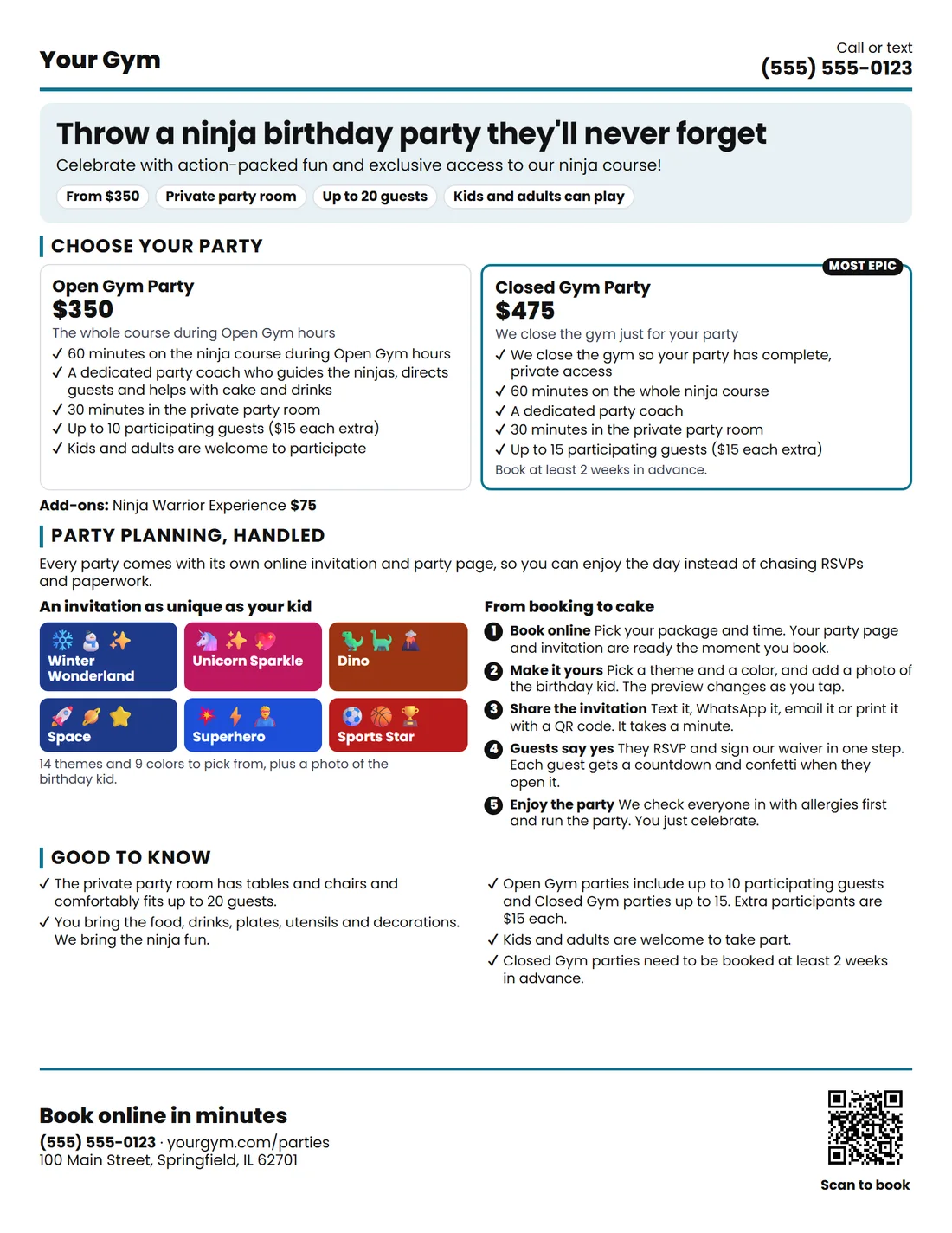
Flyers, answered
Do I need Canva or a designer?
No. The designs are made for one-page flyers and fill in from your website. You change the words and pick a look.
Will the prices be right?
Yes, when the flyer is made for a camp, party package or class: its dates and price come from your website. You can still type your own.
Can the front desk print one?
Yes. The front desk can print the ready-made flyers without changing anything.
Can I use photos of the kids?
Real photos of kids on your course work best. Use photos of children only with their parents' OK.
Keep exploring
Give your gym the HQ it deserves
Give us your current website and we build your new one, free to explore. No payment before you approve launch. Prefer a walkthrough? Request a 30-minute demo with a Ninja HQ expert.