A front desk anyone can run
Check in a whole class in two taps with every waiver and payment status right there, let families check themselves in on a self check-in kiosk, and take payments on a Stripe card reader. Today's parties and camps are on the same screen. Staff see only what the desk needs.
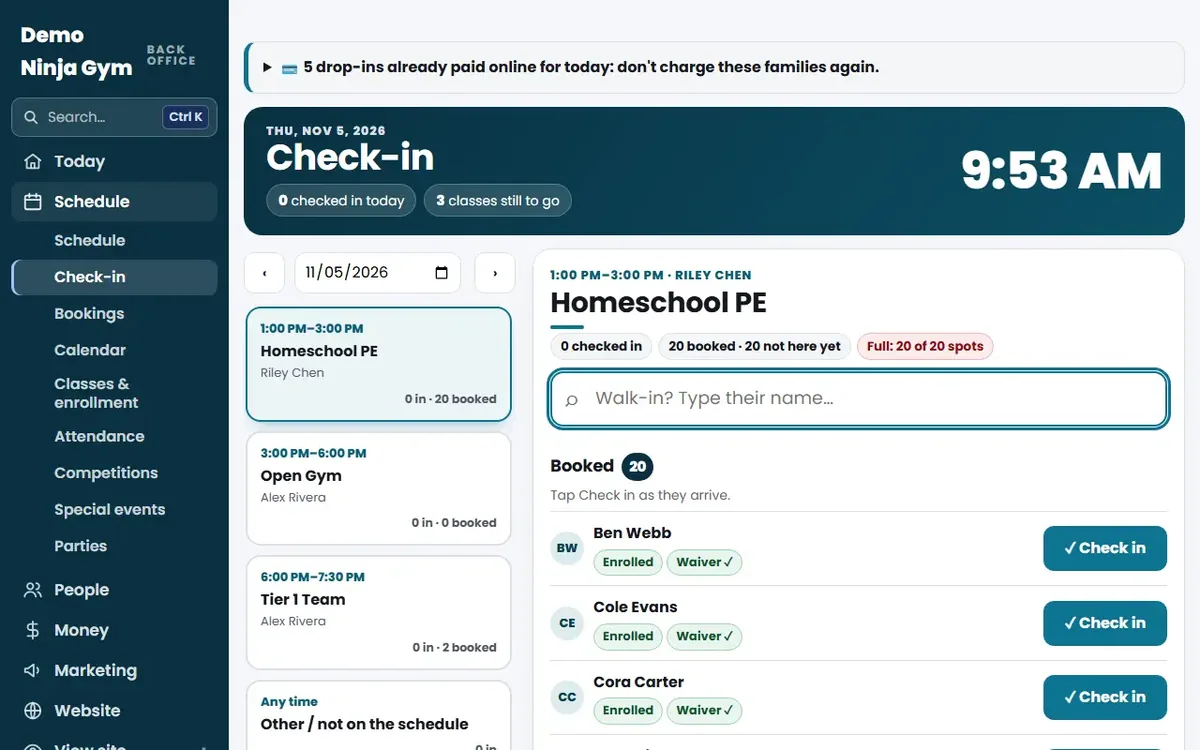
A whole class in two taps
Schedule > Check-in lists today's classes, the one on now first. Tick the kids who are here, or Select all, and check them all in at once. Everything staff need to know about a child is beside their name.
Booked, paid, signed
"Booked online", "already paid online" and "No waiver" right beside each name, with Undo if a tap was wrong, even for a whole group.
A family by phone
Type a name or 4 digits of a parent's phone to see every child in the family. Regulars check in with one tap, the way they paid last time.
Fix and check in
One pop-up asks only for what's missing: a waiver the parent signs on their phone by QR code, a drop-in payment, or an email and phone.
Parties on the same screen
Today's birthday parties sit at the top. Mark guests Arrived one by one or together, add a child at the door, and show the party's waiver QR to anyone who hasn't signed. The Party Hub
Camp drop-off and pickup
Check campers in, then check them out to a parent or someone on their pickup list in one tap. Anyone else gets an ID warning first. Camps
A whole class in two taps
- 1. Open the classThe one on now is first.
- 2. Select all, or tick a fewMissing waivers are shown first.
- 3. Check inEveryone at once, with Undo if a tap was wrong.
Select all, Check in 10. Sample data.
The parent signs on their own phone
- 1. A QR code pops upWhen a child has no waiver on file.
- 2. The parent scans and signsOn their own phone, while staff keep checking kids in.
- 3. Checked in by itselfThe desk sees the waiver arrive.
No waiver? The parent scans, signs, and the child is checked in by itself. Sample data.
Families check themselves in
A tablet by the door: the last 4 digits of their phone, tap who's here, pick the class. Their membership or class pack is used automatically, and a missing waiver is signed right on the tablet.
Take a payment, no extra POS
Money > Take a Payment is a simple register: tap a product or a custom sale and check out.
- Stripe card readersThe Stripe Reader S700, or the S710 with cellular, paid to your own Stripe account.
- Cards on fileSaved through a secure emailed link or on the reader, then charged later. Stripe keeps the card; you see only the brand and last four digits.
- Class packs and gift cardsSold and used right at the desk.
- Account creditRefund a party or camp to the family's account credit instead of their card, with no card fees. They spend it at the desk or online, and staff can add or take off credit with a reason. Balances from Mindbody come across too.
- Tips"Add a tip?" at checkout, kept apart from sales and split to the right coaches for payroll.
- Receipts and sales taxEmail a receipt in one tap. Sales tax is added only if you turn on Stripe Tax.
- You choose the ways to payCard reader, card on file, cash or other: show only the ones you take.
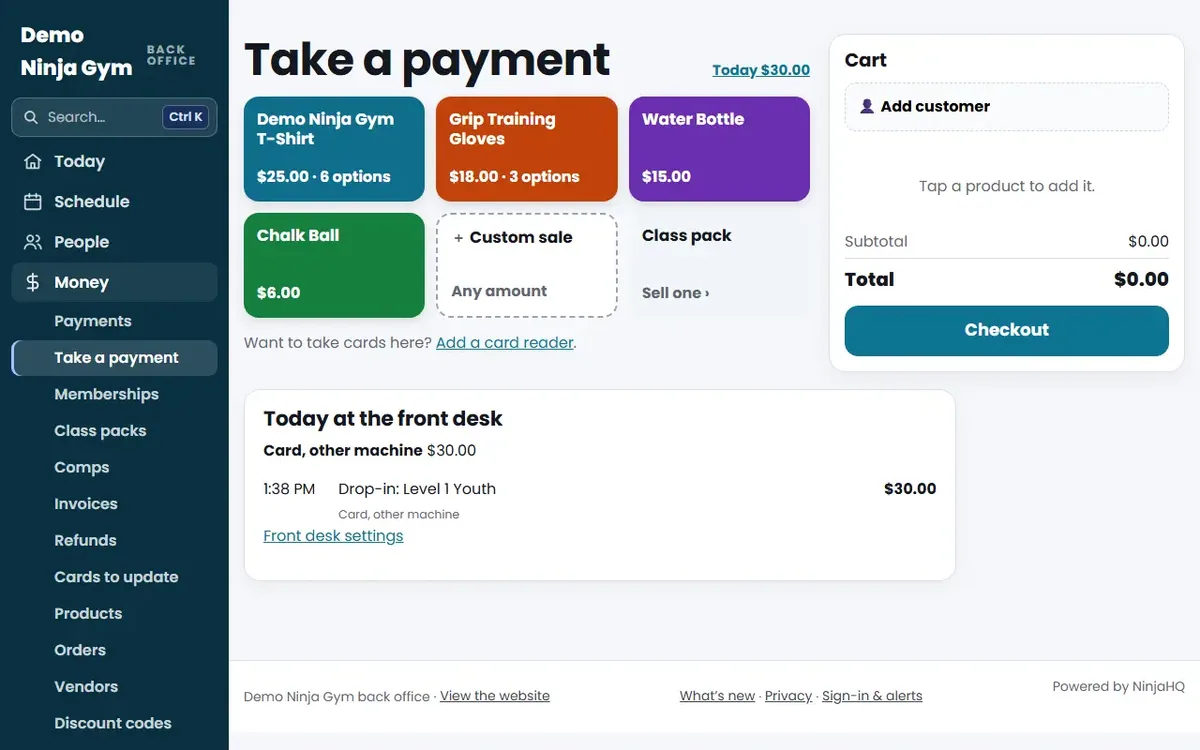
The register. Sample data.
Staff see the desk, not your books
Turn on front desk mode on the desk computer or tablet. Only check-in, payments, class packs, waivers, the time clock, gift cards, bookings and students stay open.
- Locked by an ownerLeaving front desk mode needs an owner and a code. Staff accounts always open in it.
- Managers for the day-to-dayA manager runs events, camps, parties, check-in and the schedule; money set-up, staff and settings stay with owners.
- A time clock with a PINStaff clock in and out on the desk computer with their PIN; hours flow to timesheets.
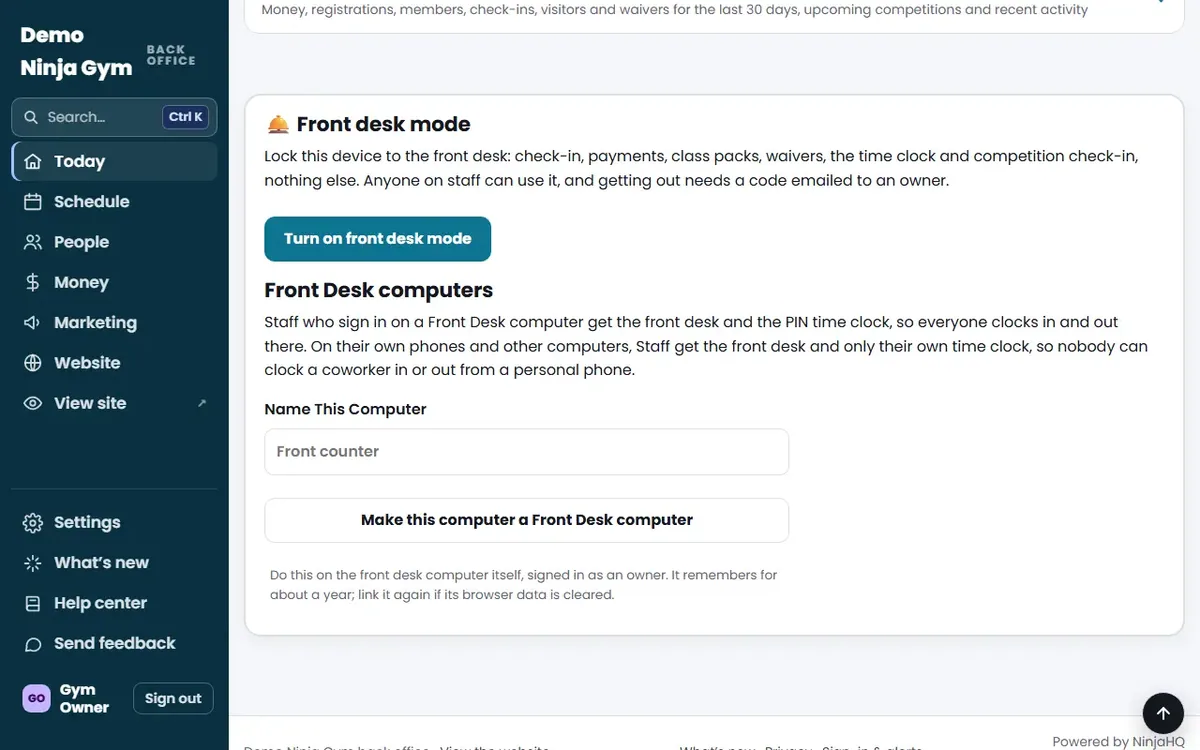
Sample data.
The front desk, answered
Which card readers work?
The Stripe Reader S700 and S710 (with cellular). Payments go straight to your own Stripe account.
Can staff see my sales or settings?
Not in front desk mode. They get check-in, payments, class packs, waivers, the time clock, gift cards, bookings and students. Leaving the mode needs an owner.
Do card numbers touch Ninja HQ?
No. Stripe stores the cards. Ninja HQ sees only the brand, the last four digits and the expiry date.
Can the desk check in party guests?
Yes. Today's parties are at the top of Check-in: mark guests Arrived, add a child at the door, and show the party's waiver QR code. Editing a party, reminders and payments stay with owners and managers.
Can families check themselves in?
Yes, on the self check-in kiosk: any tablet by the door, the last 4 digits of their phone, then their kids and the class. Nothing is paid on the tablet.
What is account credit?
Money a family has with your gym, usually from a refund. Signed-in families can use it at checkout online, and staff can use it at the register. Every change is recorded with who made it and why.
Keep exploring
Give your gym the HQ it deserves
Give us your current website and we build your new one, free to explore. No payment before you approve launch. Prefer a walkthrough? Request a 30-minute demo with a Ninja HQ expert.