The numbers you ask for, in one place
What sold, who pays automatically, who came to each party and who you can email. Pick the dates in plain words and a location, compare with the period before, then download for a spreadsheet or print.
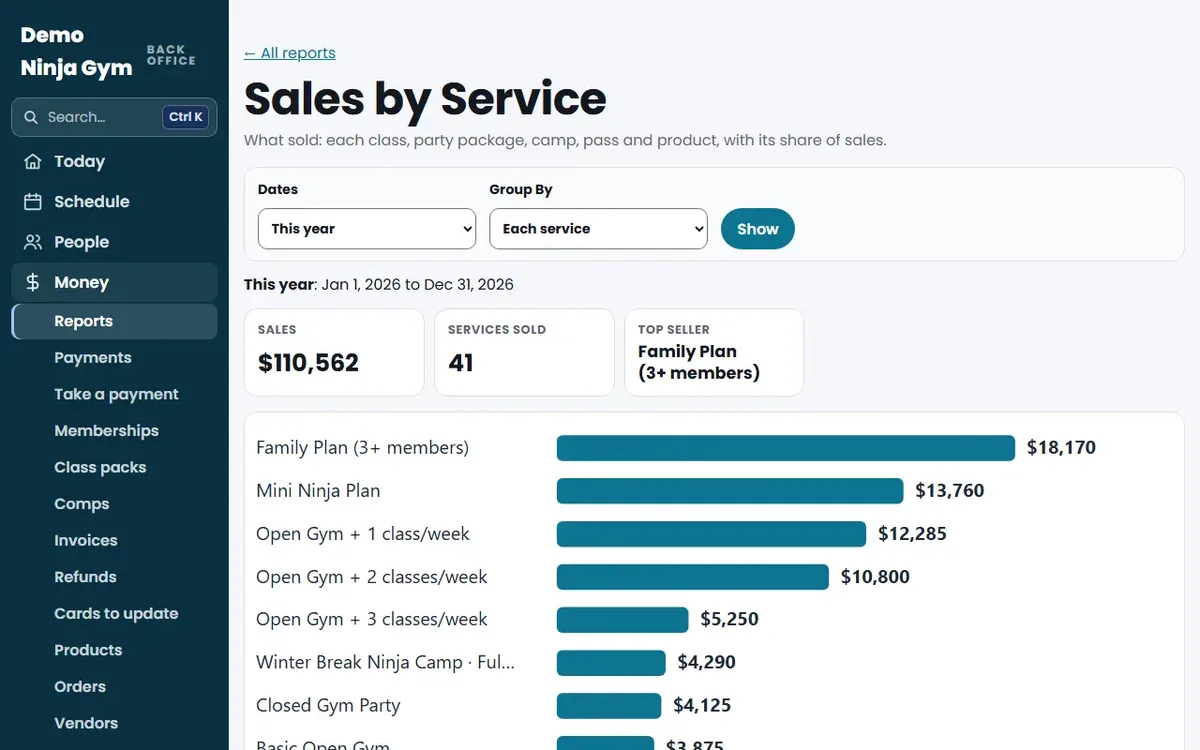
Five reports in twenty seconds
From this month's sales to the party guest list
- 1. SalesThis month's sales, refunds and net, against the month before.
- 2. Dates in plain wordsLast month, this year, or pick your own.
- 3. The payments behind any dayTap a day to see who paid and for what.
- 4. Sales by ServiceEach class plan, camp, party package and pass, with a bar for its share.
- 5. Autopay DetailEvery family paying automatically, with the next charge date and card.
- 6. Birthday Guest ListsEvery party's guests, their waivers and who said yes to news.
- 7. Download or printA CSV for Excel or Google Sheets, or a clean printout.
A tour of the reports. Sample data.
A video from a demo gym with sample data.
Five reports gym owners asked for
Sales
Money taken each day: sales, refunds, sales tax and net, with the payments behind any day one tap away, and the change against the period before.
Sales by Service
Each class plan, party package, camp option, pass and shop item, with its share of sales. Or totals by type of sale.
Autopay Detail
Every family paying automatically for classes and memberships: the monthly amount, next charge date, card and anyone with a problem.
Birthday Guest Lists
Every party's guests, their waivers and who said yes to news, with one button to email them a free trial class offer.
Mailing Lists
Who you can email, list by list (members, camp families, party guests), and who agreed to texts.
Yesterday's numbers, in your inbox
After a day with sales, bookings or check-ins, owners and managers get a short email first thing: how yesterday went against the same day last week, and what needs them today.
- Sales, by kindAnd the month so far against the same days last month.
- Check-ins and new bookingsClasses, parties, camps and competitions, with members who joined or left.
- Free trialsBooked, and who was expected against who came.
- Your websiteVisitors, calls and contact forms.
- Needs you, and on todayWhat's waiting for you, plus today's trials, parties and competitions.
- Money only for ownersManagers get the same email without the sales figures. A quiet day sends nothing.
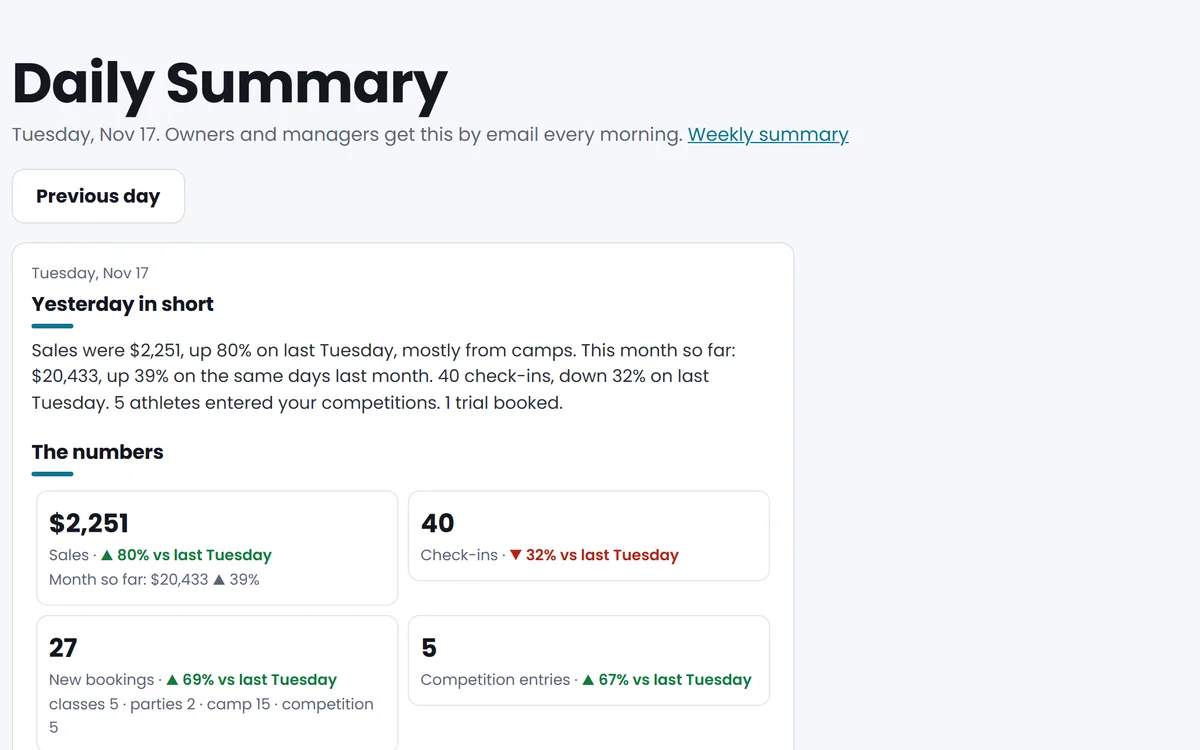
The same summary in the back office. Sample data.
No report builder to learn
- Dates in plain wordsThis month, Last month, This year, or pick your own, in your gym's time zone.
- Every location, or onePick a location to see its classes, tuition and parties.
- Download or printEvery row and the totals in a CSV for Excel or Google Sheets, or a clean printout.
- Right person, right numbersSales reports are for owners; managers see guest lists and mailing lists. The front desk sees none.
- Ask your AI assistant"How did last month compare with the month before?" Connect ChatGPT or Claude and it answers from the same numbers.
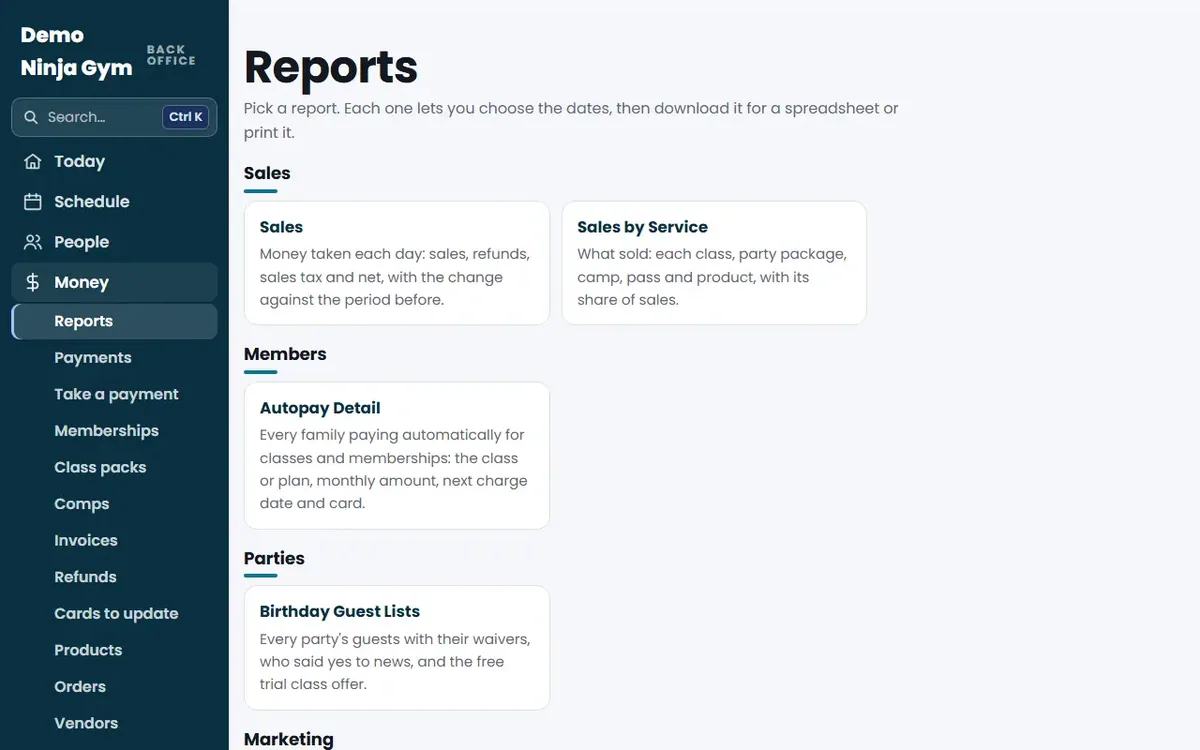
Money > Reports. Sample data.
Reports, answered
Can I see one location at a time?
Yes. Pick a location on any report. Payments count for a location when we know where they happened: its classes, class tuition and parties. Shop, gift card and front desk sales show under All locations.
Can my accountant open them in Excel?
Yes. Download (CSV) gives every row with the totals at the bottom.
Where do the numbers come from?
From the payments, memberships, parties and sign-ups already in Ninja HQ. There is nothing to set up or keep in step.
Who can see sales?
Owners only. Managers see Birthday Guest Lists and Mailing Lists.
Keep exploring
Give your gym the HQ it deserves
Give us your current website and we build your new one, free to explore. No payment before you approve launch. Prefer a walkthrough? Request a 30-minute demo with a Ninja HQ expert.