Ninja gym software that grows your gym
One platform for everything families see and everything your staff does, built around the thing you care about most: more members. Get found on Google and in AI answers, sell more at every visit, reach local schools and see every number that matters. Classes, parties, camps, competitions, memberships, waivers, payments and the front desk come with it.

The features that make you money
Saving time matters. Growing matters more. These come with every Ninja HQ gym.
Local search research
Your Google Maps rank across a grid of spots around the gym, Google and Bing positions, search volumes for the phrases families use, competitors in the top three and the schools near each spot. Checked monthly.
Automatic website optimization
Titles and descriptions written around the busiest local searches, a "Questions parents ask" page answered from your real prices, ages and hours, and checks of what ChatGPT, Gemini and Claude say about you.
Apparel at registration
Shirts in the competition form at a discount, one-tap add-ons after paying, handed out at check-in.
Gift cards & discount codes
Sold online and at the desk, spent anywhere on your site. Codes with dates, limits and a report.
School & community outreach
Nearby schools and break calendars, PTA partnerships with donations for new families, homeschool groups.
Business intelligence
Growth since launch, customer lifetime value, segments, search share of voice against competitors, where every visit came from and what it booked. The kind of reporting big companies pay for, in plain English.
Reviews & Google Business Profile
Party photos with a friendly review ask, reviews shown on your site, and hours and closures kept in sync with Google.
Get found by more families, on Google and in AI.
More and more parents ask ChatGPT, Gemini or Google's AI for "a ninja gym near me" or "where to have a ninja birthday party." Ninja HQ measures where your gym shows up, improves what it can and tracks the change every month.
See where you rank, street by street
Your Google Maps rank at every spot around your gym, for the searches parents use. Checked monthly.
Named in AI answers
We ask ChatGPT, Gemini and Claude what parents ask, and show if they name you.
Your website optimizes itself
Titles, descriptions and a Questions parents ask page, written from your real facts.
Compare with gyms nearby
Your share of Maps, Google, Bing and AI against nearby gyms, month by month.
Google Business Profile, in sync
Hours and closures match on Google and your site.
More 5-star reviews
Party photos plus a friendly review ask in the coach's words.
Built for what Google rewards
Instant pages, structured data, sitemap and redirects.
Every visit is a chance to sell something they'll love
The best gyms earn from more than monthly dues. Ninja HQ puts the right offer in front of families at the exact moment they're excited.
A shirt with every registration
Offered right in the form at a discount, handed out at check-in.
Gift cards New
Sold online or at the desk, emailed with a personal message.
Discount codes New
Team rates, coach codes, free shipping, with limits and a report.
Parties that book and pay
Open slots, upgrades and the deposit, even at 11 PM.
Camps on every day off school
Local school breaks flagged as camp days.
Abandoned checkouts, recovered
A friendly reminder brings them back to the same cart.
Double-header weekends
Two competitions, one combined price, promoted everywhere.
A shop people enjoy
Swipeable photos, colors, sizes and a mini cart.
Meet families before they search
Your next hundred members go to schools near you. Ninja HQ helps you reach them the right way.
- School researchEvery public and private school around your gym, how many children are in each grade, the district break calendars, and which areas you already win on Google.
- School partnershipsA private page for each PTA with your camps on their days off and a donation for every new family they send. The agreement is built in.
- Homeschool groupsTrack co-ops and groups near you, so daytime classes fill up too.
- News that people wantEmails only to families who said yes, with a report of which sign-up points bring the most new subscribers.
Know what's working, in plain English.
Reports every owner can read on a phone: what families bought, where they came from and how the month compares.
Growth since Ninja HQ
Money, new families, registrations, visits and reviews, month by month, against the months before launch.
What every family is worth
Lifetime value, repeat rate and segments like champions and at-risk, with reminders of who to call.
Where visits come from
Google, AI assistants, social, the flyer QR code, and which ones booked.
Attendance and classes
Busiest hours, regulars, and members you haven't seen in two weeks.
Privacy-first by design
No cookies, ad pixels or data selling. Money reports for owners only.
A site that sells your gym
Parents decide in seconds. Your Ninja HQ site shows them why your gym is special and exactly what to do next.
- Home, classes, schedule, coaches, pricing, parties, events, photos, contactEvery page a ninja gym needs, written from your real programs and prices.
- Your brandYour logo, colors and photos. Pick an accent color or type the hex code in Settings.
- Built to be foundClean page titles, structured data for events and your business, a sitemap, and speed Google rewards.
- Phones firstMost parents visit from a phone, so every page is designed at phone width first.

Host competitions without the chaos
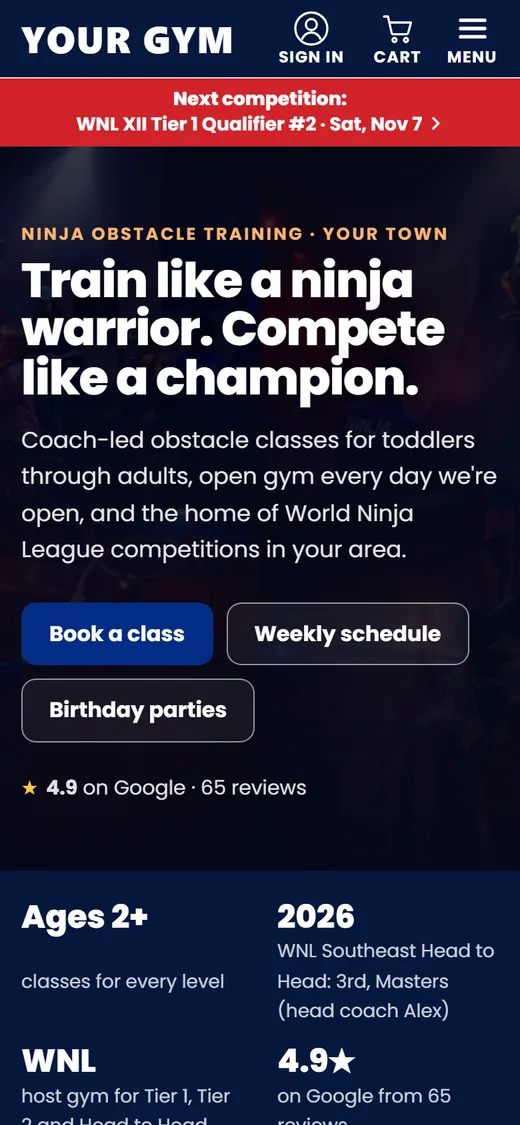
Promote, register, collect payment, publish the run order, stream it, post results. It's all connected, so nothing is typed twice.
- League-aware registrationDivisions by age on the league's cut-off date, Elite on Tier 1, WNL athlete ID and waiver checks, guardian details for minors.
- Capacity and windowsSet a price, an opening and closing date and a limit. "Sold out" appears on its own.
- Double-header weekendsWhen a partner gym hosts the same weekend, both events are promoted together.
- Run orders, live streams and resultsEvery athlete gets a shareable run-order link; past events keep their podiums.

Memberships that bill themselves
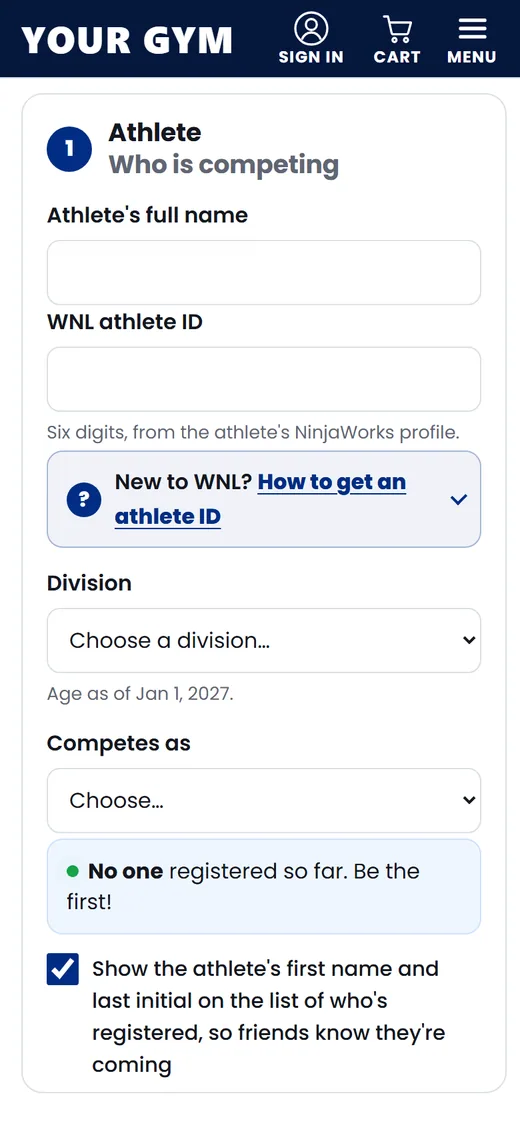
Families pick a plan, say who it's for and enter their card on Stripe's secure page. From then on they're charged automatically, into your own Stripe account, until they cancel.
- Join online or at the deskStart a membership for someone in person and the site emails them a link to enter their card. Line the first payment up with the day their old billing ends.
- Everything in one placeEvery member, what they pay, their next payment and your monthly income. Hold, change plan, move a payment date, cancel or undo a cancellation.
- Members help themselvesThey update their card, see payments and cancel in My account. A failed payment sends them a link to fix it.
- Your rulesPrice, billing period, sign-up fee, free trial and how many people a plan covers. Changing a price never changes what a current member pays.

Your waiver, signed before they walk in
No separate waiver service. Families sign your own waiver on a phone or computer, and your front desk can find anyone in seconds.
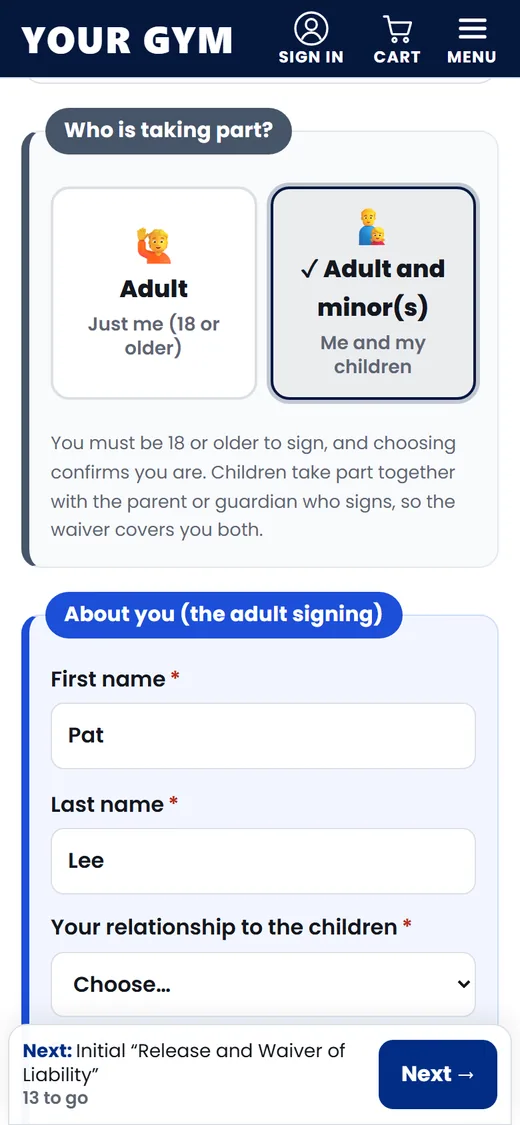
- One form for the whole familyInitials on key sections, a drawn signature, every child on one waiver and a medical question for each person. The family gets a copy by email.
- Check-in at the deskSearch by name or birthday, see flagged medical answers, or turn a tablet into a kiosk.
- Parties and campsMake a link for a birthday party or a camp and email it to the host, or print it as a QR code.
- A record you can rely onEach signed waiver is stored with a tamper-evident record, every edit to your waiver is a new version, and memberships show whether a waiver is on file.

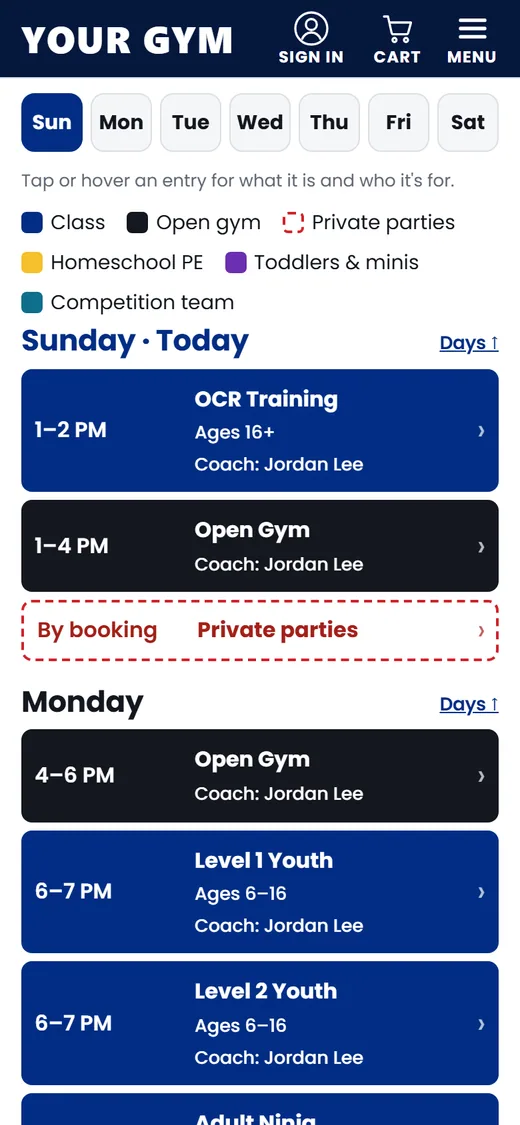
The weekly schedule, readable at last
A color-coded grid on laptops and a day-by-day list on phones. Tap any class to see who it's for, who coaches it and how to reserve a spot.
- Edit it in minutesOne card per day, "copy this day to…", coach names with autocomplete.
- The classes page followsChange a time on the schedule and every program card updates itself.
- Closures and one-day changesList the days you're closed or running differently; visitors get a heads-up on the home page two weeks ahead.
- AccessibleWorks with a keyboard and screen readers, and meets contrast rules.

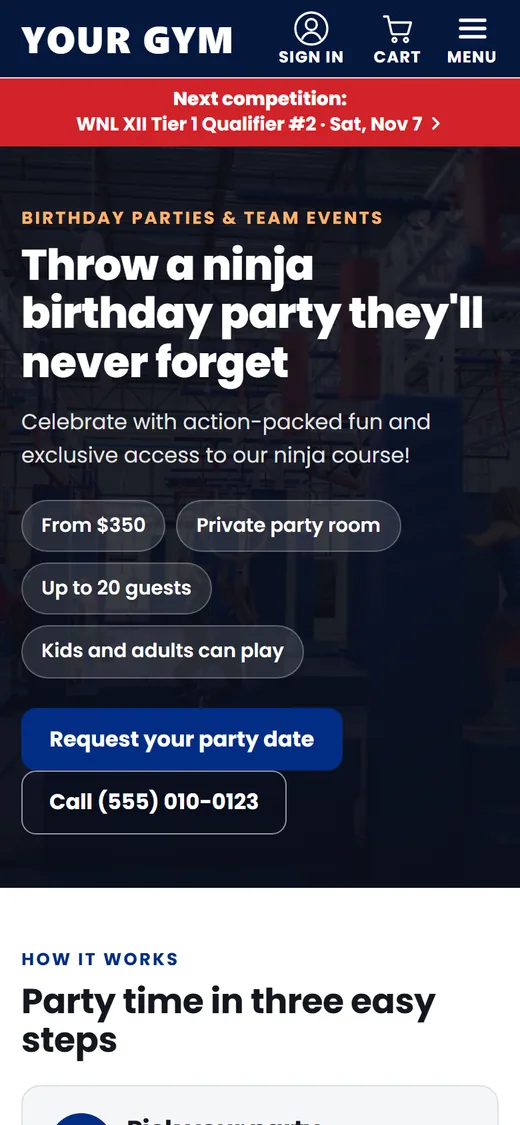
Birthday parties that book themselves
Parties and camps are a big part of a ninja gym's revenue. Your pages make parents excited, and the forms give you everything you need to say yes.
- Book and pay onlineFamilies pick a package and a free time from your party calendar and pay the deposit (or the full price) on Stripe. Reminders go out 14, 3 and 1 day before, with the waiver link for guests, and a thank-you after. Prefer requests? The request form still works.
- Camps and special events with online paymentParents pick the day, full or half day, answer your questions and pay. Set spots per day.
- A "Coming up" rowSpecials and competitions promote themselves on the schedule and disappear after they happen.

Check-in, class packs and who's coming
Pick the class (the one running now is already chosen), type a name, tap once. Members, class packs and drop-ins are all recorded, and the desk sees at a glance what's missing: an email, a phone number, a waiver that's valid today.
- Class packsSet your pack types once and sell them at the desk. Each check-in takes one class and emails the buyer what's left; Undo puts it back.
- Waivers that renew themselvesA waiver lasts a year. Families get a pre-filled renewal link 14 days before it expires, and check-in reminds the desk to renew.
- AttendanceYour busiest days and hours, your regulars, members you haven't seen in 14 days, and packs that are nearly used up.

Bring your customer list. Keep it clean.
Import from Mindbody, Pike13, OC Advantage (GoHighLevel) or any spreadsheet. You see every new person, every update and every fix before anything is saved, and you can undo an import.
- Cleaned on the way inEmail typos fixed (gmail.co becomes gmail.com), one phone format, names typed in capitals written properly, tags merged. A one-click check finds email domains that can't receive mail, and a spam filter finds junk records to delete in bulk.
- One page per personFamily, registrations, camps, memberships, packs, check-ins, waivers and every email they got, with an Email button right there.
- Notices and newsEmail a tag or any group you select. News only goes to people who said yes, camp reminders go out the day before by themselves, and every email has an unsubscribe link.

Classes families book themselves
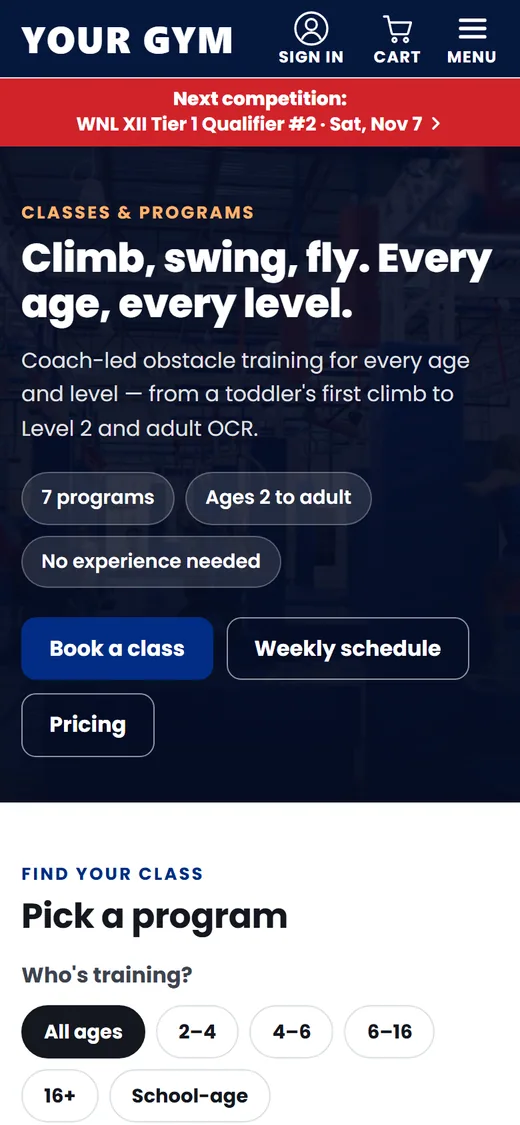
A Book a class page with every class, its day, time, ages, price and spots left, filtered by location, program, day and the child's age. No separate booking system to pay for.
- Enroll, drop in or try it freeMonthly tuition billed through Stripe until the family cancels, a single day or a whole session, or a free trial on a date they choose. A full class takes a waitlist, and the first family gets 48 hours to claim an opening.
- Your tuition rulesBill on one day of the month with the first month prorated by the classes left, a registration fee once per family (or once a year), and a sibling discount. Families see every amount before they pay.
- Moving from iClassProWe copy every class from your iClassPro portal (days, times, ages, tuition, open spots) and download the newest again the day you go live.

A register that knows what you sell
Tap plus and minus on spectator fees, drinks, chalk and shirts, then take the card on a Stripe reader, or record cash.
- Card readers and cards on fileStripe's WisePOS E or S700 over Wi-Fi. Save a family's card (by a secure link or on the reader, with their okay) and charge it for the next class pack; they get a receipt.
- Sales tax handledStripe Tax works out the tax for each product type at your address, with prices that include tax or add it on top.
- QuickBooks and payrollDaily totals go to QuickBooks Online on the right accounts, and staff clock in from their phones (location checked) or a front-desk tablet with a PIN; hours go to QuickBooks too.

Run the gym from your phone
Staff sign in at a private address with an emailed code: no passwords to forget, no shared logins. Owners decide who can do what.
A dashboard that tells you what's next
One-tap actions (check someone in, new competition, send an email, add photos), number tiles for money taken, registrations, members, check-ins, visits and waivers, what needs you, today's classes and the next competition with its countdown.

Refunds in one click
Refund through Stripe from the roster, or mark a cash refund. Refunds made in Stripe are picked up automatically. Families can cancel online before the start day.
Analytics for your own website
Visitors per day, where they come from, which pages they read, and the actions that matter: booking clicks, calls, directions, signed waivers, paid registrations. Tag a link or a flyer QR code and see what it brought. Counted by your own site, with no cookies and no outside tracker.
3 people on your site right now
Illustration with sample numbers
Memberships at a glance
Monthly income, every member and their next payment, with a full history of payments and changes on each one. Search by name, email or phone and download the list as a spreadsheet.
Illustration with sample members
Rosters & exports
Grouped by division, with WNL ID, waiver and contact. Export for the league, a full roster, or an email list.
Emails that write themselves
Confirmations, receipts, camp reminders and renewal notices go out by themselves in your gym's name, and every email a family got shows on their contact page.
Privacy handled
Families download their data or ask for deletion; you carry it out with one click. Old data cleans itself up.
See who changed what, and put it back
Every change your staff make to the schedule, pricing, pages, coaches, teams, the menu or a competition is kept for 24 months, with who made it and when. Open a change to see the difference and press Restore. A competition deleted by mistake comes back at the same address.
Illustration
Backed up every night
A copy of everything your site holds is made nightly, kept for 14 days and also stored outside the database. Owners can download it any time, or press Back up now before a big change. Your gym's records are kept apart from every other gym's by the database itself.
Teams and sports
Add your competition teams with highlights and how to join; training times come from your schedule. Train parkour or chase tag too? Classes group by sport.
Build your own pages
Camps, homeschool, your story or a policy: add text, lists, price cards, tables and people, with no help from us.
Your menu, your order
Choose which pages appear in your menu, reword them and reorder them. One click returns to the standard menu.
Coaches and photos, your way
A profile card per coach: drag their photos into order, drop one onto Headshot or Card background, and add new ones from your phone. The photo library shows where every picture is used, and you click where a photo should stay centered.
Sign-in that's hard to break into
An emailed code, or Face ID and fingerprint with passkeys. Each person can add an authenticator app (Google Authenticator, 1Password, Authy), and owners can require one for all staff.
Find anything
One search box for athletes, parents, members, waivers, classes, coaches and screens. Press / anywhere in the back office.
A menu that follows your day
Front desk, Programs & sales, Grow, Website and Account, with a sidebar on a computer and big cards on a phone.
Keep your Google rankings
Before you switch, we scan your old website and send every old page address to the matching new page.

Schedule editor
One card per weekday, typed and color-striped entries, coaches, and a sticky Save bar on long pages.
What's new, every morning
A short email to owners whenever something goes live, and a daily list of the questions we still need answered to finish your site.
Start today, launch tomorrow
Give us your current website and we build a private preview of your new one. A short checklist in your back office takes you the rest of the way, and a Ninja HQ expert is there whenever you want a hand.
- Your website and your emailGive us your current website and who should get the preview, and we bring over your logo, colors, classes, schedule and photos.
- Finish it from your phoneAdd coach and team photos twenty at a time; answer a few questions and your site updates.
- Work with a Ninja HQ expertFor the site, or for growing the gym: memberships, parties, your first competition.
Your gym, part of something bigger
Stronger gyms make a stronger sport. Your back office has a Community page that connects you to every other gym on Ninja HQ, and to families who are looking.
Invite a gym, both get a month free
Your own link and a ready-made message. When a gym you introduce has been on Ninja HQ for 60 days, you each get one month free.
Gear board
Post obstacles and equipment to sell, lend or give away, or say what you are looking for. Other gyms reach you through your site.
Athlete spotlights
Celebrate an athlete on your site with a short story. The form asks you to confirm the family's permission first.
Adaptive classes and scholarships
Tick what your gym offers and say how it works. It shows on your own Community page, so the families who need it can find it.
Seen across the sport
Choose to appear on the Ninja HQ community page, where gyms share gear, stories and what they offer. One tick on, one tick off.
What's live, and what's next
We'd rather tell you exactly where things stand. Everything under "Live" is built and running on Ninja HQ gym sites today.
Live now
- Website: home, classes, schedule, coaches, pricing, parties, special events, photos & video, contact
- Memberships with automatic billing, holds, plan changes and member self-service
- Electronic waivers with desk check-in, kiosk mode and QR links for parties and camps
- First-party, cookieless analytics with tagged links and QR codes
- Competition registration with Stripe Checkout on your own account
- WNL divisions, athlete IDs, waiver confirmation, capacity and registration windows
- Run orders with live streams, results with podiums
- Camp and special-event sign-ups with online payment
- Party booking with a calendar and deposits, or party requests
- Class booking: monthly enrollment, drop-ins, sessions, free trials and waitlists, with prorated first months, registration fees and sibling discounts
- Class import from iClassPro, refreshed at go-live
- Shop with sizes and stock, gear at competition registration with a one-tap add-on, pick up or shipping
- Front desk register, Stripe card readers, cards on file, desk products and Stripe Tax
- QuickBooks Online: daily sales, refunds, sales tax and staff hours
- Staff time clock (phone with location, or a front-desk PIN kiosk) and timesheets
- Insights for owners: customer lifetime value, repeat rate, segments and follow-ups
- Booking messages: trial, drop-in and party reminders, waitlist offers, closure notices, unfinished-checkout reminders
- Calendar with holidays and nearby school breaks, school research and PTA partnerships
- Competition day: a live page with the stream, run order and results, who's registered, run-order emails and reminders
- Live results from Ninja Master with the gym's API token
- Several locations on one schedule, with a location filter
- Family accounts with self-serve cancellations and refund requests
- Teams and sports, your own pages and menu, closures and one-day schedule changes
- Back office: events, rosters, exports, refunds, schedule, coaches, specials, staff, settings, privacy
- Change history with restore (24 months), nightly backups (14 days) and data download
- Each gym's own look: fonts, colors and home page sections
- Community page: referral link, gear board, athlete spotlights, adaptive classes and scholarships
- Contacts with imports from Mindbody, Pike13, OC Advantage (GoHighLevel) or any spreadsheet, cleaning, tags, email checking and bulk actions
- Emails: notices, news (only to people who said yes), emails to a tag or a selection, camp reminders
- Class check-in, class packs sold at the desk with classes-left emails, and attendance reports
- Waivers that last a year, with renewal emails and renew prompts at check-in
- Athlete list to WNL and the finalized run order to NinjaWorks, with every step tracked
- Competition countdowns with the live stream found on YouTube by itself
- Test mode, test-data clean-up and a Go live page; redirects from your old website; domain move help
- Passkeys (Face ID, fingerprint), authenticator apps, back-office search
- Privacy policy, registration terms and accessibility statement
- Local search research with map rank grids, Google, Bing and AI answer tracking, and search vs. competitors
- Automatic website optimization: titles, descriptions and a "Questions parents ask" page
- Growth since launch and success story reports
- Gift cards (online and at the desk) and discount codes
- Products with colors and sizes, a mini cart and order confirmations with photos
- Google Business Profile sync and review requests with party photos
- Sign in with Google or a texted code; owners get copies of every customer confirmation
Coming next
- Buying class packs online
- Texts to families from your gym's own local number (built; waiting on carrier approval)
- A direct connection to NinjaWorks (with their permission)
- The Ninja Community Fund: an optional donation at competition registration, run with a registered nonprofit
- White label: your site and back office under your own brand
Need one of these first? Tell us; the roadmap follows our gyms.
Give your gym the HQ it deserves
Your preview is free: give us your current website and we build your new one, ready to explore. If you choose to launch, implementation is $999 and the platform is $399/month at introductory rates. No payment before you approve launch. Or request a 30-minute walkthrough with a Ninja HQ expert.