Everything a parent needs, on your website
Every family gets My account on your gym's own website: their schedule, their children, their waiver, their cards and receipts, and a check-in code for the front desk. They sign in with a code we email them. No password, and no app to download.
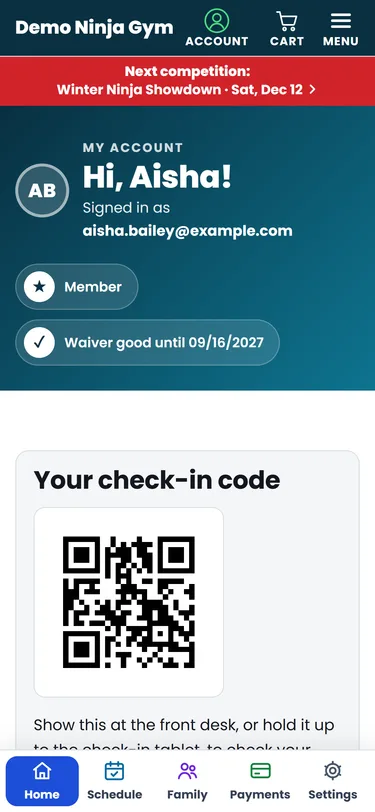
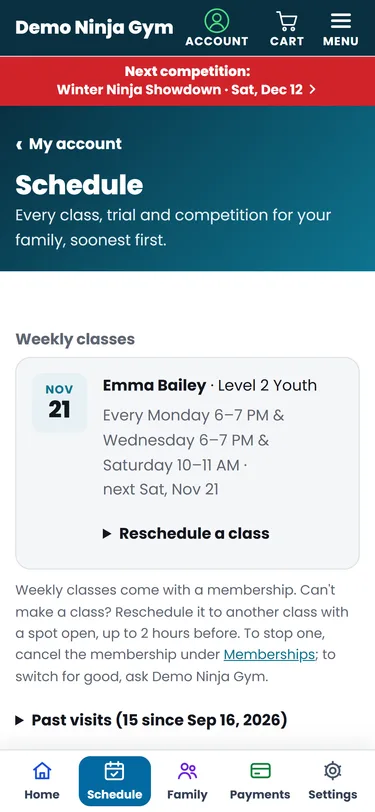
A parent's whole account in twenty seconds
Home, Schedule, Family, Payments, Settings
- 1. Sign inTheir email and a 6-digit code. No password to forget.
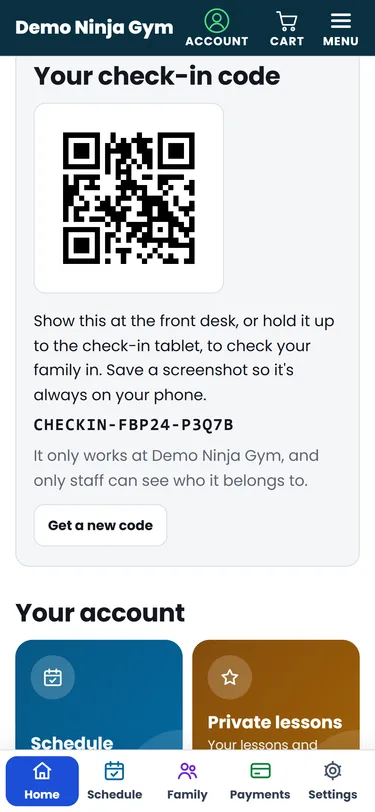
- 2. A check-in codeShown at the desk or held up to the check-in tablet.
- 3. ScheduleWeekly classes, reschedules, drop-ins, waitlists and competitions.
- 4. FamilyEvery child, their details and the family's waiver.
- 5. PaymentsMemberships, class passes, saved cards and receipts.
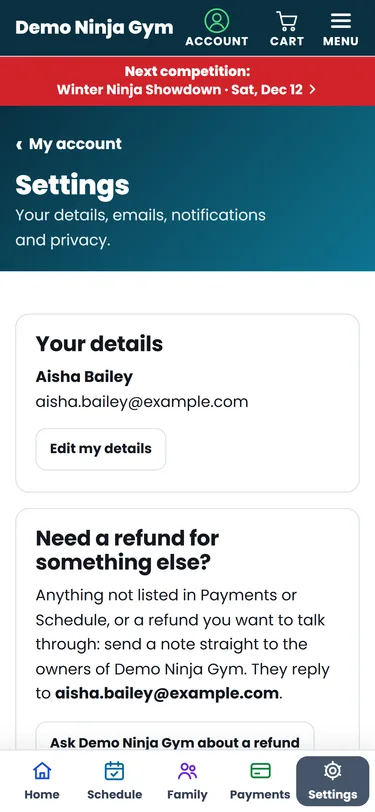
- 6. SettingsTheir details, which emails they get, and their privacy.
My account on a phone. Sample family.
A video from a demo gym with a sample family.
Fewer calls to the front desk
Change a class
Reschedule a weekly class to another one with a spot open, up to 2 hours before.
The whole family
Add a child, update a medical note or emergency contact, and add them to the waiver without signing again.
Cards and receipts
Saved cards held by Stripe, every payment, and an account history to download.
Cancel online
A membership can be cancelled as easily as it was bought. It stays active to the end of the paid period, and "Keep my membership" undoes it. Gyms that prefer a conversation get a request instead.
Credit and gift cards
Account credit and gift cards are used at checkout with one tick.
Competitions
Upcoming entries, and cancelling one online before the event.
Parties
The host's Party Hub: invitations, who's coming and their waivers.
Book for the family
Classes, camps and passes for several people in one payment.
On their home screen, without an app store
- iPhoneAdd My account to the Home Screen from Safari, then tap Allow notifications.
- Android and computersTap Allow notifications, with Install the app if they like.
- Only if they say yesNotifications are off until the parent turns them on.
- Texted codesIf your gym has texting on, parents can get their sign-in code by text instead.
Their data, their choices
- Choose which emails they getOne-click unsubscribe for each kind; receipts and run orders still arrive.
- Download my dataA copy of their account's details and history, from Settings.
- Delete my account and dataThe gym confirms within 30 days. Paid records stay only as anonymous tax records.
- A parent signs inParents and guardians sign in and pay; nothing is collected directly from children.
My account, answered
Do parents need to download an app?
No. My account is part of your gym's website, at yourgym.com/account. On a phone it can be added to the home screen and send notifications like an app.
Do parents make a password?
No. They type their email and get a 6-digit code. "Continue with Google" works too when the Google email matches.
Do I set up accounts for families?
No. An account is made the first time a family books, signs a waiver or registers.
Can a parent get a refund here?
They can cancel a competition entry before the event for a full refund, and ask you about anything else. Refund questions come to you to decide.
Keep exploring
Give your gym the HQ it deserves
Give us your current website and we build your new one, free to explore. No payment before you approve launch. Prefer a walkthrough? Request a 30-minute demo with a Ninja HQ expert.