Schedule your coaches, pay them right
Build each location's week of shifts, publish it, and everyone gets their schedule. Coaches clock in on their phone or the desk tablet, and the Hours report pays party hours at the gratuity rate and adds class bonuses when a class runs big.
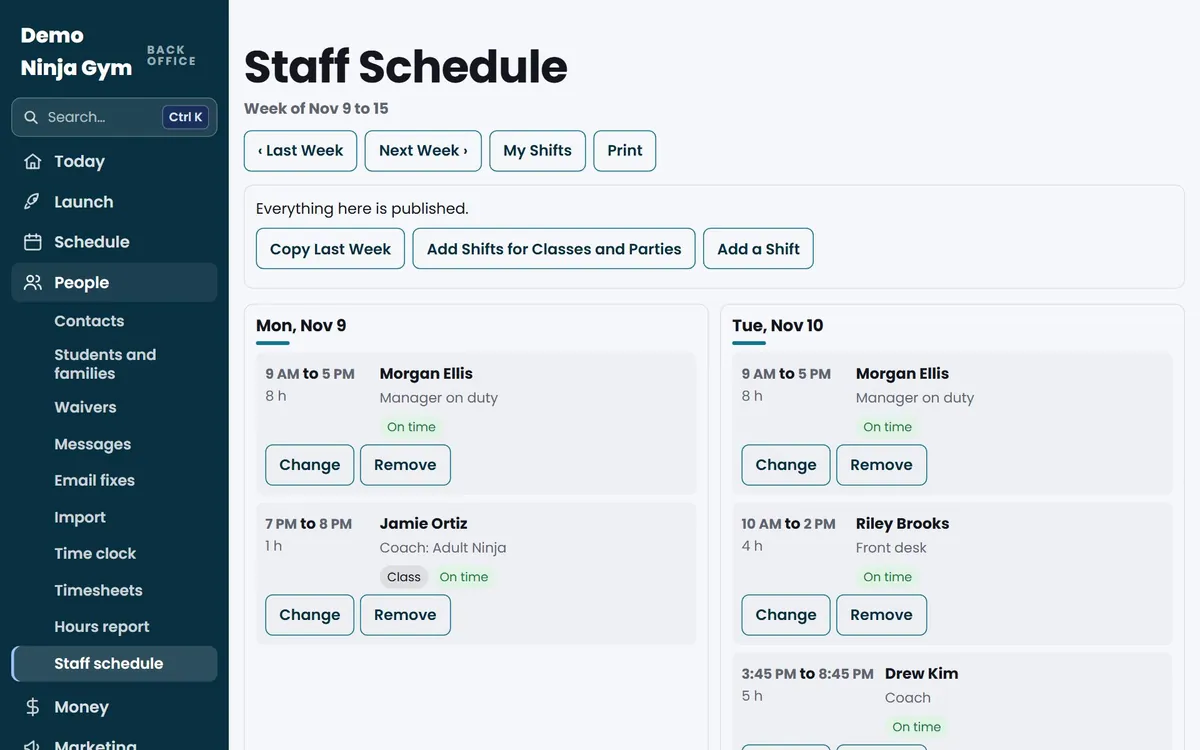
The week planned and published
An owner fills the week and presses Publish; each coach sees their shifts on their phone.
Plan the week's shifts
- 1. People › Staff scheduleThe week, a location at a time.
- 2. One tap for parties and classesShifts for the week's parties and classes with a coach.
- 3. Add a shiftPick the coach and the class or party; the times fill in, or set your own.
- 4. A draft until you publishChange anything; nobody is told yet.
- 5. PublishEveryone with a shift gets it by push notification and email.
- 6. My ShiftsEach coach sees their shifts on their phone, asks for cover, and clocks in.
A week of shifts. Sample gym.
Video from a demo gym with sample families and staff.
A week of shifts in a few taps
Copy last week
Or add shifts for every class and party in one go, then adjust.
Publish
Drafts stay private until you publish; then each person gets their shifts by email or a phone notification.
Cover and swaps
Staff see their next four weeks, ask for cover, and take open shifts. You approve swaps.
Clock-ins checked against shifts
- On a phone or the desk tabletThe phone checks they're at the gym; the front desk tablet uses a PIN.
- On time, late, left early, missedEvery shift shows how it went, and Timesheets lists the ones to look at.
- Approve and send to payrollApprove each week and send the hours to QuickBooks, or download them.
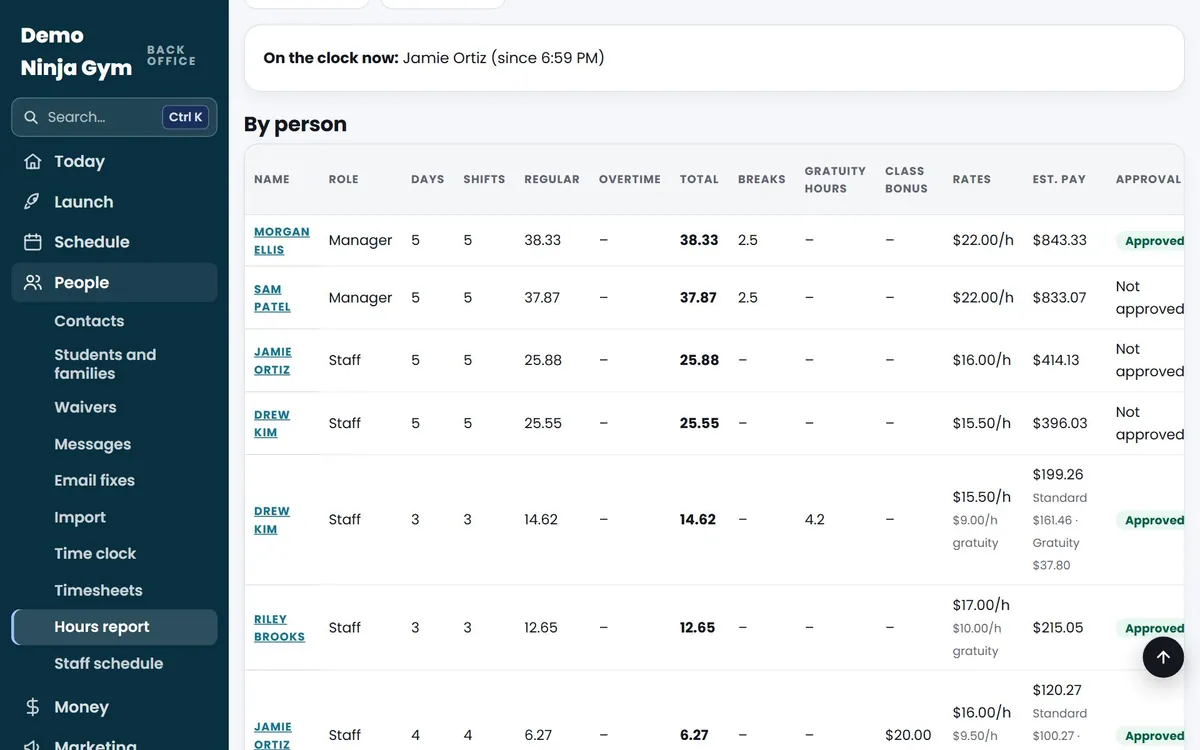
The Hours report. Sample data.
Party hours, class bonuses and tips, worked out
Standard and gratuity rates
Each person has a standard rate and a gratuity rate for tipped work like parties. Party hours (a "Clock in for a party" button, or the shift's pay) are paid at the gratuity rate.
Class headcount bonuses
A rule like "adult classes: +$4 an hour for every 3 people above 6", counted from check-ins, for the coach of that class.
Tips, kept apart
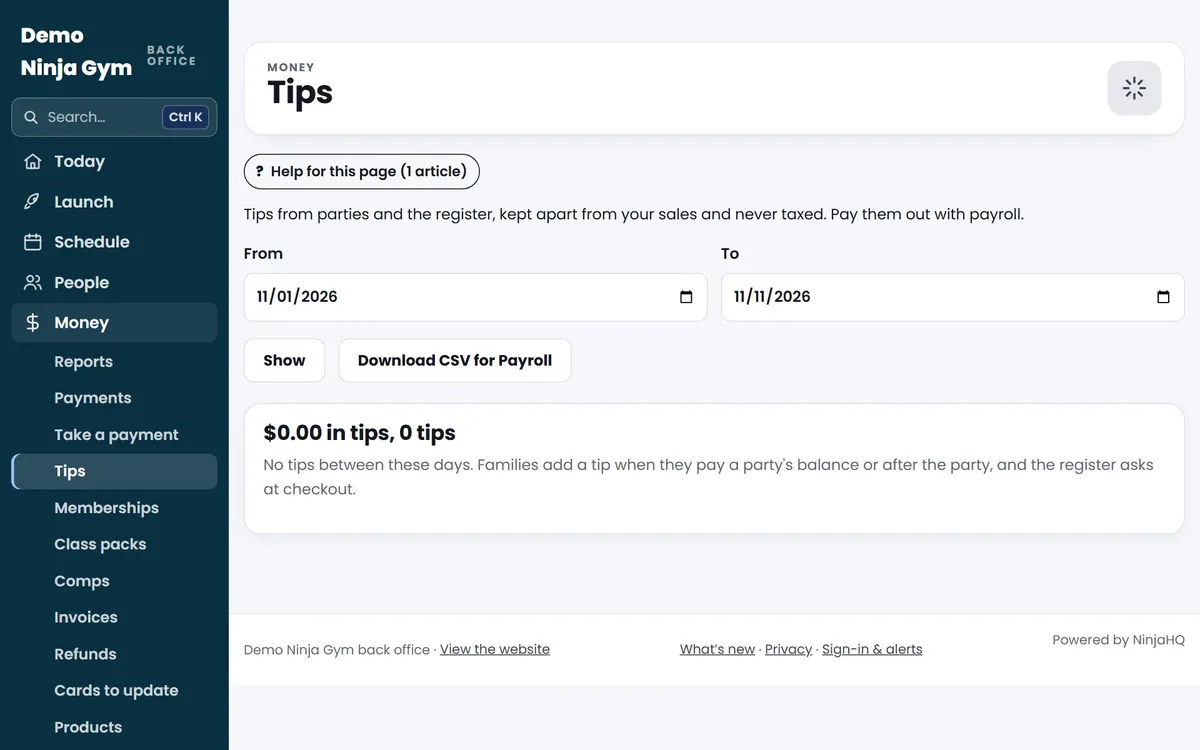
Party and register tips are recorded apart from sales, never taxed, split to the party's coaches and ready for payroll.
Ready for payroll
The Hours report and its CSV show regular, gratuity-rate, bonus and overtime pay separately.
Everyone sees what their job needs
Owners see everything. Managers run the gym day to day without payment set-up, staff, payroll or settings. Staff work the front desk: check-in, payments, waivers, the time clock and their shifts. Limit anyone to their locations, and bookings, check-in, parties, the schedule and reports open on their gym.
Staff, answered
Do staff need to download an app?
No. They sign in on their phone's browser and can add it to their Home Screen; the front desk tablet works with a PIN.
How is the class bonus counted?
From the class's check-ins. With "+$4 an hour for every 3 people above 6", a class of 12 adds $8 an hour for its coach and a class of 7 adds nothing.
Can a manager see only their own gym?
Yes. Tick the locations they work at, and their lists and reports open on those locations.
Does it run payroll?
It prepares it: approved hours with regular, gratuity, bonus and overtime pay, sent to QuickBooks or downloaded for your payroll service.
Keep exploring
Give your gym the HQ it deserves
Give us your current website and we build your new one, free to explore. No payment before you approve launch. Prefer a walkthrough? Request a 30-minute demo with a Ninja HQ expert.