How do I set which leagues we host, or send families to Ninja Master to register?
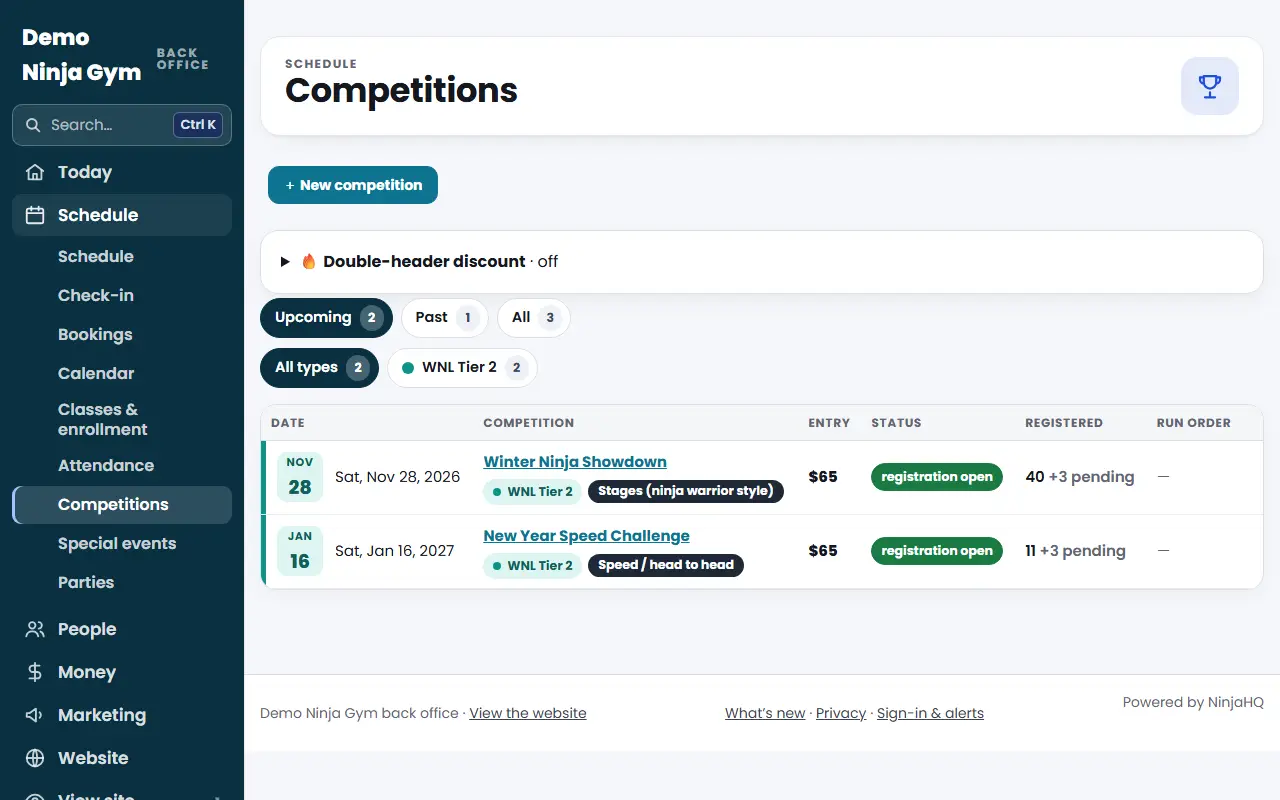
On Schedule > Competitions open Leagues you host and tick yours. For a competition that registers elsewhere, set Where Families Register and paste the link.
Not every gym hosts World Ninja League competitions. Tell NinjaHQ which leagues you host so your website talks about the right ones, and send families to the league's own registration when it isn't on your website.
Before you begin
- Owners and managers can change these.
- For outside registration, have the competition's registration link from Ninja Master, SportsEngine or the league's site ready.
Steps
- Open Competitions.
- Open the Leagues you host box at the top of the page. Its heading shows the leagues now, and says "(from your competitions)" when nobody has ticked them yet.
- Tick every league whose competitions you host: World Ninja League (WNL), UNAA, NSC, FINA, or Our own competitions (independent, no league). Press Save.
- To send families to another site for one competition, open that competition, then under Where Families Register pick On Ninja Master, On SportsEngine or On another website.
- Paste the link into Registration Link and press Save event.
What you'll see
- A new competition starts with your league: World Ninja League Tier 2 at a WNL gym, otherwise your league with no tier (and Ninja Master already picked for UNAA and NSC, SportsEngine for FINA).
- Your Competitions page only uses World Ninja League wording, the tier key and the WNL steps when you host WNL.
- A competition that registers elsewhere shows Register on Ninja Master (or SportsEngine, or the site's name) on your home page, your Competitions page and its own page, and the Competitions list in the back office shows "registers on Ninja Master". Its countdown, live stream, run order and results stay on your website. The Register button goes away once the competition starts.
Troubleshooting
My page still says World Ninja League. Open Leagues you host: if WNL is ticked, or nothing is ticked and one of your competitions is a WNL competition, the WNL wording stays. Untick WNL and save.
The Register button still opens our own checkout. Check Where Families Register on that competition: it must be set to the other site, and the link must start with https://.
Questions
What changes on my website when we don't host WNL?
Your Competitions page names your leagues instead of the World Ninja League. The World Ninja League button and steps, the WNL tier key and the WNL tier stats are gone, and families get three plain first-competition steps instead: pick a competition, register, come ready on the day.
What if I leave every box unticked?
We go by the competitions you've added: if any of them is a World Ninja League competition, your page keeps the World Ninja League wording. Sample competitions from the demo data don't count once you have real ones.
When registration is on Ninja Master, what stays on my website?
Everything except the checkout: the competition page, the countdown, the live stream, the run order and the results. Only the Register buttons change: they say Register on Ninja Master and open it in a new tab.
The competition says "Registration link coming soon". Why?
Where Families Register is set to another site but the Registration Link is empty. Paste the link and save; the Register buttons appear right away.