Booking on the website you already have
Keeping your current website for now? Add your class schedule, camps, parties, open gym, after-school and events to any page with one line. Families tap Book and finish on your Ninja HQ site, where sign-in and payment are safe.
From the back office to your website
Add your class schedule in a minute
- 1. Pick what to showThe class schedule here; camps, parties, open gym, after-school and events work the same way.
- 2. Copy one linePaste it into your website. A preview shows the widget first.
- 3. Add your website's addressLists show only on the addresses you list.
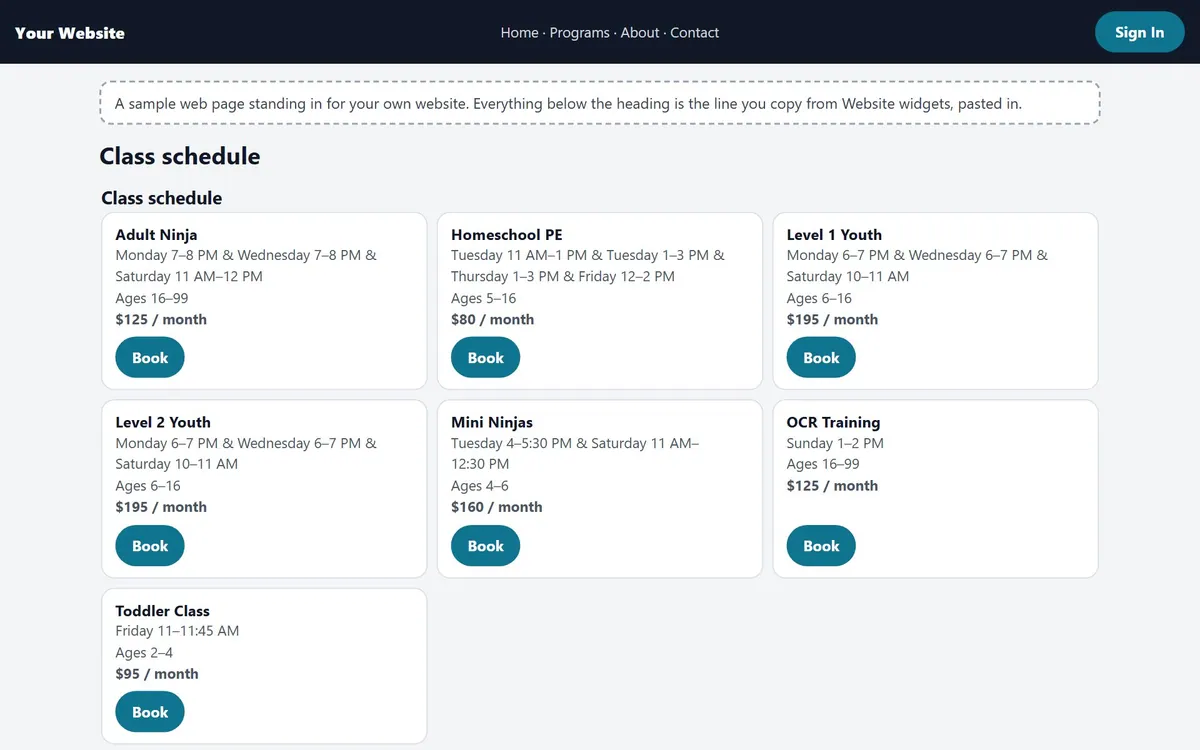
- 4. On your websiteEach class with its days, times, ages, price and a Book button.
- 5. A family taps BookBooking opens on your Ninja HQ site, where sign-in and payment are safe.
Adding the class schedule. Sample data.
A video from a demo gym with sample data.
Pick it, copy it, paste it
- What to showA class schedule (every location or one), camps, parties, open gym, after-school, events, or a Sign In button for My account.
- A list or a buttonLists show what's coming up with a Book button on each; buttons work anywhere.
- One line to pasteInto WordPress, Wix, Squarespace or any page. A preview shows it first, and a sample web page shows it in place.
- Safe by designLists appear only on the website addresses you list, booking opens on your Ninja HQ site, and the widget reads nothing from your website and loads nothing from other companies.
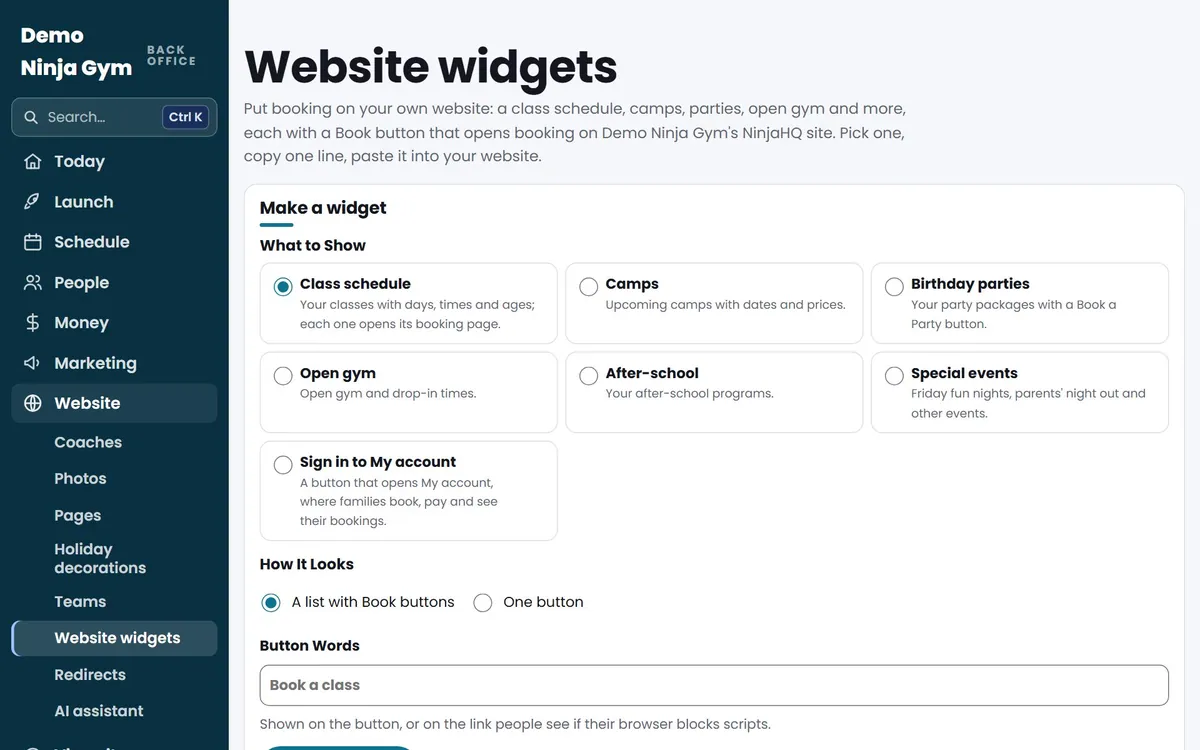
Website › Website widgets. Sample data.
A text to the families who asked for them
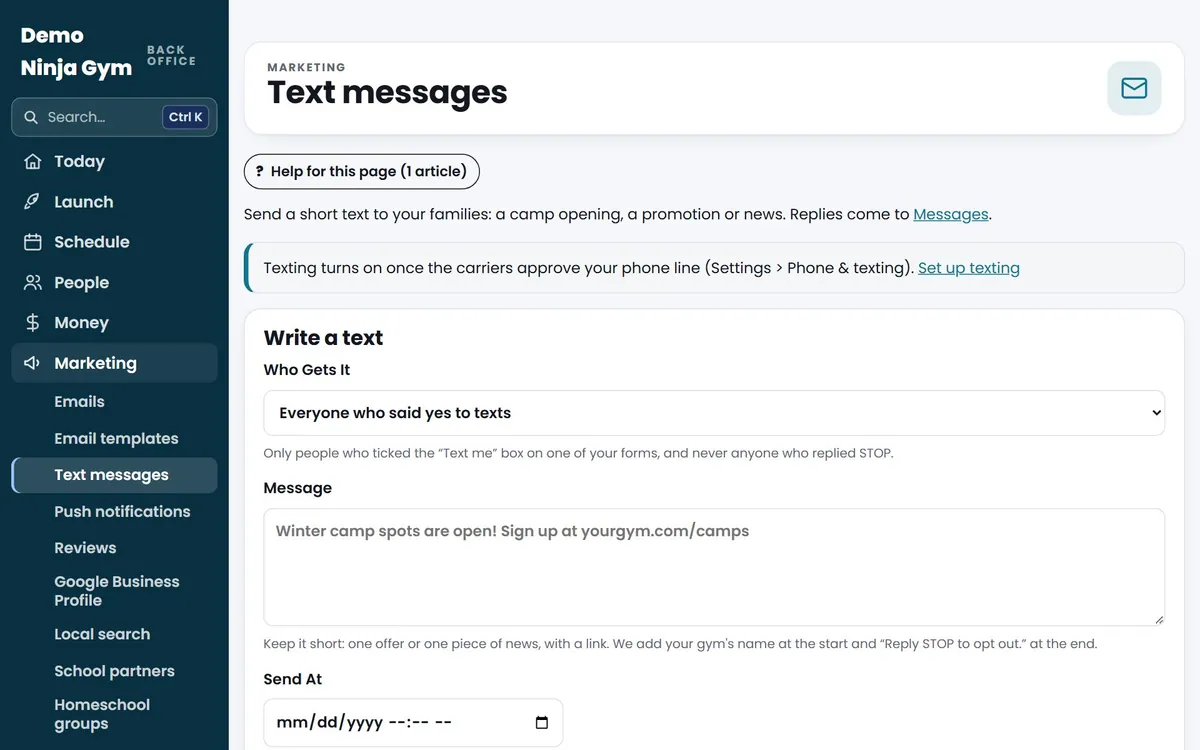
Send a short text about a camp opening, a closure or a promotion, to the same groups as your emails.
- Only people who said yesTexts go only to families who ticked the separate text box. Replies come to your Messages, and STOP is honored right away.
- Count and cost firstSee how many people it reaches and what it costs before you send or schedule it.
- Quiet hoursSent between 8 AM and 9 PM, with your gym's name and "Reply STOP" added.
Texting turns on once the carriers approve your gym's phone number.
Widgets, answered
Will it work with my website builder?
Yes. Anything that lets you paste a line of HTML works: WordPress, Wix, Squarespace, Webflow and hand-built sites.
Where do families pay?
On your Ninja HQ site, which opens when they tap Book. Payments go to your own Stripe account.
Do I still need my old website?
No. Ninja HQ builds your whole website; widgets are for gyms that want to keep their current site for a while.
Keep exploring
Give your gym the HQ it deserves
Give us your current website and we build your new one, free to explore. No payment before you approve launch. Prefer a walkthrough? Request a 30-minute demo with a Ninja HQ expert.