How do I RSVP to a birthday party and sign the waiver?
Open the party invitation link, press Count Us In, add your children, then sign the waiver with your details already filled in. Or press Can't Make It.
A party invitation from a gym on NinjaHQ takes about a minute to answer, and you sign the waiver in the same go so check-in is quick.
Steps
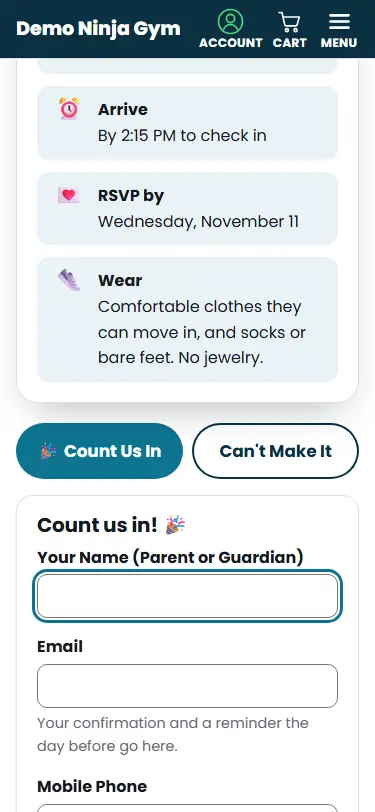
- Open the invitation link you were sent. It shows the date, time, address, when to arrive and what to wear.
- Press Count Us In. Enter your name, email and mobile phone, then each child's first and last name and any allergies (when the gym asks). Press + Add Another Child for more.
- Press Count Us In at the bottom. You're on the list, and a confirmation is on its way.
- Press Sign the Waiver Now. Your details and your children's names are already filled in. Read it, sign, and you'll come back to your party page.
Can't go? Press Can't Make It, enter your name and, if you like, a note for the family.
Change your answer
- Open the link in your confirmation email. You can add a child, remove one, or say you can't make it after all.
Questions
Do I need an account?
No. Answer from the link. Your confirmation email has your own link to change your answer later.
My child already has a waiver at this gym. Do I sign again?
No. If your child has a current waiver, the page says All set.
Who sees what I enter?
The family hosting sees your children's names, whether their waiver is signed and any allergies you share. Your email and phone stay with the gym.
Will I get marketing emails?
Only if you tick the news box. Party emails (your confirmation and reminders about this party) come either way.