How do I give my web developer access to the website only?
On Settings > Staff, add them with the role Web developer. They work on pages, design, photos, menu, redirects and email designs. No customers or money.
Give the person or agency who builds your website their own sign-in, with access to the website and nothing else. You can also do everything below yourself: owners have every one of these pages.
Before you begin
- Only an owner can add people and choose roles, on Staff under Settings.
- Use their own email address, not a shared one. They sign in with a code sent to that address.
Steps
- Open Staff.
- Press Add someone, then type their Email and Full Name.
- In Role, choose Web developer.
- Leave Email them how to sign in ticked and press Add. We email them how to sign in, what they can work on and how to connect their AI agent.
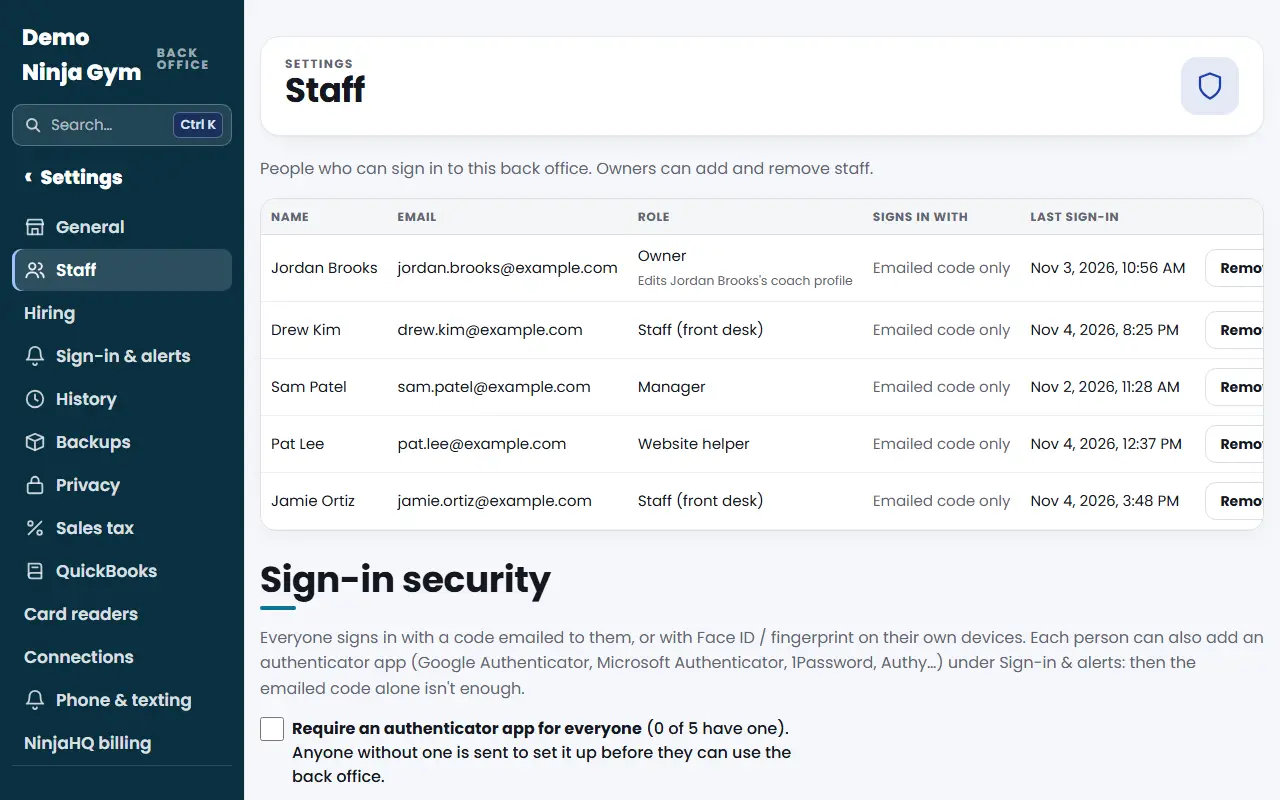
To change someone who is already on the list, press Edit beside them, pick Web developer and press Save. They sign in again to get the new access.
What a web developer can do
They land on Work on your website, which lists their areas:
- Pages and design (Website > Pages): edit pages with a live preview, add new pages, use the Section Library, change the design and Publish.
- Photos: add pictures for the website, describe them and choose where they show.
- Email templates: the design and words of the emails your website sends. They can send a test to themselves. Which emails go to customers stays with you.
- Menu (Website > Menu): the pages in your website's menu, their wording, dropdowns and order.
- Redirects: send old website addresses to the right new page.
- Logo & icon: the logo, its version for dark backgrounds and the browser-tab icon.
- Website check: after every publish, NinjaHQ checks the pages on a phone and a computer and emails them (and NinjaHQ) what to fix. See How does NinjaHQ check my website after a change?.
- Their own Sign-in & alerts, What's new, Request a feature and the Help center.
They don't see customers, registrations, waivers, orders, memberships, money, emails to customers, staff or settings, and they can't delete a page or a photo for good.
Their AI agent
A web developer can connect Claude, ChatGPT or another AI agent to your website:
- In their AI app, they add a custom connector with the address
https://<your site>/mcp(your website's address, then/mcp). - The app opens your sign-in page. They sign in with their own email and the code we send them, then press Yes, connect.
- Their agent gets the website's tools only: pages and the design, photos (also from links), the menu, the logo and icon, redirects, the website's main words, the Help Center, and the website's analytics (heatmaps, scroll depth, forms, speed and what to improve, as counts only) so it can suggest what to change. Anything else is refused.
The developer guide is at https://<your site>/developers (also as Markdown at /developers.md, and their agent gets it with get_developer_guide): access, working on a copy with site versions, the design and CSS rules, pages, pictures, the menu and the checks. You can see and disconnect their app on AI assistant.
What you'll see
- They show as Web developer in the Role column of the Staff table.
- Every change they make is in History with their email, and through their AI agent as "their email (via the app's name)".
- Every page and the design keep their versions: on Website > Pages, put an earlier version back any time.
Troubleshooting
They say a page sends them back to Start here. That page is outside the website, so it's for owners and staff. Do it yourself, or change their role if you trust them with more.
Their AI agent can't connect. The AI assistant must be switched on for your gym. Open AI assistant and check it's on, then ask them to connect again.
They no longer work on your website. Open Staff, choose their name and press Remove access. Their sign-in and their AI agent stop working at once.
Questions
Can I do all of this myself instead?
Yes. Owners have every page and button a web developer has: Website > Pages, the design, Photos, Website > Menu, Redirects and Email templates, plus the same AI assistant tools. The Work on your website page lists them.
Can a web developer see my customers or payments?
No. They never see contacts, registrations, waivers, orders, memberships, money, staff or settings. Any other page sends them back to their Start page.
Can they publish without me?
Yes. A web developer can publish pages and the design. Ask them to check with you before big changes; every change is in History with their name and can be undone.
Can they delete a page or a photo for good?
No. They can take a page off the site or take a photo off the site, and put it back. Deleting for good stays with the owners.