How do I add a staff member or give someone back office access?
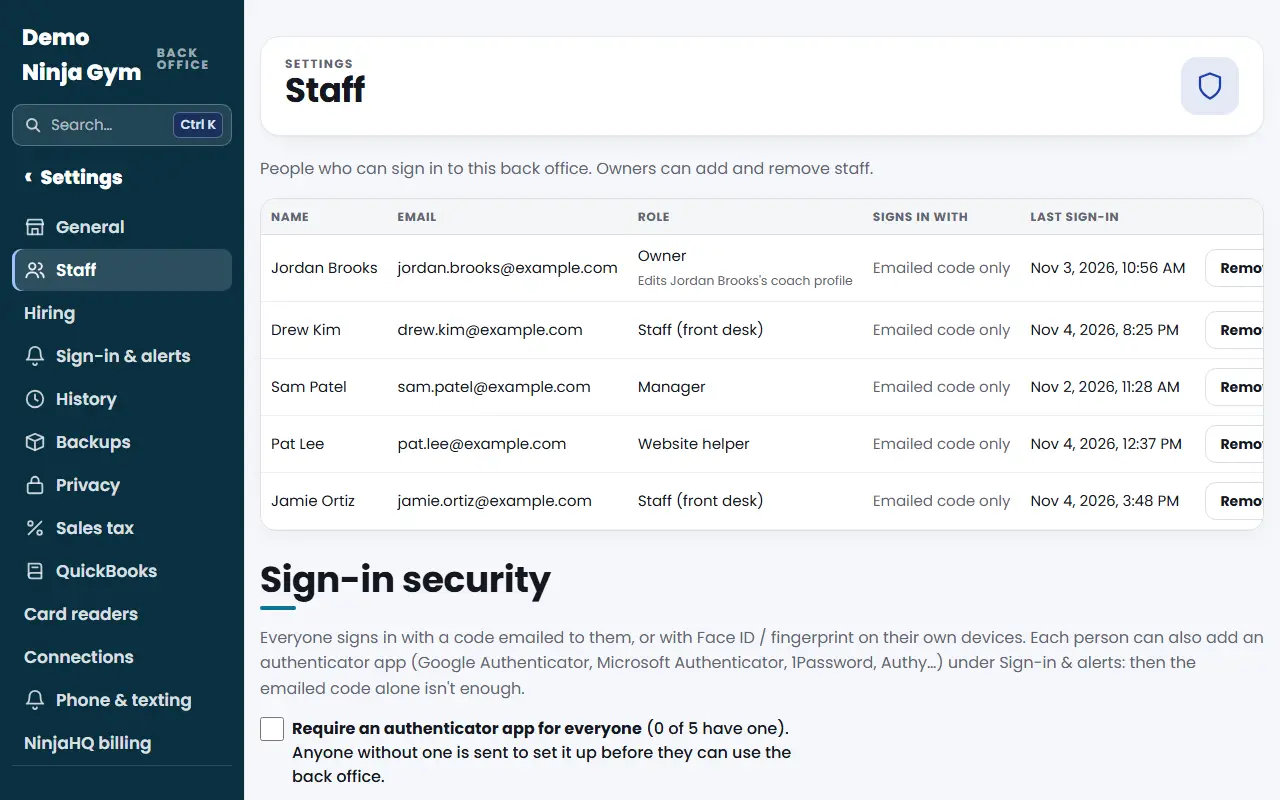
Owners open Settings > Staff, enter the person's email, full name and role under Add someone, and press Add. They sign in with an emailed code, no password.
Everyone who works in the back office needs their own sign-in. Add people one by one, pick the right role for what they do, and NinjaHQ emails them how to get started.
Before you begin
- You must be an owner. Managers do not see the Staff page.
- Decide the role first. See What can each role do?.
- Use the email address the person actually checks. The sign-in code goes there.
Steps
- Open Staff from Settings.
- Scroll to Add someone.
- Type their Email and Full Name.
- Choose a Role:
- Staff (front desk only)
- Manager
- Website helper
- Owner
- Leave Email them how to sign in (and what to do first) ticked so they get a welcome email, or untick it.
- Press Add.
What you'll see
- A message such as "Jordan is added. We emailed them how to sign in" appears, and the person is in the table with their role and "never" under Last sign-in until they sign in.
- The welcome email depends on the role. Staff are shown how to sign in, add the back office to their Home Screen and use the time clock. Managers get what they can do and a set of questions for them to answer. Website helpers get what you need from them.
- Everyone signs in at your gym's
/ninjahqpage, shown at the bottom of the form, with a code emailed to them. - If they play a coach on your website, the Role column adds "Edits (name)'s coach profile" when their name matches a coach. See How do I change someone's role, or remove them?.
Troubleshooting
"That address already has access." The email is already on your staff list. Look for it in the table.
"Enter an email and a name." The email needs an @ and a dot, and the name needs at least two characters.
The welcome email did not arrive. Check spam and the address. Before your site is live, emails go out only to approved addresses; a new staff member is approved at once.
I do not see Staff in Settings. Only owners see it.
Questions
Does the person need a password?
No. They go to your gym's /ninjahq page, type their email and get a six-digit code. They can later add Face ID or a fingerprint under Sign-in & alerts.
What if I do not tick the welcome email?
The person is still added. They can sign in at your site's /ninjahq page with their email, but you will need to tell them how to get started yourself.
Can a manager add staff?
No. Only owners can add, change or remove people.