How does the weather change my business, and what's coming this week?
See how rain, snow, heat and cold changed your check-ins and sales, plus this week's forecast with busier and quieter days and ideas.
Rain, snow, heat and cold change who walks through your door. This report shows how much, from your own history, so you can staff and plan for the days ahead.
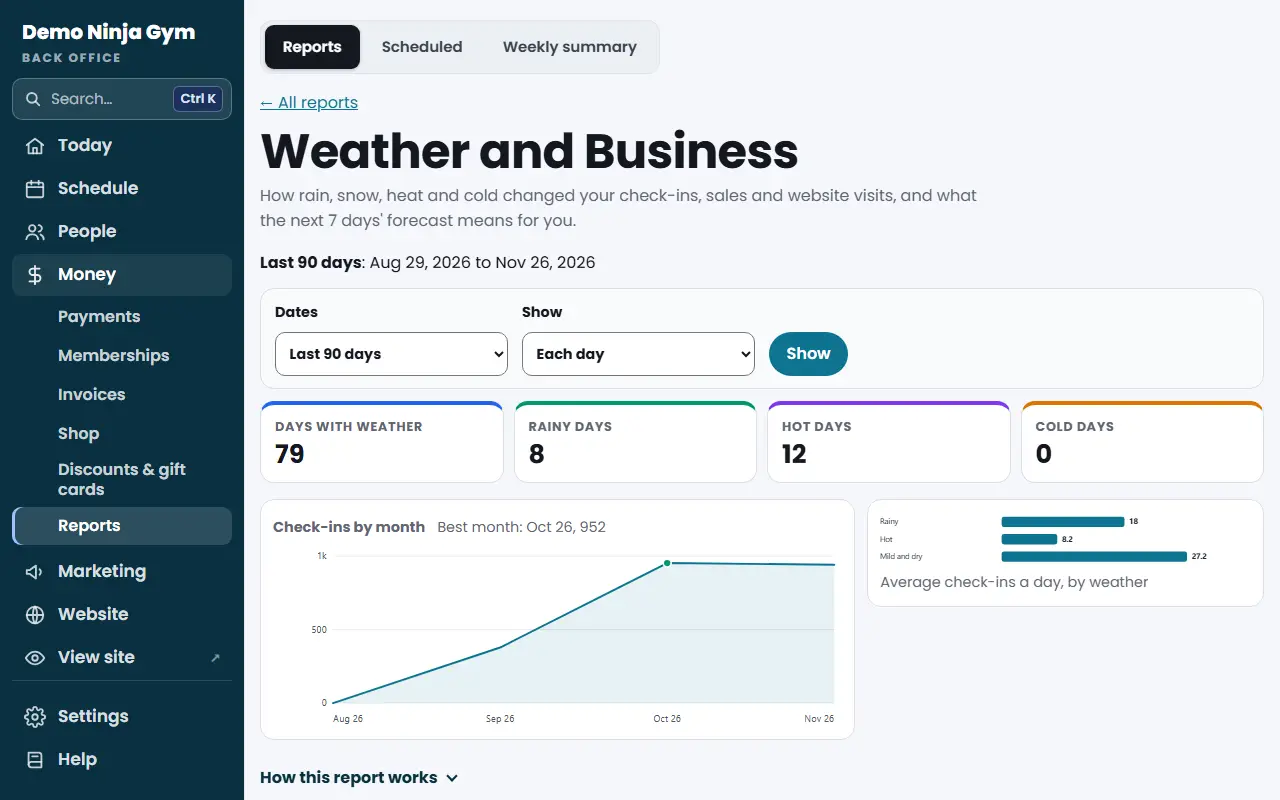
See how the weather changed your business
- Go to Money > Reports and open Weather and Business (under Planning). It starts with This year; pick other dates under Dates.
- Show > Each day lists every day: the weather, the high and low, the rain, your check-ins and how they compare with a usual day of that weekday (for example +24%), your sales (owners) and website visits.
- Show > By kind of weather adds it up: how many rainy, snowy, hot, cold and mild days you had, the average check-ins on each, and the change against a usual day. The note at the top says it in a sentence, such as "Rainy days: 18% more check-ins than usual."
- Show > Next 7 days (forecast) is the plan: each day's forecast, the chance of rain and What to expect, such as Busier than a usual Saturday (+22%), with the check-ins to expect.
- Several locations? Pick one under Location, or leave All locations to see each location with its own weather.
The weather on your Today screen
Add the Weather widget to Today or the Front desk screen: press Customize this screen, then Add next to Weather.
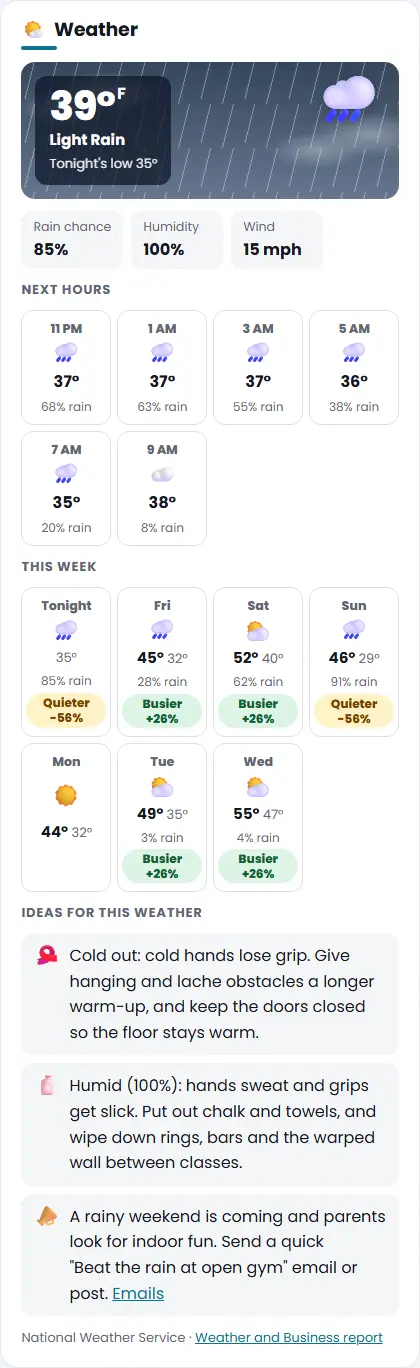
- The top of the widget shows the sky outside: sun, stars at night, clouds, rain, snow, fog, heat, wind or frost, with the temperature now, today's high and low, the chance of rain, humidity and wind.
- Next hours and This week show what's coming, and each day of the week is marked Busier, Quieter or Usual from your own history.
- A National Weather Service alert, such as a winter storm warning or a heat advisory, shows at the top in yellow or red.
- Ideas for this weather are made for a ninja gym: add a closure before a winter storm so families see it on your website, a snow day camp when snow could close schools, an extra coach or open gym on a busier rainy day, a "beat the rain" email before a wet weekend, chalk and towels when it's humid, longer warm-ups when it's cold, water breaks when it's hot, and a mat by the door when shoes come in wet.
The widget updates about every 30 minutes. Busier and quieter days appear once your past weather is in, which happens overnight or when you open the report.
Ask your AI assistant
Ask things like "Will the rain this weekend make us busier?" or "Do hot days slow us down?" The assistant reads the same numbers with get_weather_outlook, never anyone's name.
Questions
Where does the weather come from?
Past days come from the nearest NOAA weather station, usually an airport. The report names it and how far away it is. The forecast, the weather right now and weather alerts come from the National Weather Service. Both are US government services, free and without ads.
Why are the last few days missing their weather?
NOAA checks each station's readings before it publishes them, so the newest days arrive about a week late. They fill in by themselves.
How does it work out busier and quieter?
Each day is compared with a usual day of the same weekday, so a rainy Saturday is compared with your usual Saturday, not with a Tuesday. Days you were closed (no check-ins and no sales) are left out. With fewer than 3 days of a kind of weather it doesn't guess, and with fewer than 8 it says it's only a rough guide.
What counts as rainy, hot or cold?
Rainy is 0.1 inch of rain or more, snowy is half an inch of snow or more, hot is a high of 90°F or more, cold is a high under 45°F. Everything else is mild and dry.
My gym doesn't use check-ins. Does it still work?
Yes. Without check-ins it compares your sales (owners) or your website visits instead, and says which one it used.
Is there a forecast outside the US?
No. The National Weather Service covers US locations only. Each day and By kind of weather still work anywhere NOAA has a station.
Does this send anything about my families anywhere?
No. Only your gym's position, rounded to about half a mile, goes to the weather services, from our server. Nothing about families, visitors or staff.
The weather widget says set your location. Where?
Set your gym's location in Settings, or in Time clock settings on a phone at the gym. With several locations, each location's address has its own map position.
Related articles
- How do I see sales, profit, autopay, party guest lists and mailing lists?
- How do I choose what my Today and Front desk screens show?
- How do I connect Stripe to take online payments?
- What is the weekly summary email, and where can I see past weeks?
- What is the daily summary email, and where can I see past days?