How do I set up the front desk register?
Open Settings > Front desk. Add front desk products, choose whether prices include sales tax, and pick the ways to pay. The register itself stays clean.
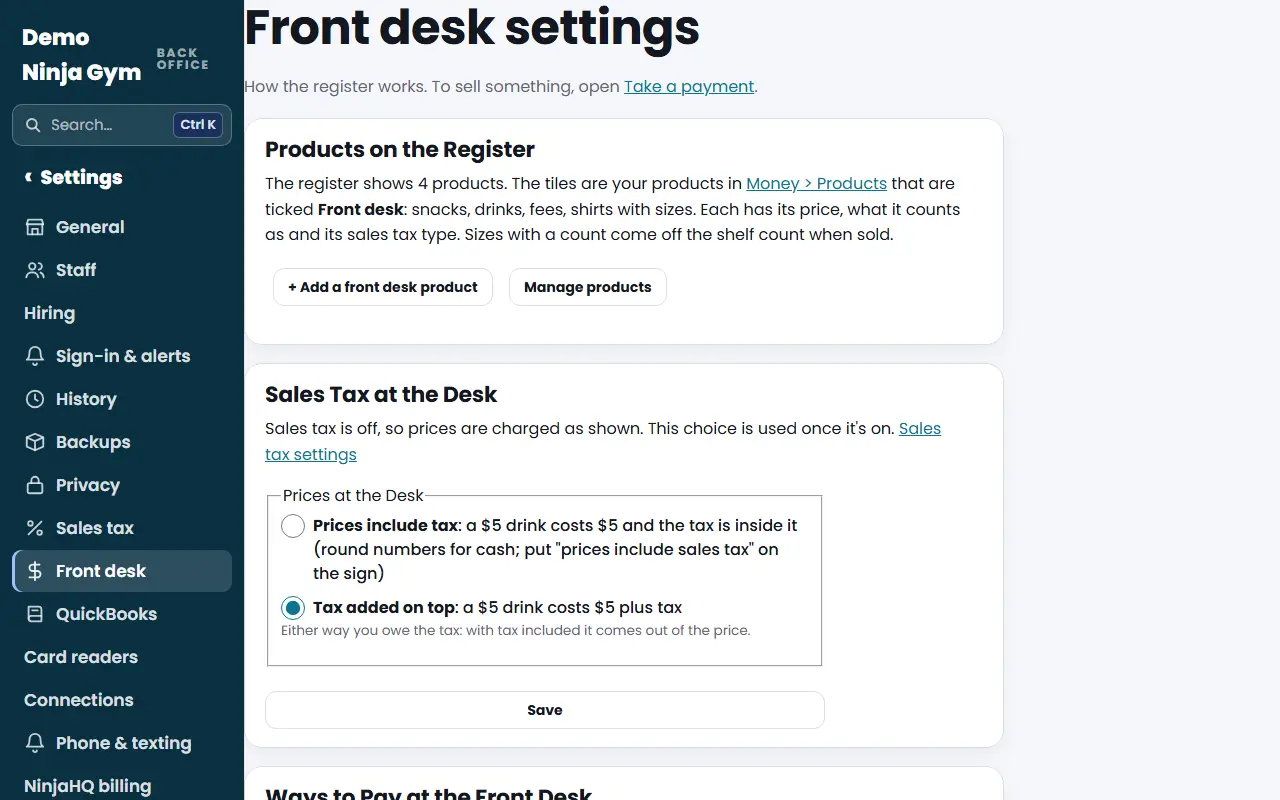
Front desk settings is where an owner sets up the register: which products show as tiles, how sales tax works at the desk, and the ways staff can take money. Staff then use Take a payment to sell.
Before you begin
- Only owners can change these. Managers and staff do not see Front desk settings.
- To take cards in person, add a card reader first: How do I add a card reader?.
Steps
- Open Front desk settings under Settings. From the register, use the Front desk settings link under Today at the front desk.
- Under Products on the Register, press + Add a front desk product. Give it a name and a price, keep Front desk ticked, choose what it counts as and its sales tax type, and save. It shows as a tile on the register. Manage products opens Money > Products to change or hide the ones you have.
- Under Sales Tax at the Desk, choose Prices include tax (a $5 drink costs $5, good for cash) or Tax added on top, and press Save.
- Under Ways to Pay at the Front Desk, untick any way you do not want staff to use and press Save: How do I choose the ways to pay at the front desk?.
What you'll see
- The register shows every product ticked Front desk, in the order of Money > Products. Sizes with a count come off the shelf count when sold.
- With sales tax on, the cart shows the tax as included or added at checkout, as you chose.
Troubleshooting
The register says "No products at the front desk yet." No product is ticked Front desk. Add one in step 2. Staff can still use Custom sale.
The tax choice does nothing. Sales tax is off. Turn it on in Sales tax first.
Questions
Where did these settings go? They used to be under the register.
They moved to Settings > Front desk on 2026-11-05 so Take a payment shows only the register. Owners still see a Front desk settings link under Today at the front desk.
Do I have to choose a tax option if I do not collect sales tax?
No. The choice is only used once sales tax is on in Settings > Sales tax. Until then prices are charged as shown.