How do I ring up a sale at the front desk?
Open Front desk > Take a payment, tap products or Custom sale, press Checkout and choose card reader, card on file, cash or other. Then email the receipt.
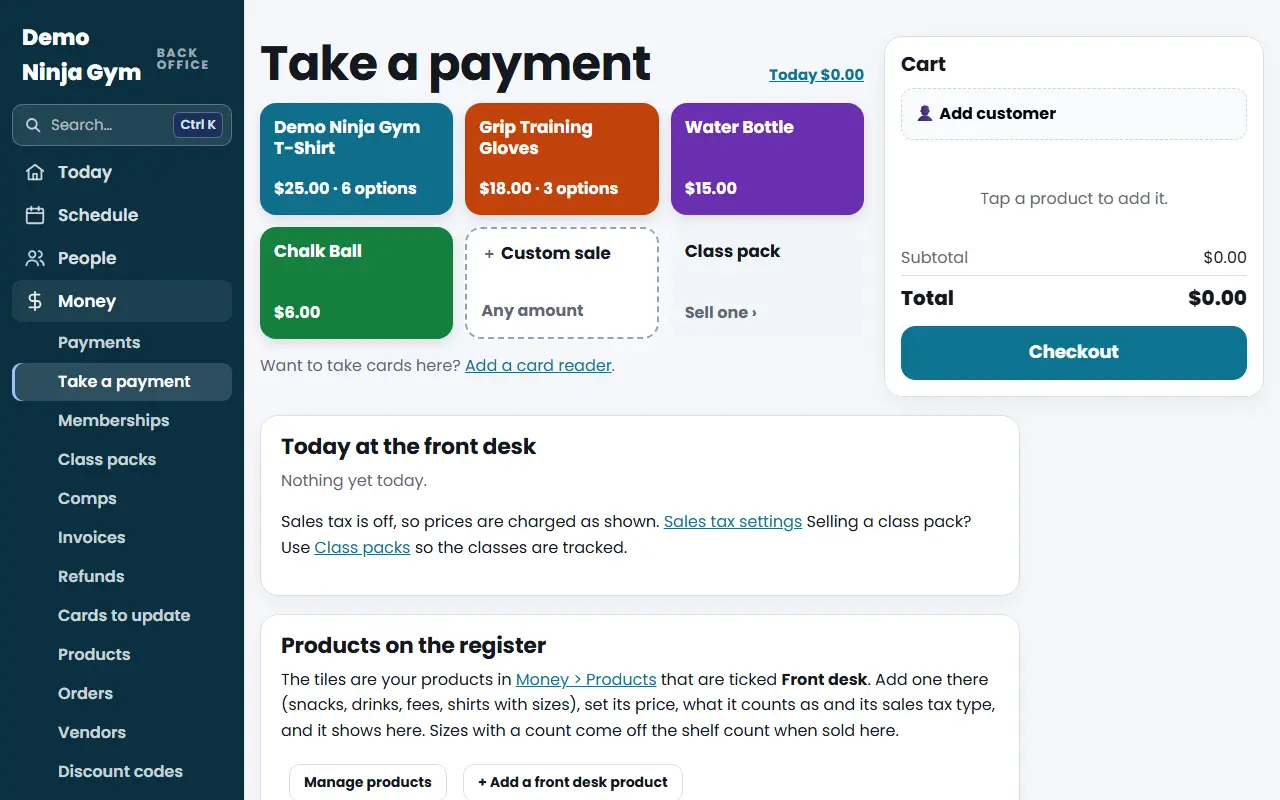
Take a payment is the register. It works like a point-of-sale app and is made to work well on a phone or tablet. Use it for spectator fees, drinks, shirts, gear or any amount.
Before you begin
- To take cards in person you need a card reader: How do I add a card reader?. Cash and the other ways need nothing extra.
- Products must be added first. Owners add them in Shop > Products and tick Front desk. Without products the page says "No products at the front desk yet." You can still use Custom sale.
Steps
- Open Take a payment under Front desk.
- Tap a product tile to add it. Tap again to add more; the badge on the tile shows the quantity. A product with sizes or options asks you to choose. With more than six products, a search box appears.
- For something else press Custom sale, type the amount on the keypad and choose what it counts as.
- Optional: press Add customer and search by name, email or phone to attach the sale to a contact. Their cards on file show here.
- Check the cart (on a phone, press View cart) and press Checkout.
- Choose how they pay:
- Card reader: the screen says Waiting for the card. The customer taps, inserts or swipes. Use Try the card again if it fails, or Cancel.
- Card on file: charge a saved card of the customer you added.
- Cash: tap an amount or Exact, or type Cash received. The screen shows Change due.
- Card on another machine or Other: these only record the sale. The money is taken somewhere else.
- When it says Payment complete, choose Email a Receipt and type their address, or No receipt, then press New sale.
What you'll see
- If sales tax is on, the cart shows the tax or says it is added at checkout, and the sheet quotes the total first.
- Today at the front desk at the bottom lists today's sales by how they were paid, with a running total.
- Sales appear in Payments, and in QuickBooks on the right line.
- Selling a size lowers that product's count on the shelf.
Troubleshooting
A way to pay is missing. An owner hid it. See How do I choose the ways to pay at the front desk?.
The reader will not start. Check that the reader is online on Settings > Card readers, or use another way to pay.
I need to refund a front desk sale. Refund it in your Stripe Dashboard; the register has no refund button.
A product is missing. An owner or manager needs to tick Front desk on it under Shop > Products.
Questions
Where do the register's products come from?
From Shop > Products. A product shows on the register when it is ticked Front desk. You can sell it on the shop page, at the register, or both.
Is sales tax added?
Only if the owner turned on sales tax. Then Stripe Tax works out the tax at checkout, and the sheet quotes the total first.
How do I sell a class pack?
Use the Class pack tile, which opens Class packs, so the classes are tracked.