How do I let families book and pay for birthday parties online?
Open Programs > Parties, add start times and package prices, tick Let families book and pay online, and Save. Choose full payment or a deposit.
Online party booking lets families pick a package, a free date and time, pay online and get a confirmation. You see the booking right away and the time is no longer offered to anyone else.
Before you begin
- Connect Stripe so parties can be paid online. If it is not connected, the Parties page tells you so.
- Your party packages and upgrades (names and what they include) are listed on your parties page. This screen sets their prices.
- Only owners can change the settings.
Steps
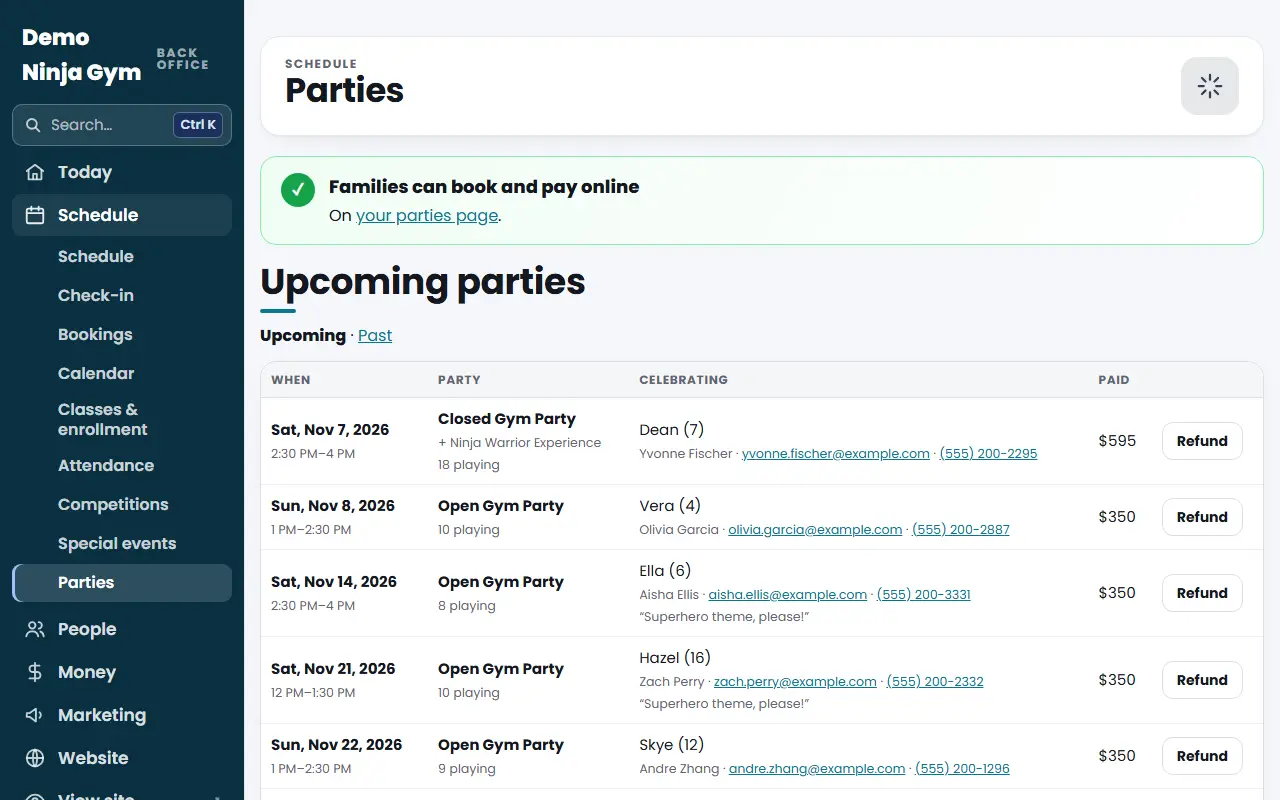
- Open Parties. The colored box at the top tells you whether families can book online right now.
- Scroll to Online booking and tick Let families book and pay online.
- In Start Times, One Day per Line write one line per day. A day (Mon, Tue... Sun), then start and end times in 24-hour time separated by commas, like
Sat 12:00-14:00, 15:00-17:00. - Set Parties at the Same Time (how many parties can share a start time, such as rooms) and Days' Notice (the earliest a family can book, counted from today).
- Under Prices fill in each package's Price ($), Guests included and Days' notice. A package can need more notice than the default.
- Set Each Extra Guest ($), Most Guests at One Party and the Price of each upgrade.
- Choose Pay Online: The full price, or A deposit, the rest at the gym and enter the Deposit ($) (at least $1).
- Choose the Sales Tax Type (only used when sales tax is on) and optionally write Booking Terms (optional), shown under the pay button. For example, "Deposits are refundable up to 7 days before the party."
- Press Save.
What you'll see
- The box at the top turns to "Families can book and pay online".
- To switch booking on you need at least one start time and a price for a package, or the save is refused.
- Families pick a party, a date and a time (closed days and notice periods are not offered), enter the number of guests and pay. A confirmation goes to the family and a notice goes to your contact email, along with a phone alert without names.
- New parties show under Upcoming parties.
Troubleshooting
The box says online booking is on but cannot open. Add at least one start time and a price for a package. If Stripe is not connected, connect it first.
A start time was refused. Check that each line looks like Sat 12:00-14:00, and that the end time is after the start.
A family cannot find a time they want. Closed days, the notice period and times that are already taken are not offered. Families can use "Send us a request" on the parties page for other times.
Questions
What do families see if I leave online booking off?
Your parties page keeps the request form, and families send you a request instead of booking and paying.
Can I take a deposit?
Yes. Set Pay Online to a deposit and enter the amount. The family pays the deposit online and the rest at the gym on the day.
How long is a time held while someone pays?
A time is held for 30 minutes while the family is on the payment page.