How do I send families their party photos and ask for a Google review?
On Marketing > Reviews open the party, upload photos, and press Schedule the review request. The family gets a photo page and a Google review ask.
After each party, NinjaHQ reminds you and the party's host to upload photos. The family then gets a private page where they can download and share them, along with a thank-you and a friendly ask for a Google review.
Before you begin
- Connect your Google Business Profile so the review button knows where to go, or paste your Google review link in the Reviews settings.
- Parties booked online are added to the list automatically. A party booked another way can be added by hand (below).
Steps
Upload photos and send
- Open Reviews. In the Parties list find the party and press Open.
- Choose the party's coach and host in the form at the top (see party coaches) and press Save.
- Under Photos press Add Photos, select many at once (up to 60 for a party) and press Upload. They are made smaller on your device first, evened out and stripped of camera and location data. Press Remove under a photo to delete it.
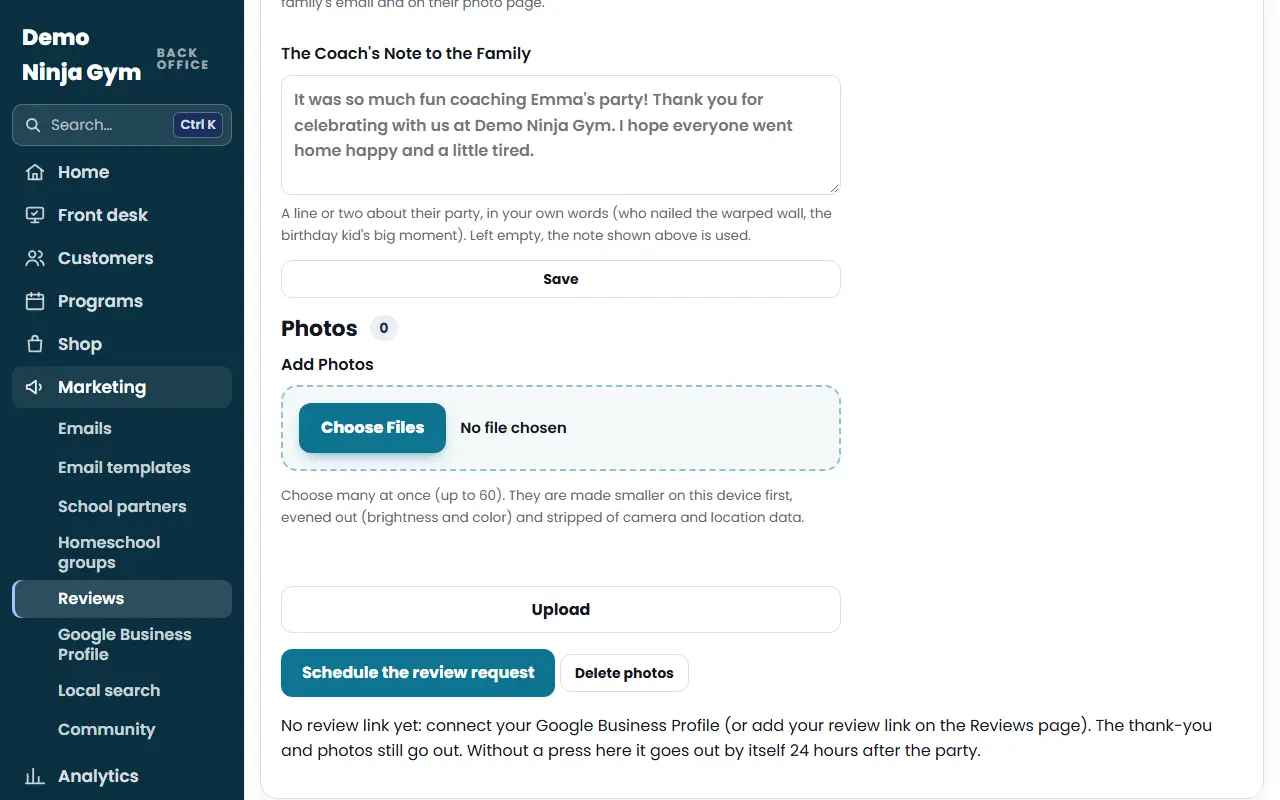
- Press Schedule the review request (or Schedule the photo email when review requests are off). Press Don't send any more to stop.
Add a party that was not booked online
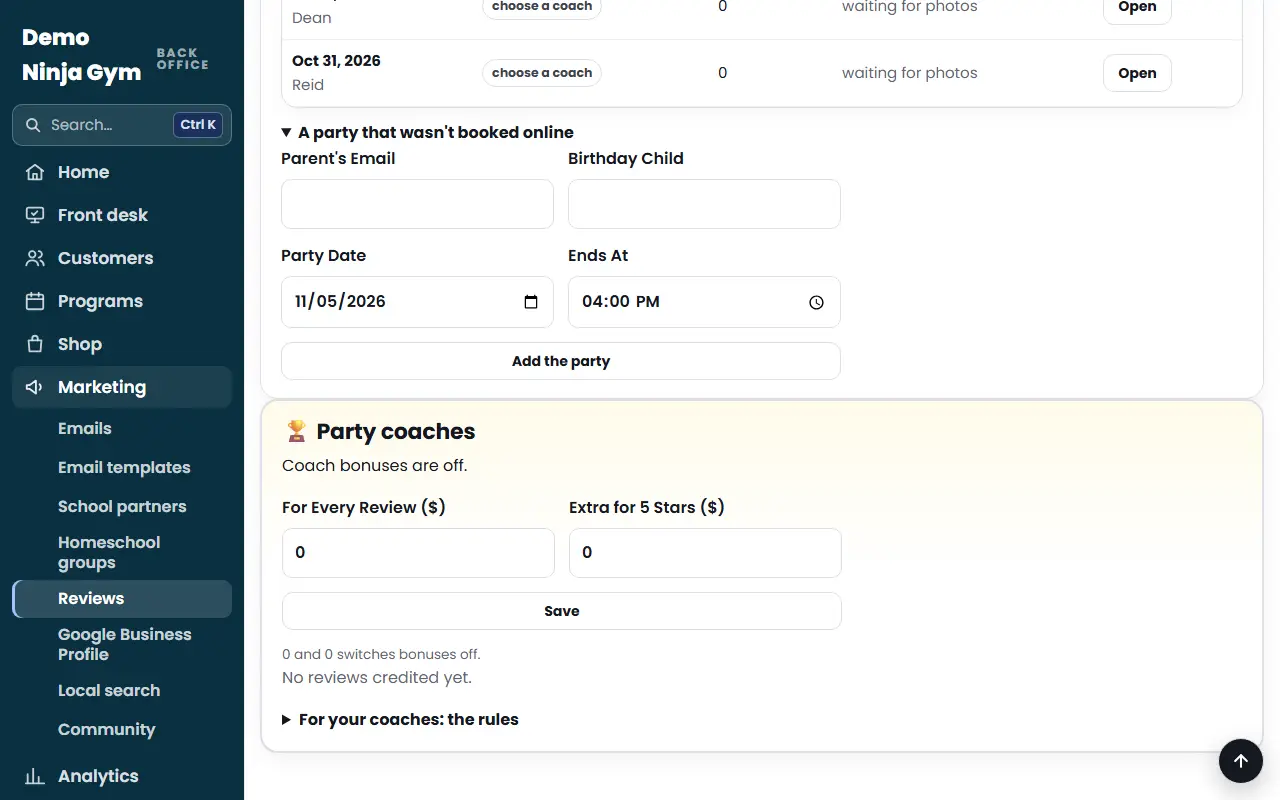
- On the Reviews page open A party that wasn't booked online.
- Enter the Parent's Email, Birthday Child, Party Date and Ends At, and press Add the party.
Change the settings (owners)
On the same page tick or change:
- Ask families for a Google review after a party.
- Send by Itself After, Ask at Most and Reminder After. Two asks is the usual balance.
- Remind the owners and the party's host to upload photos after each party.
- Show the newest Google reviews on the home and parties pages.
Press Save.
What you'll see
- Thirty minutes after a party ends, you and the host are reminded to upload photos.
- The family gets a private page, not shown on search engines, with their photos, a button to share with guests, and a button to write a review on Google. A tap on that button is counted.
- Reminders stop once the review link is tapped. NinjaHQ sends at the time families read email most.
- The Parties list shows each party's coach, number of photos and status, like "waiting for photos", "ready to schedule", "sends (time)" or "sent 2×".
- Photos are deleted 90 days after the party. Delete photos removes them and the family's page earlier (owners).
Troubleshooting
No review button for the family. There is no review link yet. Connect Google Business Profile, or paste your link in the settings. The thank-you and photos still go out.
A party is missing from the list. The list shows parties from the last 45 days and the next 2 weeks. Add others by hand.
Questions
Do we offer anything for a review?
No. Everyone is asked the same way and nothing is offered, because Google removes such reviews and the FTC fines them.
How long are photos kept?
The family's page ends after about 90 days and the photos are then deleted.
What if I do nothing?
It goes out by itself the number of hours after the party that you chose (12, 24, 48 or 72), with or without photos.