How do I set a class's age range and capacity?
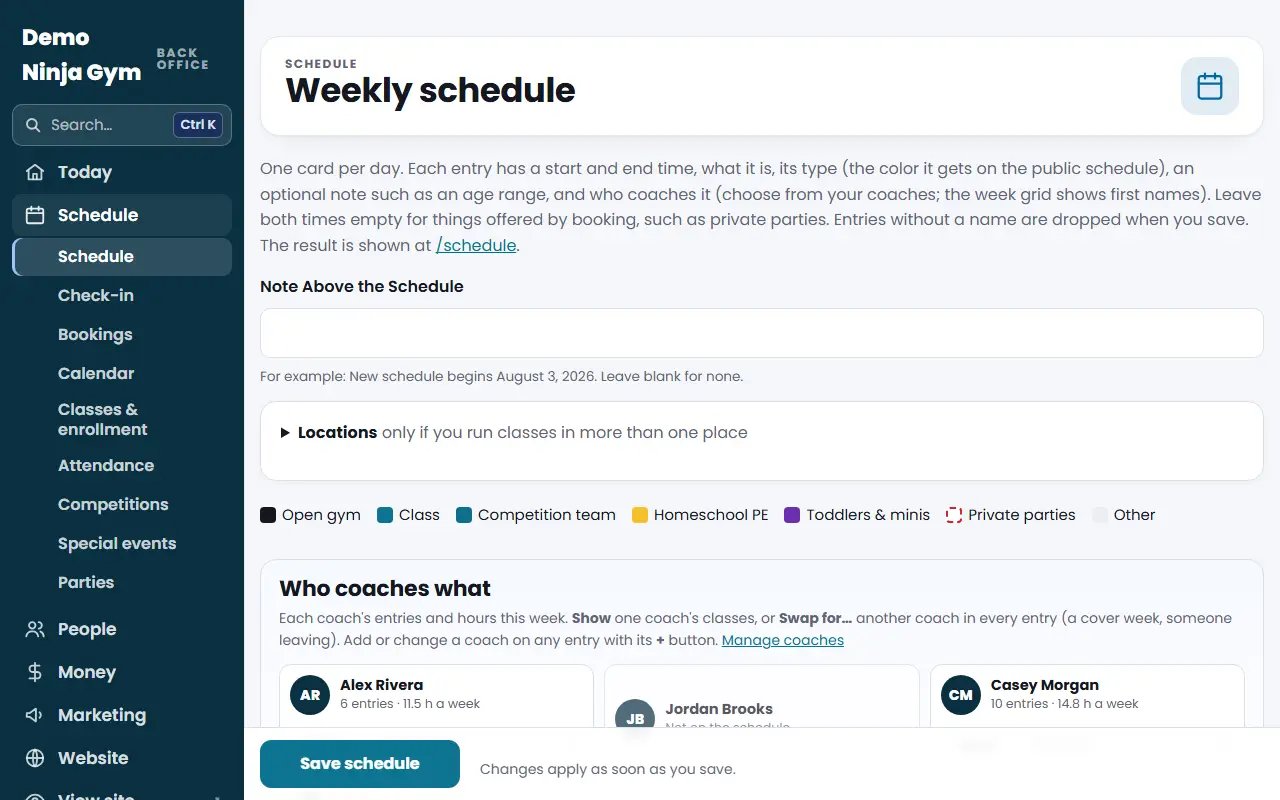
Type the ages in the entry's Note on Programs > Schedule. Set the most athletes under Programs > Classes & enrollment > the class > Class settings > Capacity.
Two places hold this information. The age range is text you show on the schedule. The capacity is a number that controls how many spots are left when families book online.
Before you begin
- The capacity setting is for owners and managers.
- Capacity applies to classes listed under Classes & enrollment. If that list is empty, your classes are not set up for online booking yet.
Steps
Show the age range on the schedule
- Open Schedule.
- Find the entry and type the ages in its Note box, for example "Ages 4-6".
- Press Save schedule.
Set how many athletes a class holds
- Open Classes & enrollment.
- Press the class name in the Classes list.
- In the Class settings box, type a number in Capacity (Most Athletes).
- Press Save.
Spots left is the capacity minus everyone enrolled here, so include the athletes who are already in the class. If you leave Capacity empty and your classes came from iClassPro, NinjaHQ keeps using iClassPro's open spots from the last download.
Other settings in the same box
- Tuition ($) changes the price. A new download from iClassPro replaces the tuition.
- Hide this class from the Book a class page takes it off your website without deleting it.
- Offer free trials turns the free trial on or off for that class.
What you'll see
The Spots left column on the Classes & enrollment list updates. When it hits zero the class shows Full, and your Book a class page offers the waitlist or a trial instead of enrolling.
Troubleshooting
The class I want is not in the list. Only classes brought in from your booking system appear under Classes & enrollment. See the article on moving classes from iClassPro, WellnessLiving or Pike13.
The ages on the booking page are wrong. Ages on the booking page come from the booking system's download, not from the schedule Note. Download again from iClassPro, or fix them there first.
Questions
Why is there no Capacity box on the Schedule page?
The Schedule page is the picture visitors see. Capacity belongs to bookable classes, which are listed under Classes & enrollment.
What happens when a class is full?
A full monthly class offers Join the waitlist (if waitlists are on), and families can still book a free trial if trials are on for that class.