How do I sell, look up and use a gift card at the front desk?
Use Gift cards to sell a card, look one up by its code, or take an amount off it. At check-in press Gift card to pay a drop-in with one.
Staff can sell a gift card in person, check a balance, and take money off a card for a purchase. Gift cards are in the front desk menu too.
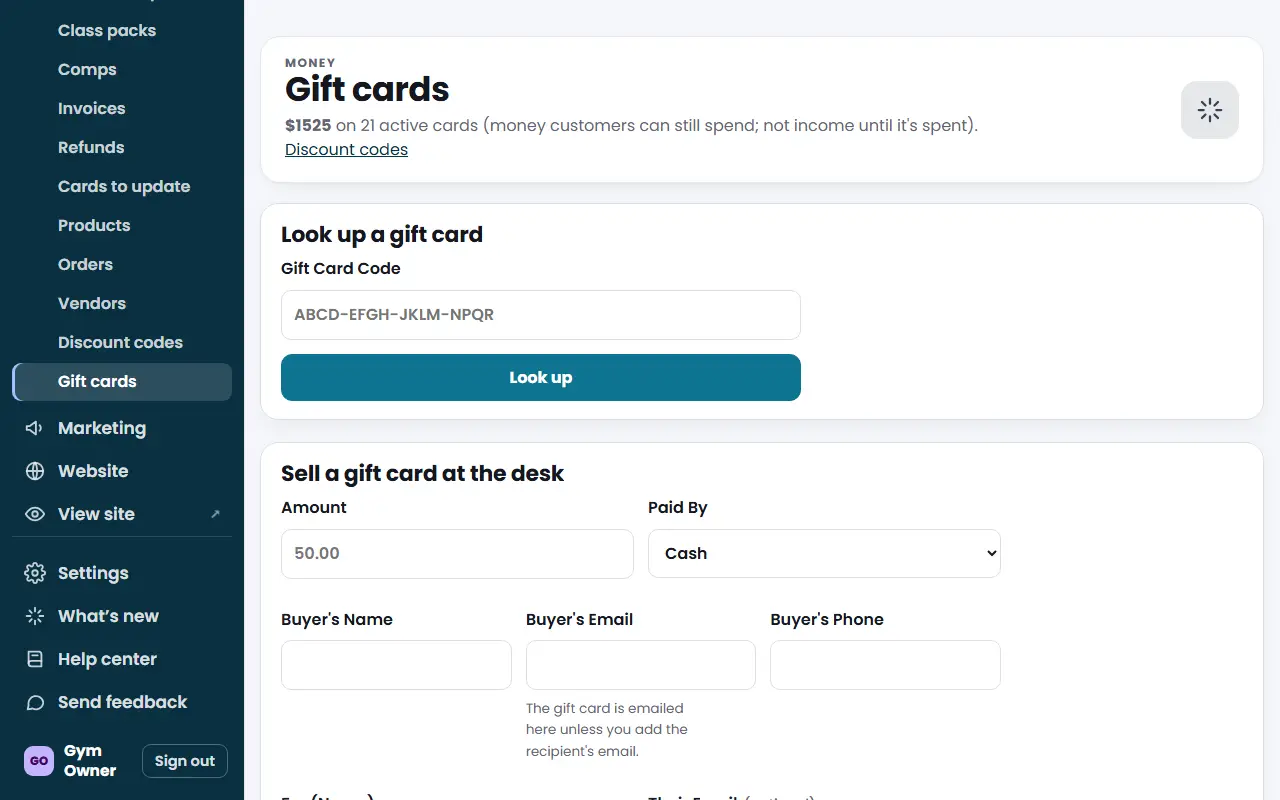
Sell a gift card
- Open Gift cards and find Sell a gift card at the desk.
- Enter the Amount (from $5 to $1,000) and choose Paid By: Cash, Card (on another machine) or Other.
- Enter the buyer's Name, Email and Phone. All three are required.
- Optional: For (Name), the recipient's email and a Message.
- Press Create and email the gift card. The card is emailed to the buyer, or to the recipient if you entered their email.
Look up a card and use it
- In Look up a gift card, type or scan the Gift Card Code and press Look up.
- You see the balance, who it is for and its history. Its status is Active or Void.
- In Use at the Desk, enter the amount (and optionally What For) and press Take it off the card.
- Take any rest of the payment on the register.
At class check-in
When a drop-in is checking in, press Gift card in the payment prompt, type or scan the code and check the balance. The card pays what it can, and the rest goes on cash, card, other or the register.
When selling a class pack at the desk, open Paying with a gift card? on the pack form and enter the code.
What you'll see
Every use is recorded in the card's history, with the amount, when, and who took it. All gift cards shows the amount left.
Troubleshooting
"The card only has $X left". Enter that amount or less and take the rest on the register.
A card was lost or misused. Owners can press Void this card after looking it up. A voided card's balance cannot be used.
Too many wrong codes. After several misses in an hour lookups pause for a while. Wait and try again carefully.
Questions
What if the gift card does not cover everything?
Take the amount on the card off, then take the rest on the register. At check-in the gift card button offers the gift card plus the rest by cash, card or other.
What is the limit for a desk sale?
Between $5 and $1,000.
Why does it say "We don't recognize that gift card code"?
The code was mistyped or does not belong to your gym. The code has 16 characters in groups of four.