Where do I find how-to articles for NinjaHQ?
The Help center in the back office has searchable how-to articles for every screen. Your connected AI assistant reads the same articles.
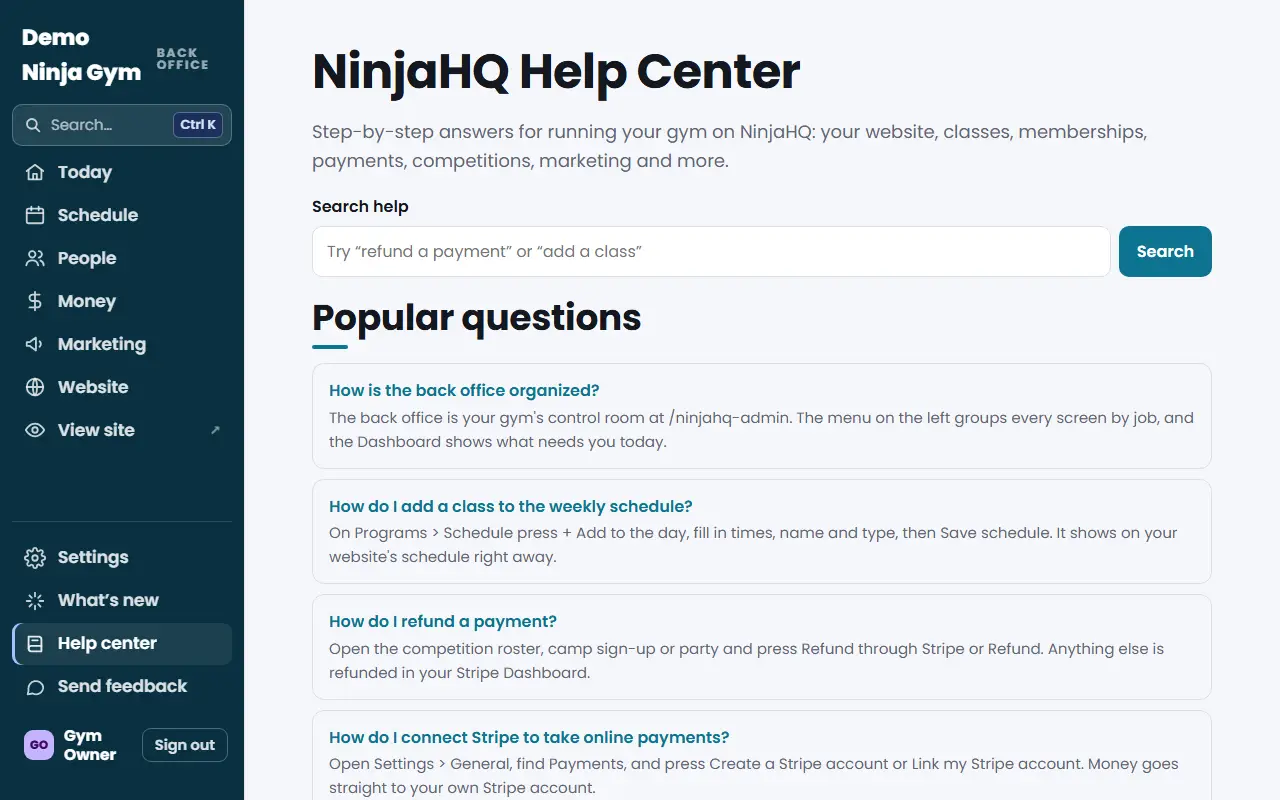
The Help center is NinjaHQ's library of step-by-step articles, written for gym owners and staff. It is searchable.
Steps
- Open the Help center from the menu.
- Type what you want to do in the search box, for example "refund" or "add a coach", or browse the topics.
- Open an article. Each one starts with a short answer, then a list of steps, what you will see afterwards, and fixes for common problems.
- Some screens also have a Help link that opens the article for that screen.
What you'll see
Articles name the menu path exactly as it appears, for example Settings > History, and link to the screens they describe. Inside the back office those links open the screen for you.
Topics
Articles are sorted into topics: Getting started; Your website; Classes, booking and schedule; Memberships and billing; Payments, refunds and Stripe; Front desk; Families and contacts; Competitions, parties and events; Shop, gift cards and discounts; Marketing and email; Reports and insights; Staff and roles; Settings, security and connections; AI assistant; and Help for families.
Tips
- Search with the words you would use in a sentence, such as "cancel a class" or "back up my data". Articles are titled as questions, so your words usually match.
- The same articles are public, so you can send a link to a coworker who does not have back-office access yet.
Troubleshooting
I cannot find an article. Try different words, or send feedback so the team can write it.
I would rather ask a question in plain words. Connect an AI assistant. It can answer how-to questions from these same articles. See Can my AI assistant answer questions about how to use NinjaHQ?.
Questions
Are these articles public?
The same articles also appear on the public NinjaHQ website under Help, so anyone can read them without signing in.
What if there is no article for my question?
Use Send feedback in the menu. The team reads every message.