How do I clock in and out?
Open Front desk > Time clock on your phone and press Clock in. On the front desk tablet, type your PIN on the keypad. Set your PIN on your Time clock page.
The time clock records when staff arrive and leave, so hours go straight to Timesheets. You can clock in from your phone or, at the front desk, with a PIN.
Before you begin
- The time clock must be on for your gym. If it is off the page says so.
- The first time, read the notice Before your first clock-in and press I understand.
- Sign in with the email an owner added. New staff are emailed how to sign in, put the back office on the Home Screen and clock in.
Steps
On your phone or computer
- Open Time clock under Front desk.
- Press Clock in. Your location is read once to confirm you are at the gym.
- Press Start a break when you take one and End break when you are back.
- Press Clock out when you leave.
- If your phone cannot find your location or you are away from the gym, type a note and press Clock in with this note.
Set your kiosk PIN
- On the same page open Front-desk kiosk PIN.
- Type a PIN of 4 to 6 digits twice and press Save my PIN. Easy PINs are refused.
On the front desk tablet
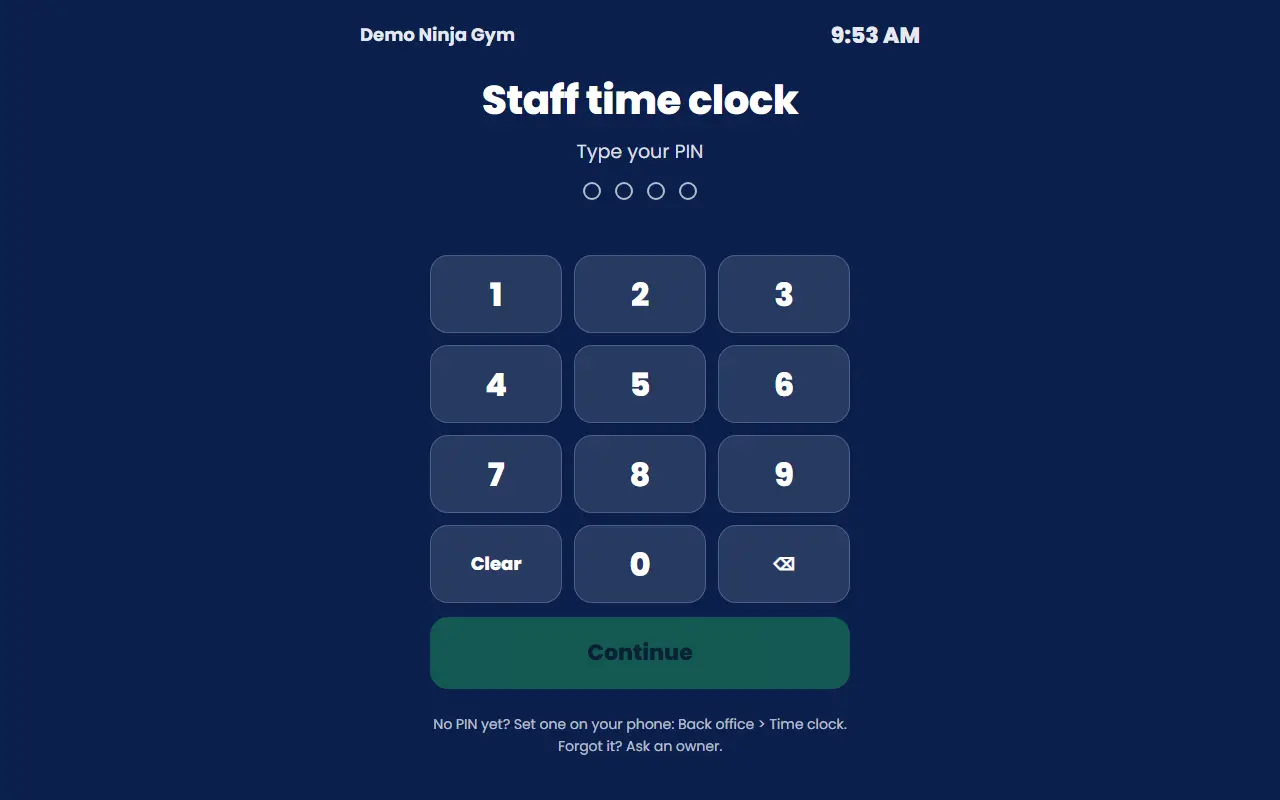
- Open the PIN time clock. It shows Staff time clock and Type your PIN.
- Type your PIN and press Continue.
- Choose the button that fits (Clock in, Clock out, Start a break or End break). It confirms and clears itself after a few seconds.
- If you are not the person shown, press Not me.
What you'll see
- The page shows your status ("Clocked in since ..."), a running timer, and This week with each shift.
- Shifts that were approved say Approved. A flag appears beside a shift if there was a problem, for example a far-away location or an automatic clock-out.
- After 8 wrong tries in 10 minutes the keypad locks for a while.
Troubleshooting
It says the time clock is switched off. An owner turned it off in Timesheets settings.
I am too far from the gym. Clock in when you get there. If your location is not working, add a note instead.
Forgot my PIN. Ask an owner to reset it.
The keypad redirects me to My time clock. On a phone or any computer that is not a Front Desk computer, you clock yourself in with the page above: How do I set up a Front Desk computer?.
Questions
Why does it ask for my location?
When you clock in or out your phone's location is read once, to confirm you are at the gym. It is never tracked at any other time. If your phone cannot find its location, you can still clock in and add a note.
I forgot to clock out.
You get a reminder after a set number of hours. Tell an owner about a missed punch; they can fix it in Timesheets.
Why does the keypad not work on my phone?
The PIN keypad works only on a Front Desk computer, so nobody can clock a coworker in from a personal phone.