How do I charge a drop-in at check-in?
Choose Check in as a drop-in, then pick how they pay: Card reader, Use a class pack, Paid cash, Paid by card, Other, Already rung up, or Gift card.
Someone who is not a member and has no class pack pays the drop-in rate. The rate comes from your settings, so staff do not have to remember it.
Before you begin
- A card reader is optional. Add one under Settings > Card readers: How do I add a card reader?.
- Which buttons you see depends on the ways to pay your owner turned on: How do I choose the ways to pay at the front desk?.
Steps
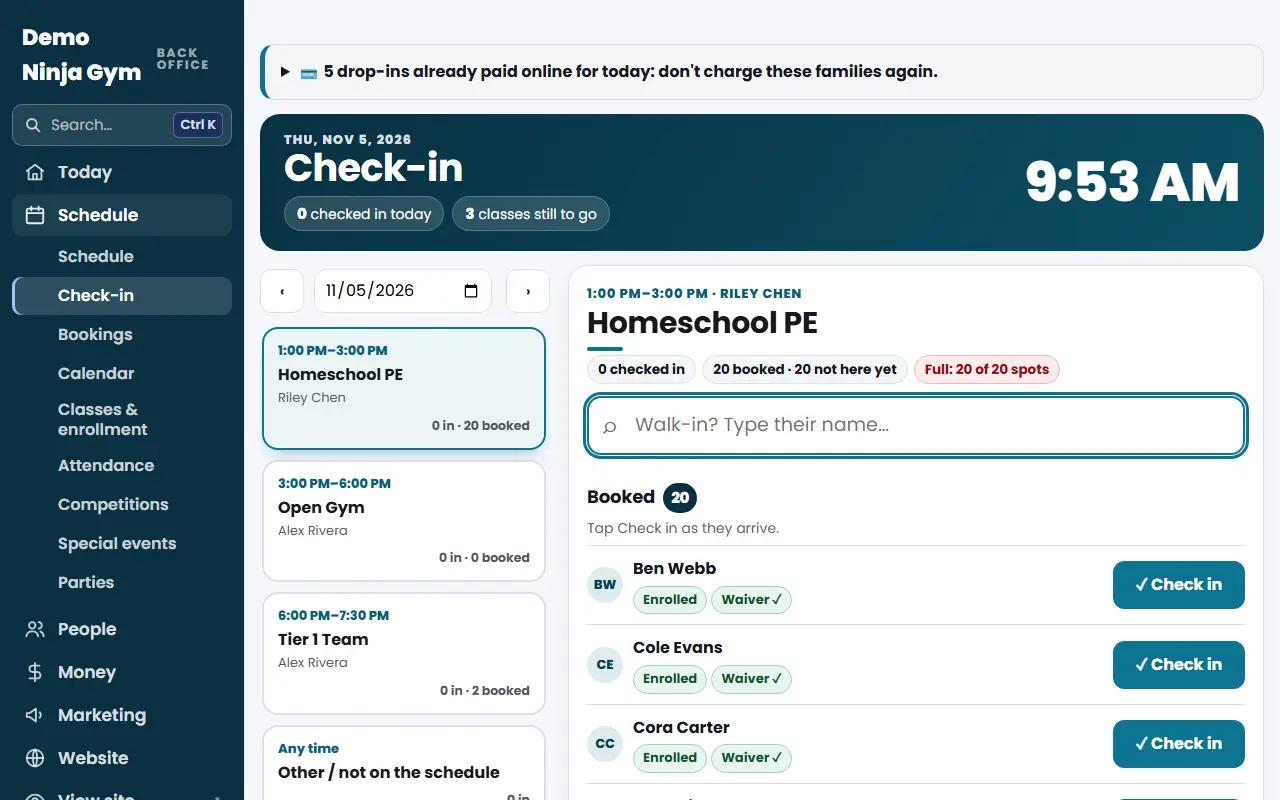
- Open the class on Check-in.
- Type the walk-in's name and pick the person. If they have no membership, pack or booking, the only button is Check in as a drop-in. If they have options, press Drop-in instead.
- A box shows the drop-in rate and how they can pay:
- Card reader (one button per reader): the reader asks the customer to tap, insert or swipe. When the payment goes through, they are checked in.
- Use a class pack: search for their pack and check them in using one class.
- Paid cash, Paid by card (on another machine) or Other: records the payment and checks them in.
- Already rung up on the register: for a sale you already took on Take a payment.
- Gift card: take it off their gift card.
What you'll see
- The person is checked in. A reader payment is recorded with your Stripe sales. Cash, card elsewhere and other are recorded as front desk receipts.
- The sale shows in Payments as a front desk sale.
Troubleshooting
The reader payment worked but the check-in failed. The money is still recorded. The message tells you to use Already rung up on the register, or refund the payment in your Stripe Dashboard.
The reader button is missing. No reader is added, or the Card reader way to pay is turned off.
They paid online earlier. Do not charge. Open them under Booked and use Check in · already paid online.
Questions
What if they already paid online?
They show under Booked with "Check in · already paid online". Do not charge them again. A missed paid drop-in stays valid for any other class.
A way to pay is missing.
An owner can hide ways to pay on the Take a payment page, under Ways to Pay at the Front Desk.