How do I add an extra page to my website, like Camps or Our Story?
Open Website > Pages, press Add a page, set a title and address, add blocks of text, lists or prices, and Save. Untick Published to keep it a draft.
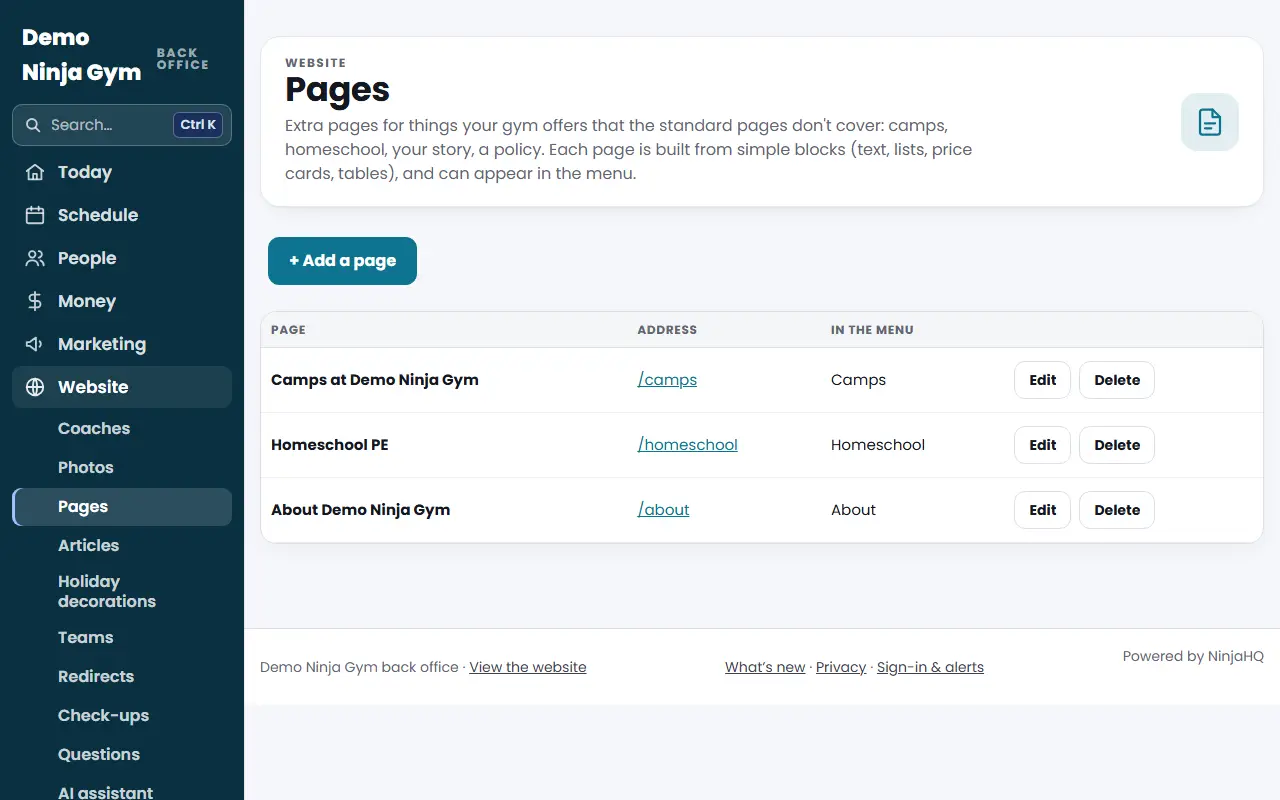
Extra pages cover things the standard pages don't, such as camps, homeschool, your story or a policy. Each page is built from simple blocks and can appear in your menu.
Before you begin
- Only owners can use Pages.
- Decide the page's address. It will live at your website followed by a slash and the address, such as /camps.
Steps
- Open Pages and press + Add a page.
- Fill in:
- Title, for example "Camp at our gym".
- Address, in small letters, numbers and dashes, for example camps.
- Show in the Menu As, a short name for the menu. Leave it empty to keep the page out of the menu.
- Optional: Small Line Above the Title, Quick Facts, Separated by Commas (up to five), Intro Under the Title, and Description for Search Engines.
- Under Buttons under the intro press + Add a button (up to three). Give Button Text and Where It Goes, either a page of your site such as /contact or a full address. The first button is the main one.
- Under Blocks, press + Add a block and choose a Kind of Block, an optional Heading and the Content. Use the arrows to move blocks, ✕ to remove one, and Tinted background to color a block's background.
- Tick or untick Published on the website.
- Press Save page. Use View page or Preview to look at it.
What you'll see
- The page appears at its address, and in the menu and footer if you gave it a menu name and published it.
- On the Pages list, drafts have a Draft badge, and the list shows each page's address and menu name. Edit opens the page, and Delete removes it after you confirm.
Troubleshooting
"is one of the site's own pages." The address matches a built-in page such as /classes or /contact. Choose another.
"You already have a page at that address." Pick a different address, or edit the existing page.
The button says it needs a link. Each button needs its text and a link like /contact or https://example.com.
Deleting a page. The page and its menu entry go away for visitors right away, and it can't be undone from this screen.
Questions
How many extra pages can I have?
Up to 12 extra pages, each with up to 20 blocks and up to 3 buttons.
Can I keep a page private while I work on it?
Yes. Untick "Published on the website". The page stays a draft that only signed-in staff can preview, and it is left out of the menu, footer and search.
Why is my page marked Page Builder?
Pages that were moved into the Page Builder are edited there with a live preview. Use the Edit in Page Builder button.