How do I send an email to my customers or my news list?
Open Marketing > Emails, choose who gets it, write the subject and message, send yourself a test, then press Send and confirm the count.
Use this page to write to your families: a closure notice, a camp announcement or a news email. Receipts, confirmations and sign-in codes are sent automatically and are not listed here.
Before you begin
- Only owners can send emails. Other staff can look at the page.
- Until your website is live, emails go only to staff and test addresses. The page shows who is held back, and owners can add up to 10 test addresses under Test Addresses.
- There is a limit of 6 news emails in 30 days, and 5,000 recipients per email.
Steps
- Open Emails and go to Write an email.
- Optional: under Start from, press one of your saved templates, or a camp sign-up reminder, to fill in the email. See saving a template.
- Choose Who Gets It. Notices go to current customers, members, class pack holders, camp families for a day, or everyone affected by a closure or schedule change. News goes only to people who said yes to news, such as camp families, members, class pack holders or competition families. If you used Email these contacts from Contacts or Students, that group is already chosen.
- Type the Subject.
- Write the Message.
- Optional: add a button. Fill in Button Text and Button Link together.
- Optional: set Send At to schedule it.
- Press Send a test to me first. It arrives as "[Test]" in your inbox.
- Press Send. A message tells you how many people will get it, and how many were left out because they unsubscribed or bounced. Confirm to send.
What you'll see
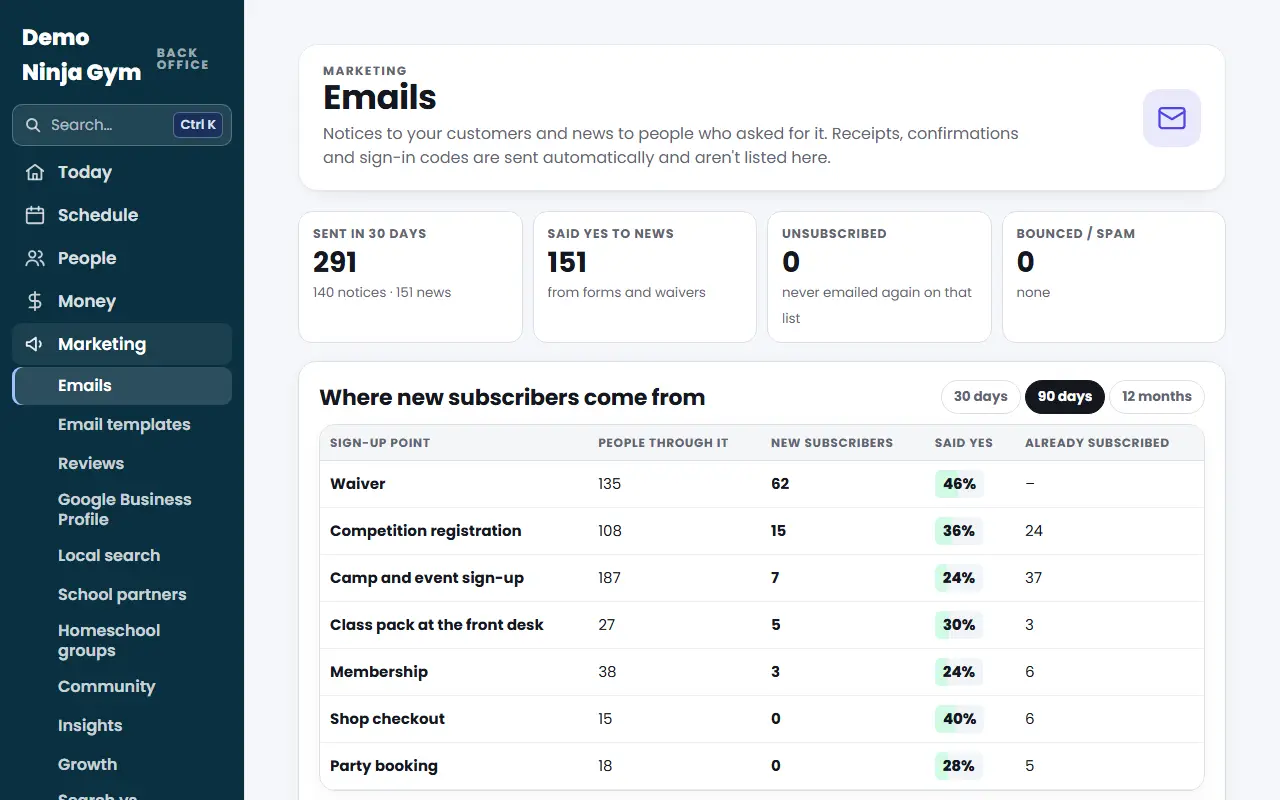
The email appears under Sent and scheduled with its status (Scheduled, Sending, Sent), how many were sent and how many skipped. The top of the page shows emails sent in 30 days, people who said yes to news, unsubscribes and bounces.
Every notice and news email carries an unsubscribe link and your gym's address.
Troubleshooting
"Only an owner can send emails". Ask an owner to send, or to give you the text to paste.
News emails are paused. The page says so after too many spam complaints. Notices still work, and NinjaHQ will review it with you.
Nobody can get it. Everyone on that list unsubscribed or bounced. Pick a different audience.
Questions
What is the difference between a notice and news?
A notice is real news about something people bought or belong to, such as a closure or schedule change. Anything that promotes, sells or invites is news, and it only goes to people who said yes to news.
Can I send an email later?
Yes. Use Send At to pick a date and time in your gym's time zone. Leave it empty to send now.
Can I stop an email after pressing Send?
Yes, while it is still going out. Press Stop on its row under Sent and scheduled. Emails already sent cannot be taken back.
Related articles
- Who can I send news emails to, and how do unsubscribes work?
- How do I save a template for emails I write myself?
- How do I turn camp, trial, party and waitlist reminders on or off?
- How do I see and change the emails my website sends automatically?
- How do I connect Facebook and Instagram to the Social inbox?