How do I add a camp or special event to my website?
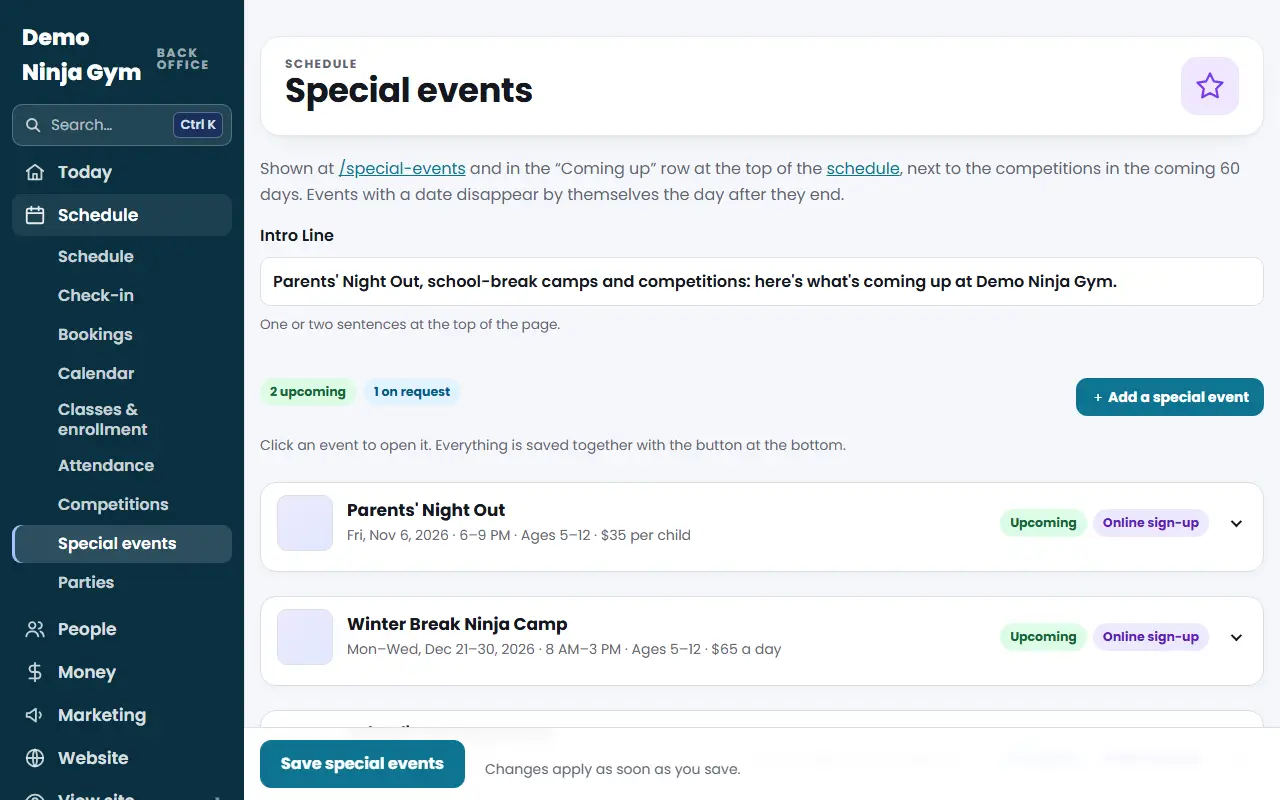
Open Programs > Special events, press Add a special event, fill in title, date, time, ages and price, and Save special events. It shows on your site.
Special events are things like camps, parents' night out and holiday programs. They show on a Special events page on your website and in the "Coming up" row at the top of your schedule, next to your competitions.
Before you begin
- Optional: add a flyer or photos on the Photos page. Otherwise the website picks a matching photo or draws one in your colors.
- Only owners and managers can edit.
Steps
- Open Special events.
- Optionally write an Intro Line (one or two sentences shown at the top of the page).
- Press + Add a special event. A new row opens.
- Under What and when fill in Title and the Date. Add a Last Day for events over several days, and Time. Add Ages and Price as text, such as "Ages 6+" and "$35 per child". If it is offered on request, leave Date empty and fill in When (If No Date).
- Under Description write What Families Get and Details, One per Line (each line becomes a bullet). Pick a Flyer or Photo, or leave it on Automatic.
- Under Sign-up put your Sign-Up Link (your booking or form page) and the Button Label. Or set up online sign-up and payment (see sign-ups and refunds).
- Press Save special events at the bottom. Everything is saved together.
To remove one press Remove this event inside its row, then save.
What you'll see
Each event has a badge: Upcoming, On request, Past: hidden from the site, or New, and an "Online sign-up" badge if payments are on. Events are shown on your site's Special events page, and on the schedule in the Coming up row. Events with a date come down by themselves the day after they end.
Troubleshooting
My event is not on the website. Check it has a title and, if it has a date, that the date has not passed. Past events are hidden.
The sign-up link was refused. The message names the event. Check the link in its Sign-Up Link field and save again.
The picture looks wrong. Pick one from the Flyer or Photo list instead of Automatic.
Questions
When does an event disappear?
Events with a date come down by themselves the day after they end. They stay in your list as "Past" until you change the date to run it again or remove it.
Can I list an event with no date?
Yes. Leave Date empty and fill in When (If No Date), for example "On school digital learning days". It shows as On request.
Do I have to take payment through NinjaHQ?
No. You can send families to your own sign-up link instead, or turn on online sign-up and payment (see the related article).