How do I start a membership for someone at the front desk?
Open Programs > Memberships > Start a membership, pick the plan, enter who pays, and press Start the membership. They get an email link to enter a card.
Use this for someone joining in person, or to move a member over from another system. For families joining on their own, see the article on what they agree to before paying.
Before you begin
- Front desk staff, managers and owners can start memberships.
- You need a plan (see the plans article), plus the payer's name, email and phone. Phone and email are required.
Steps
- Open Memberships and press the Start a membership tab.
- Under The membership choose the Plan. Fill in Price for This Member (optional) only if you agreed a different price. Under People on the Membership (One per Line) type each person's name.
- Under Who pays enter Full Name, Email and Phone.
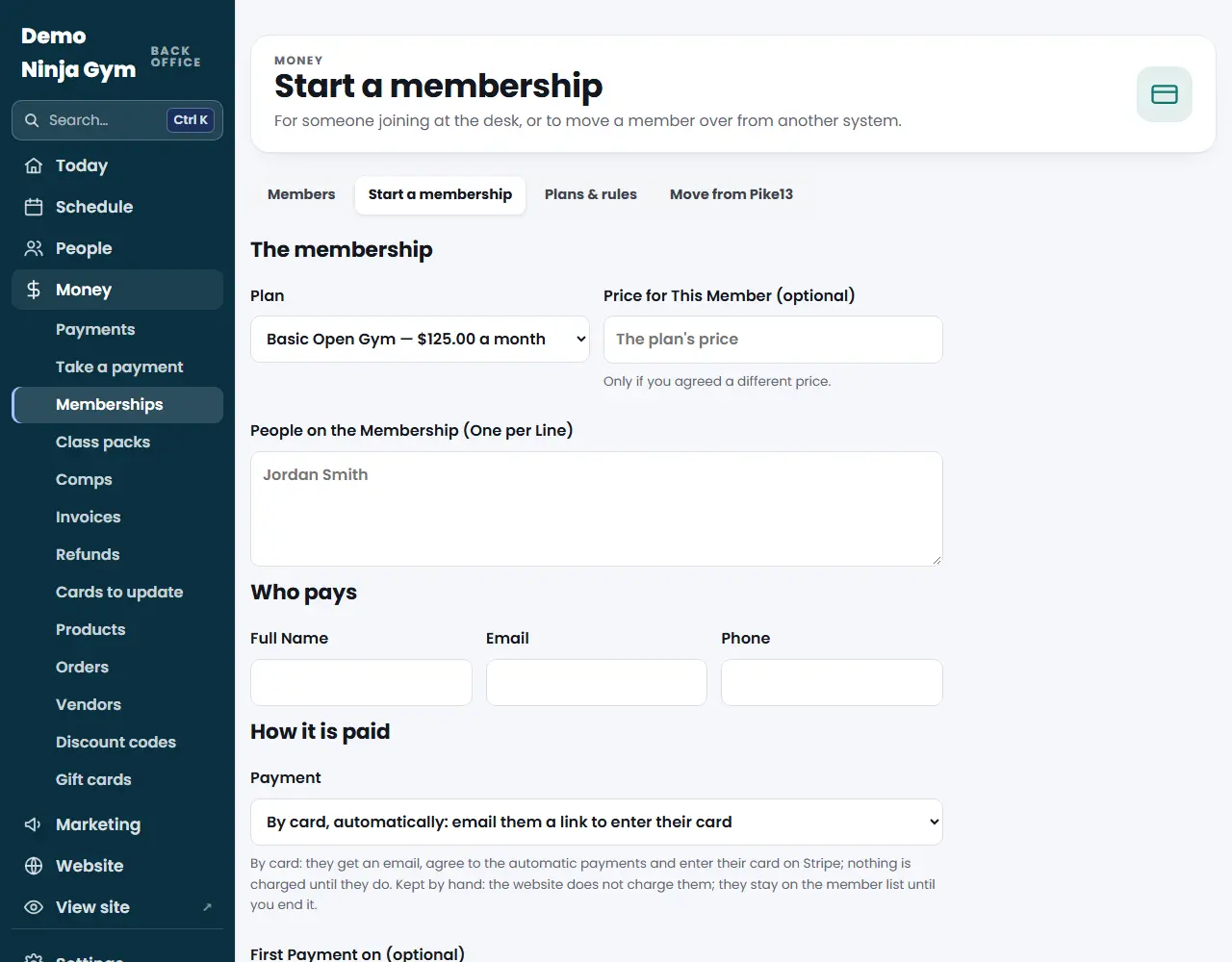
- Under How it is paid choose Payment:
- By card, automatically emails them a link to enter their card.
- Kept by hand for someone who pays at the desk or is still billed elsewhere.
- Optionally set First Payment on (for card billing) and a Note for Staff.
- Press Start the membership.
What you'll see
- For card billing, the membership is Waiting for payment. Its page shows "Waiting for the card," with the link you can open on a tablet to hand to the family, and Email the link again.
- Press Withdraw it on an unpaid membership to remove it; the link stops working.
- When the card is entered and paid, the membership becomes Active and the family gets a welcome email with the price, the renewal and how to cancel.
Troubleshooting
"Add a plan first." There are no plans yet. Add one under Plans & rules.
The By card option is missing. Stripe is not connected, so only Kept by hand is offered. Connect Stripe under Settings.
The family lost the link or cannot find the email. Open their membership and press Email the link again.
Questions
Is the family charged right away?
Not by the staff step. With By card, automatically, they get an email, agree to the automatic payments and enter their card on Stripe. Nothing is charged until they do.
What is Kept by hand?
The website does not charge them. They pay at the desk, or are still billed in your old system, and stay on the member list until you end it.
Can I line the first payment up with when their old billing ends?
Yes. Pick a First Payment on date at least 3 days away. They are not charged before it.