How do memberships and automatic billing work?
Families join a plan on your website, agree to the price and renewal, and pay by card with Stripe. It bills each period until they cancel.
A membership is a plan (a name, a price and how often it is billed) that a family signs up for. NinjaHQ keeps the list, charges the card on schedule, emails the family, and tells you when something goes wrong.
Before you begin
- Connect Stripe in Settings to take real card payments. Until then you can still keep members by hand.
- Create at least one plan (see the plans article).
Steps
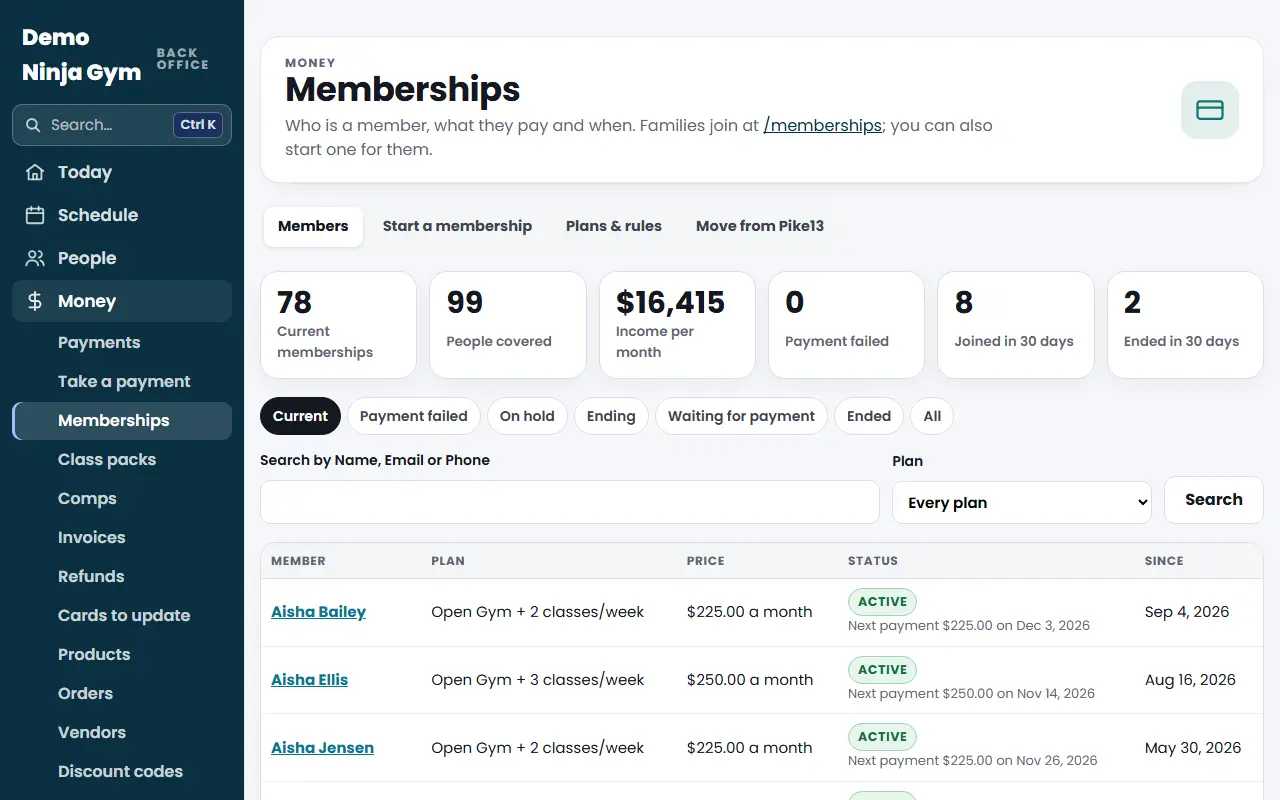
- Open Memberships. The top boxes show Current memberships, People covered, Income per month, Payment failed, Joined in 30 days and Ended in 30 days.
- Use the filters under the boxes: Current, Payment failed, On hold, Ending, Waiting for payment, Ended and All.
- Search with Search by Name, Email or Phone, or narrow by Plan, then press Search.
- Press a member's name to open their membership, where you can change, hold or cancel it.
- Press Download this list as a spreadsheet to export what you see.
The four tabs
- Members: this list.
- Start a membership: sign someone up at the desk.
- Plans & rules: the plans you sell and the rules every member agrees to.
- Move from Pike13: owners only, for gyms switching from Pike13.
What you'll see
Each row shows the member, plan, price, status and start date. Statuses are Waiting for payment, Starting soon, Active, Payment failed, On hold, Ended and Never started. Families join at your website's /memberships page and manage their own membership in My account.
Troubleshooting
"Card payments are off." Stripe is not connected. Connect it under Settings, or start memberships kept by hand.
A member is missing. Switch the filter to All. Ended and unpaid ones are hidden from Current.
Questions
Whose Stripe account is charged?
Yours. Payments go straight to your gym's own Stripe account. NinjaHQ never sees card numbers.
Can I try it without charging anyone?
Yes. While your own Stripe account is not connected, memberships are test memberships, marked Test, and you can pay with the test card 4242 4242 4242 4242. Nothing is really charged.
How do I see who is behind on payments?
Press Payment failed at the top of the Memberships page, or choose that filter. See the failed payments article.