Where do my payouts go, and how do I see them?
Stripe pays your sales to your bank on the schedule you chose. See each payout and its fees in your Stripe Dashboard under Balances > Payouts.
When a family pays on your website or at your front desk by card, the money goes to your gym's own Stripe account. From there Stripe pays it out to your bank. NinjaHQ is never in the middle, so payouts are managed in Stripe, not in the NinjaHQ back office.
Before you begin
- Stripe must be connected: How do I connect Stripe?.
- A bank account must be added in Stripe. If it is missing, the Payments card in Settings > General says Almost ready and the setup checks list Pays out to your bank as not done.
Steps
- To choose where payouts go, or switch between daily and weekly payouts, open Stripe's payout settings. The Stripe setup guide step Payouts: where the money goes has a button that opens them.
- To see a payout, sign in to your Stripe Dashboard at dashboard.stripe.com and open Balances > Payouts, then the payout. Each one lists the payments inside it and Stripe's fee.
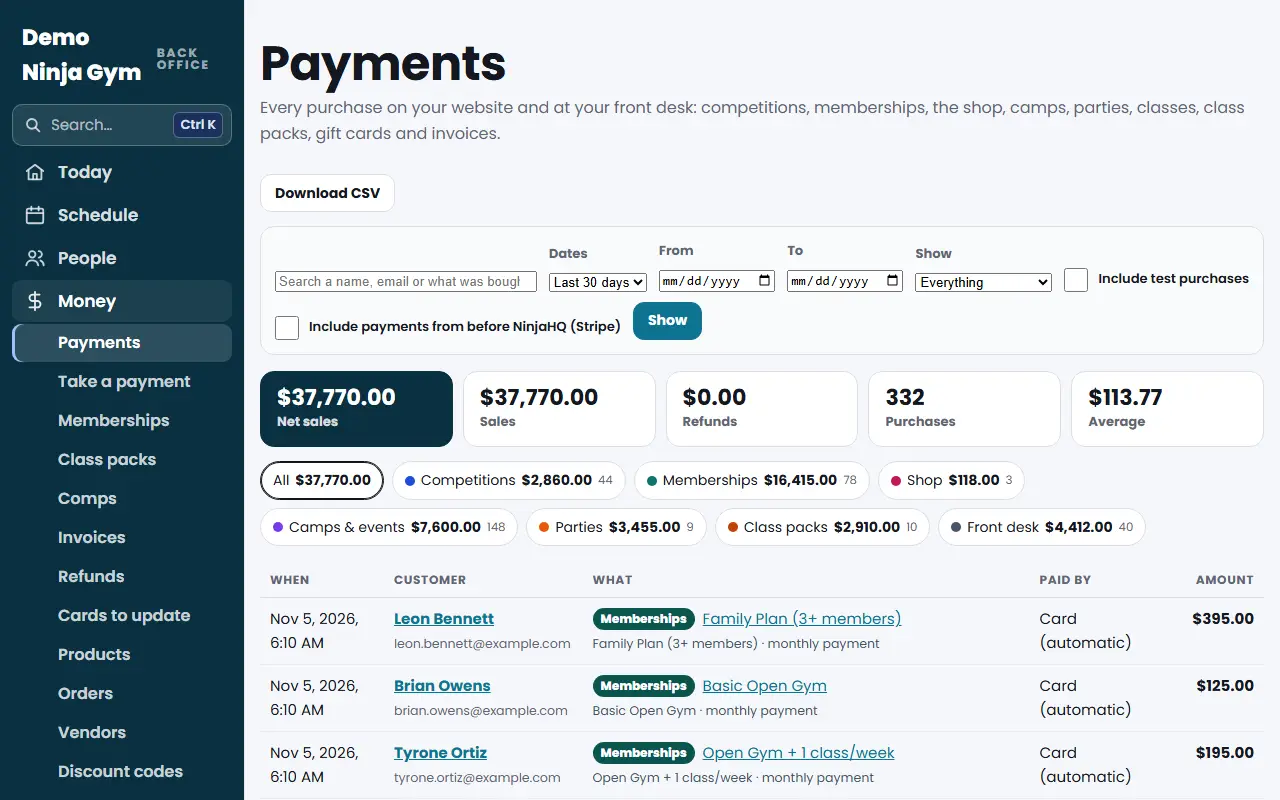
- To see what your customers paid on the NinjaHQ side, use Payments. It lists every purchase from your website and front desk. See How do I find a payment?.
What you'll see
- The NinjaHQ Payments list shows what customers paid, including sales tax, and the refunds. It does not show Stripe's card fees.
- Stripe's payout equals your card sales minus its fees and refunds, so it will be a little smaller than the NinjaHQ total for the same days.
- Payments you take as cash, "Card on another machine" or "Other" at the front desk are recorded in NinjaHQ only. They are not in Stripe, so they never appear in a Stripe payout.
If you use QuickBooks, see How do I reconcile Stripe payouts in QuickBooks? for matching payouts to the sales NinjaHQ sends.
Troubleshooting
I do not see a payout yet. Payouts follow the schedule you set in Stripe, and Stripe pays a few days after the sale. Before your website goes live, payments are only test purchases.
Stripe says a payout failed or my bank account needs attention. Fix it in your Stripe Dashboard. Only someone you added under Stripe's Settings > Team can see it.
Managers cannot open Payments. Only owners can see the Payments page.
Questions
Why is a payout smaller than my sales?
Stripe keeps its processing fee and pays out the net amount. Card fees are in your Stripe account, not in the NinjaHQ Payments list.
Can I change daily versus weekly payouts?
Yes, in Stripe under Settings > Payouts. The Stripe setup guide has a button for it.