Why can't a family sign in to My account, and how do I help?
Families sign in at My account with the email on file, using an emailed or texted code or Google. An email not on file gets no code, so fix it in Contacts.
Families sign in to a page called My account on your website. There is no password: they type their email and get a code. Most trouble comes from using a different email than the one your gym has on file.
Before you begin
- Families sign in at your website's
/accountpage (the sign-in page for My account), not the back office. - A family can sign in only if their email is already known to your gym: a registration, order, waiver, membership, a customer account, or a contact (imported or added at the front desk, including a guardian's email on a child's record).
- For safety, the page gives the same answer whether or not the email is known, and sends no email for an unknown address.
Steps
- Ask the family which email they use to sign in. Have them try the one they used to register, sign the waiver or buy.
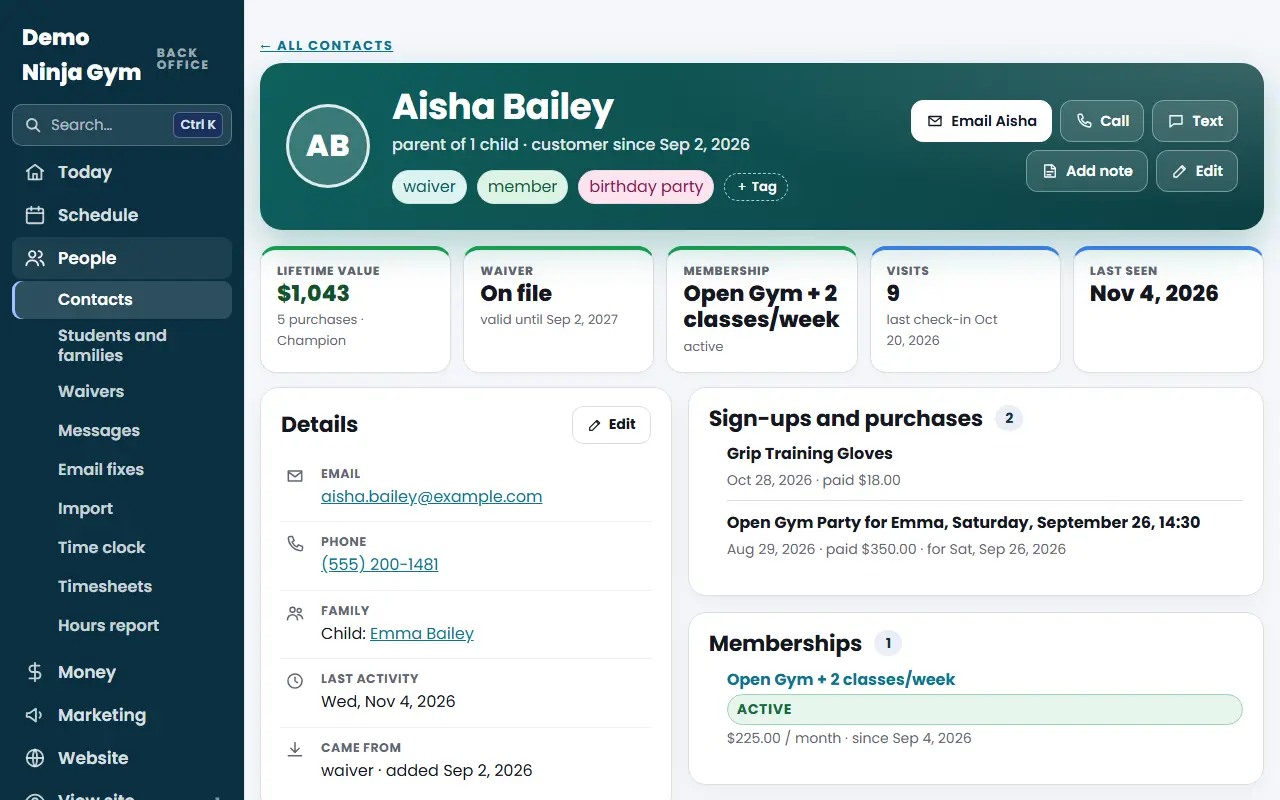
- Open Contacts and search that email, or the parent's name, to see which address your gym has.
- If the email on file has a typo, open the contact, press Edit, correct it and press Save changes. See What is on a contact's page?.
- Ask them to try again at My account. They enter the email, then the six-digit code they receive. They can instead choose Text me the code instead (only shown when your gym's texting is approved) or Continue with Google with the Google account that uses the same email.
- If nothing arrives, ask them to check spam, and open their contact page: the Email card shows if the address is Blocked.
What you'll see
- A new family sees Is this right? on first sign-in with their name, phone, address and athletes prefilled. When they confirm, their contact is updated.
- After that My account shows their registrations, memberships and other items under that email.
- The contact page shows whether their address has been blocked after a bounce, which is a common reason mail does not arrive.
Troubleshooting
The family says "no code arrived". Check the address for typos, spam folder, and the Blocked line on their contact page. If the address was mistyped, fix it on the contact.
They signed up with a different email. They need to use that email, or you can change the contact's email to it (Edit). Two records for the same person should be merged: How do I merge duplicate contacts?.
The email is not in Contacts at all. Unknown emails get no code. Ask the family which email they used, or have them register, sign the waiver or buy something with the email they want to use.
Questions
Do families need a password?
No. They enter their email and get a six-digit code. Where texting is turned on, they can choose Text me the code instead, and they can also use Continue with Google.
Why does a family see Is this right? on their first sign-in?
Anyone imported or added by the front desk checks their name, phone, address and athletes the first time they sign in. Confirming updates their contact.
How can I tell what email a family used?
Open their contact in Customers > Contacts. A child signs in with the guardian's email.